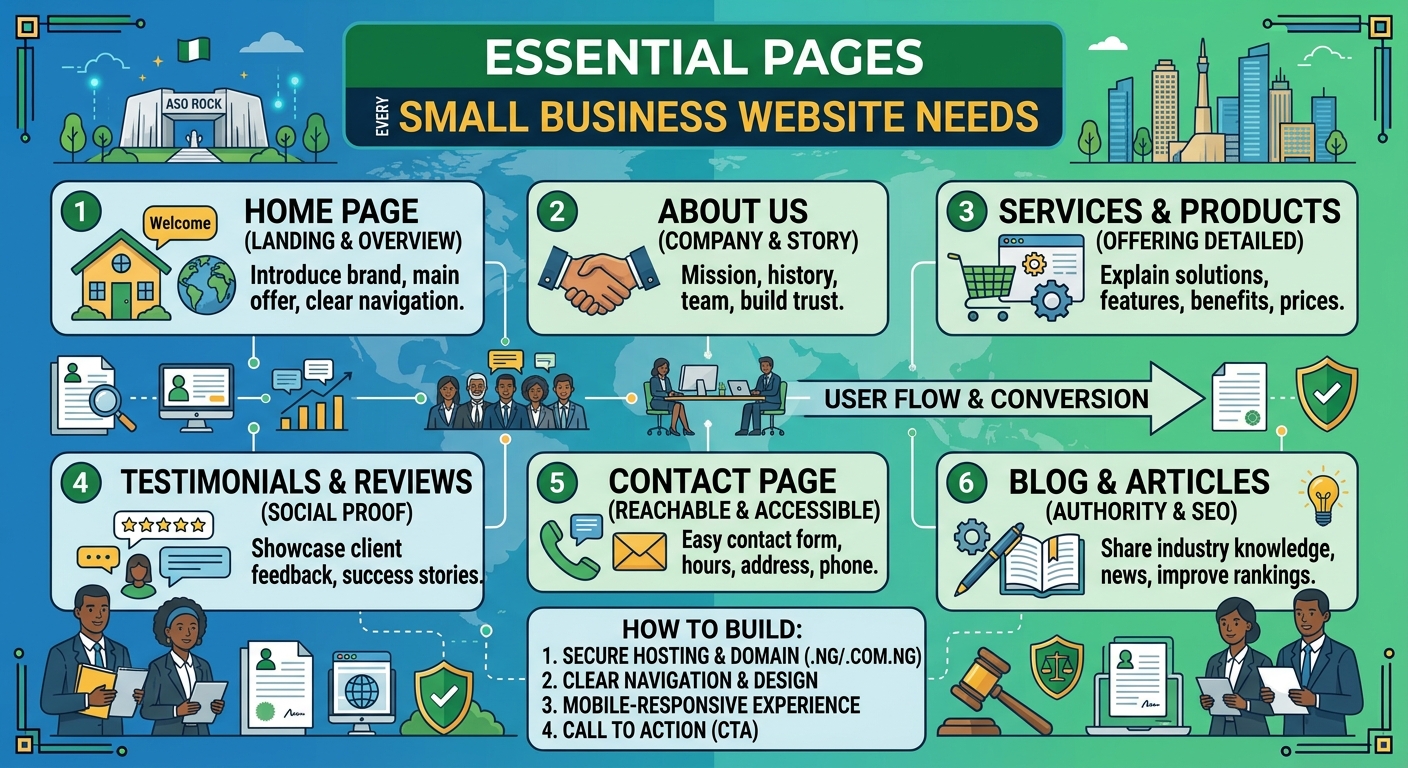
Essential Pages Every Small Business Website Needs
A business website should do more than look professional. It should answer customers’ questions, explain what you offer and make it easy for the right people to contact you. Whether you run a small company, church, law firm or growing professional practice in Nigeria, the pages on your website play an important role in turning visitors into enquiries.
You do not need dozens of pages to get started. A clear, well-organised website with the right information is usually more useful than a large site that is difficult to navigate. The following pages form a practical foundation for most small business websites.
1. Home page
Your home page is often the first page a visitor sees. It should quickly communicate who you are, what you do and who you help. Avoid making visitors search for basic information.
A useful home page typically includes:
- A clear headline explaining your main service or value
- A short introduction to the business
- Your most important products or services
- Reasons customers should consider working with you
- A prominent call to action, such as Request a consultation or Contact us
- Links to important pages and contact details
For example, a law firm may lead with its main areas of practice, while a church may highlight service information, location and upcoming activities. The content should reflect what visitors are most likely to need first.
2. About page
The About page gives visitors more context about your organisation. It is an opportunity to explain your experience, approach and values in a straightforward way.
Good About page content may include:
- When and why the business was established, if relevant
- The problem your organisation helps customers solve
- Your team or leadership
- Your working principles
- The communities or types of customers you serve
Keep the focus on the reader. Instead of listing background information without context, explain how your experience benefits clients, customers, members or the wider community. Use genuine photographs where appropriate, and only include claims that you can support.
3. Services or products page
Visitors need a clear explanation of what they can buy or request from you. A Services page can provide an overview, with separate pages for important services that require more detail.
For each service, explain:
- What the service includes
- Who it is designed for
- The problem it addresses
- What the process involves
- What the visitor should do next
A hosting provider, for instance, may separate website hosting, domain registration, VPS and cloud hosting into clearly described options. A law firm may organise its content by practice area. Clear structure helps visitors find relevant information without needing to contact you simply to understand your basic offer.
4. Contact page
Your Contact page should make getting in touch simple. Include the contact methods your organisation actively monitors, such as an email address, telephone number, office location or social media channel.
Depending on your organisation, you may also include:
- Business hours or response hours
- Directions or service-area information
- A general enquiry email
- Information about what to include in an enquiry
- Links to relevant social media profiles
Do not include contact channels that are rarely checked. A visitor who receives no response may assume that the business is inactive. If you use a contact form, keep it focused on essential information and explain what happens after submission.
5. FAQ page
An FAQ page answers common questions before they become obstacles. It can reduce repeated enquiries and help potential customers feel more confident about contacting you.
Questions may cover:
- How your service works
- Who can use your service
- What information customers need to provide
- Typical timelines or stages
- Payment or booking procedures
- Support and after-sales communication
Use real questions that customers ask, rather than filling the page with generic statements. Review the page periodically as your services and customers’ needs change.
6. Testimonials, case studies or trust page
New visitors often want evidence that your organisation is reliable. A testimonials or case studies page can show how you have helped customers, provided that the content is genuine and used with permission.
A useful case study can describe the customer’s situation, the service provided and the result without making exaggerated promises. Testimonials should be accurate and clearly attributed where the person or organisation has agreed to be identified.
If testimonials are not appropriate for your organisation, consider a trust-focused page explaining your process, professional approach, service standards or community work. Trust should be built through clear information, not unsupported claims.
7. Blog, news or resources page
A blog or resources section is not essential for every small business at launch, but it can be valuable when you have useful information to share. Articles can answer customer questions, explain industry terms and demonstrate your knowledge.
Possible topics include:
- Guides to choosing a service
- Answers to common customer problems
- Explanations of technical or legal terms
- Updates about your organisation
- Practical advice for your local audience
Quality matters more than publishing frequently. An outdated page with several years of old announcements may create a poor impression, so only create a blog if you can maintain it realistically.
8. Privacy policy and other important policies
Visitors should be able to understand how your website handles personal information. A Privacy Policy can explain what information you collect, why you collect it and how people can contact you about their information.
You may also need other policy pages depending on your website and operations, such as terms of use, service terms, refund information or a cookie notice. The correct requirements depend on how your organisation operates and the information your website collects. Obtain appropriate professional advice where necessary, especially if your business handles sensitive information or operates in a regulated field.
9. A clear page structure and navigation
Essential pages are only useful if visitors can find them. Keep the main navigation short and use familiar labels such as Home, About, Services, Resources and Contact.
Check that important pages are accessible on mobile devices as well as larger screens. Make sure links work, headings are easy to scan and calls to action are visible without overwhelming the page. A visitor using a phone should not have to zoom in or scroll through a confusing menu to find your contact details.
How to prioritise your website pages
If you are launching a new website, start with the pages that support your immediate business goals. In many cases, this means:
- Home
- About
- Services or products
- Contact
- Privacy and relevant policy pages
Add FAQs, case studies and resources as you learn what visitors need. This approach can help you control website creation costs while still presenting a professional online presence. Reliable hosting and a suitable domain also provide the foundation for keeping these pages available to visitors.
Final thoughts
The best small business websites are not necessarily the largest. They are clear, trustworthy and easy to use. Start with the pages that answer your customers’ most important questions, keep the information accurate and give visitors a clear next step.
With the right page structure, dependable hosting and regular updates, your website can become a useful business tool rather than simply an online brochure.