
A Beginner’s Guide to Nameservers

A Beginner’s Guide to Nameservers

When someone types your domain name into a browser, how does the browser know which server contains your website? The answer involves nameservers.

Nameservers work behind the scenes to connect a domain, such as yourbusiness.com or a Nigerian domain, to the correct hosting service. You do not need to become a DNS specialist to use them, but understanding the basics can help you launch a website, move hosting providers and avoid common setup problems.

This guide explains what nameservers are, how they differ from domain names and hosting, and what to check before changing them.

What are nameservers?

Nameservers are specialised servers that tell the internet where to find the DNS records for a domain name. DNS stands for Domain Name System. It translates human-readable domain names into the technical information computers use to locate websites and other online services.

For example, when a visitor enters example.com in a browser, the domain’s nameservers help direct the request to the DNS system responsible for that domain. The DNS records then provide information such as:

  • Which server hosts the website
  • Where email for the domain should be delivered
  • Which services are authorised to send email
  • Whether a subdomain should point to another service

A simple way to think about nameservers is to treat them like a signpost. Your domain is the address people remember, while the nameservers point internet services towards the records that explain where the website and email are located.

Nameservers, domains and hosting: what is the difference?

These three terms are connected, but they are not the same.

Domain name

A domain is the address people use to reach your website. It might be your company name, a personal brand or an organisation’s name. Registering a domain gives you the right to use that address for the registration period, provided it is renewed and kept in good standing.

Web hosting

Web hosting is the service that stores your website’s files and makes them available online. A hosting account may contain your website files, databases, SSL configuration, backups and other resources.

Nameservers

Nameservers connect the domain’s DNS management to the DNS service that contains its records. If your domain uses the nameservers provided by your hosting company, that hosting company will usually manage the main DNS zone for the domain.

Domain registration and hosting can be purchased from the same provider or from separate providers. The important issue is that the domain points to the correct DNS service and that you retain access to the accounts controlling it.

What do nameservers usually look like?

Nameservers are normally written as hostnames, such as:

  • ns1.examplehost.com
  • ns2.examplehost.com

Your hosting provider supplies the exact nameservers to use. They may contain the provider’s brand, or they may use a domain created specifically for its DNS service. Nameservers are not the same as IP addresses, although the nameserver system eventually helps direct requests to IP addresses and other DNS destinations.

Most hosting services provide at least two nameservers. Using more than one helps provide continuity if one nameserver is temporarily unavailable, although the exact design depends on the provider.

When do you need to change nameservers?

You may need to update nameservers in several situations:

  • You registered your domain with one company and bought hosting from another.
  • You are moving an existing website to a new hosting provider.
  • A developer or agency originally configured the domain and you want to manage it yourself.
  • You are setting up a new website for your business or organisation.
  • Your provider has asked you to move to new DNS servers.

For a new domain and a new hosting account, the process is usually straightforward: obtain the correct nameservers from the hosting provider, enter them at the domain registrar and wait for the DNS changes to take effect.

How to update nameservers safely

1. Confirm where the domain is registered

First, identify the company where the domain was registered. This may be different from the company hosting the website. You will need access to the domain registrar account, not just the hosting control panel.

If a former employee, developer or agency registered the domain, make sure your organisation has the login details and that the registration information is accurate. Losing access to a domain can create serious problems for a website, business email and customer communications.

2. Obtain the correct nameservers

Ask your hosting provider for the exact nameserver addresses for your hosting plan. Copy them carefully. A small spelling error can prevent the domain from resolving correctly.

Do not guess nameservers based on another customer’s website or an old setup guide. Providers can change their DNS arrangements, and different hosting services may use different nameservers.

3. Record the existing DNS settings

Before making changes, save a copy or screenshot of the current DNS records. This is particularly important if the domain already has business email, verification records or subdomains.

Changing nameservers can move control of the domain’s DNS records from one provider to another. If the new DNS zone does not include the necessary email records, website email may stop working even if the website itself loads normally.

4. Enter the new nameservers at the registrar

Log in to the domain registrar, find the domain management or nameserver section, and replace the existing nameservers with the new ones. Save the change and check that the values displayed afterwards are correct.

Some registrars use labels such as “Custom nameservers”, “Use my own DNS” or “Change DNS servers”. The wording varies, but the purpose is the same.

5. Allow time for the change

Nameserver changes are not always visible everywhere immediately. Different internet providers, devices and DNS resolvers may temporarily hold older information in their cache. As a result, one person may see the new website while another still sees the old one.

Avoid repeatedly changing the nameservers because the website does not appear instantly. Check the settings first, then allow the DNS change time to spread. If the problem continues, contact the domain or hosting provider and provide the domain name and the exact nameservers you entered.

Nameservers and business email

A common mistake is to focus only on the website during a hosting change. Your domain may also support addresses such as [email protected] or [email protected].

Email delivery depends mainly on DNS records, including MX records. If you change nameservers and the new DNS zone does not contain the correct MX records, incoming email may be delayed or delivered incorrectly. Other records can also matter, including SPF, DKIM and DMARC records used to help authenticate outgoing email.

Before changing nameservers, list the services connected to the domain:

  • Website hosting
  • Business email
  • Payment or booking tools
  • Subdomains
  • Website verification services
  • Marketing and email delivery platforms

This short inventory can prevent an unexpected interruption. If you are unsure which records are needed, ask your current email provider or hosting support team before making the change.

Common nameserver problems

The domain shows an error page

This may happen if the nameservers are incorrect, the DNS records are missing or the hosting account is not configured for the domain. Check the spelling and confirm that the domain has been added to the correct hosting account.

The website works, but email has stopped

This often points to missing or incorrect mail records in the new DNS zone. Restore the required email records or ask the email provider for the correct settings.

Only some people see the new website

This can be normal while DNS information is being refreshed. Check the configuration before assuming the change failed.

The domain is not under your control

If you cannot access the registrar account, work on recovering ownership and account access before attempting technical changes. A business should keep control of its domain, hosting and email rather than relying entirely on a former employee or third party.

A practical example

Imagine a Nigerian business has its domain registered with one company but decides to host a WordPress website with a new provider. The business receives two nameservers from the new hosting company and updates them at the registrar.

Before the change, the business records its existing email and verification records. After the change, it confirms that the domain points to the new website and that messages to its domain-based email addresses are still arriving. If the website loads but email does not, the next step is to check the MX and related mail records rather than changing the nameservers again.

This approach is especially useful for small businesses and entrepreneurs who need a reliable website without turning every technical change into a major disruption.

What to remember

Nameservers are the connection between your domain and the DNS records that direct website, email and other online services. You usually change them when setting up hosting or moving a website, but the change should be planned carefully.

Keep access to your domain registrar, record existing DNS settings, confirm the correct nameservers with your provider and check both your website and business email afterwards. With those precautions, nameservers become a manageable part of running a professional online presence rather than a confusing technical obstacle.

What Is DNS and Why Does It Matter?

What Is DNS and Why Does It Matter?

When someone types your business domain into a browser, how does their device find the correct website? The answer is DNS, or the Domain Name System.

DNS connects a human-friendly domain such as yourbusiness.com to the technical destinations used by websites, email services and other online tools. You usually do not see DNS working, but a problem with it can make a website unavailable, stop business email from arriving or send visitors to the wrong service.

For a Nigerian business, creator or organisation building a dependable online presence, understanding the basics of DNS can help you protect your domain, troubleshoot problems and avoid losing access to important digital assets.

DNS explained in simple terms

Computers communicate using numerical Internet Protocol (IP) addresses. People, however, find names much easier to remember than strings of numbers. DNS acts like a directory that helps translate a domain name into the destination a device needs to contact.

For example, when a customer enters your domain in a browser, a DNS lookup helps identify the server hosting your website. The browser can then request the website’s files and display the page.

The same domain can also use DNS to direct other services. Your website may point to one provider, while your domain-based email uses another. This is why changing a website host does not always require moving business email, provided the relevant DNS records are preserved and updated correctly.

What happens when someone visits a website?

A simplified version of the process looks like this:

  1. The visitor enters a domain name in a browser or follows a link.
  2. The device asks a DNS resolver for the domain’s current records.
  3. The resolver finds the authoritative DNS information for that domain.
  4. The browser receives the destination, such as a web server’s IP address.
  5. The browser connects to the server and requests the website.

Several systems may cache DNS information temporarily to make repeat lookups faster. This is useful for performance, but it also explains why a DNS change may not appear everywhere immediately. Different networks and devices can retain the previous information until their cached data expires.

Important types of DNS records

DNS records tell the Internet what different services should do with your domain. You do not need to memorise every technical detail, but knowing the main record types makes hosting and email conversations much clearer.

<

Record Common purpose
A Points a domain or subdomain to an IPv4 address, often for a website.
AAAA Points a domain or subdomain to an IPv6 address.
CNAME Points one hostname to another hostname, often for a subdomain or external service.
MX Identifies the mail servers responsible for receiving email for a domain.
TXT Stores text used for verification and email-authentication policies, among other purposes.
NS Identifies the name servers that provide authoritative DNS information for the domain.

These records work together. A website may need an A record, while professional email commonly depends on correct MX and email-authentication records. Removing or replacing records without understanding their purpose can interrupt one service while fixing another.

DNS, a domain and hosting are not the same thing

These terms are often confused:

  • A domain name is the memorable address people use to reach you, such as yourbusiness.ng or yourbusiness.com.
  • Web hosting provides server space and resources for your website’s files, database and applications.
  • DNS directs requests for your domain to the appropriate website, email provider or other online service.

They can be purchased from the same company or managed through separate providers. The important issue is not whether everything is with one provider; it is whether your organisation knows who controls each account and can access the domain and DNS settings.

A website developer may set up DNS during launch, but the business should retain access to its domain registrar account and understand where DNS is managed. This protects the business if a developer, employee or service relationship changes.

Why DNS matters to a business

It keeps your website reachable

If the records directing your domain to your hosting server are wrong, visitors may see an error or an unrelated page instead of your website. For a business that relies on enquiries, bookings or online sales, even a basic DNS mistake can create missed opportunities.

It helps business email work

Website hosting and email hosting are separate functions. MX records tell other mail systems where to deliver messages sent to addresses such as [email protected]. Incorrect MX records can cause mail delivery failures or route messages to the wrong provider.

It supports trust and security

DNS is involved in domain verification and email authentication. TXT records may be used to confirm ownership of a service or publish policies that help receiving mail systems assess whether messages are legitimately sent for your domain. DNS is not a complete security solution, but careful management reduces avoidable risks.

It affects changes and migrations

When moving a website to a new host, DNS is often the final connection between the domain and the new server. Planning the records in advance can reduce disruption. A migration should account for website records, email records, subdomains, verification records and any other service connected to the domain.

A practical DNS change workflow

Before changing DNS, use this simple process:

  1. Identify the purpose. Decide whether you are connecting a website, setting up email, verifying a service or creating a subdomain.
  2. Record the current settings. Keep a copy or screenshot of existing records before editing them. Include the record type, name, value and any relevant timing setting.
  3. Confirm the destination. Obtain the exact values from your hosting or service provider. Do not guess an IP address or mail-server name.
  4. Change only what is necessary. Avoid deleting unrelated records, especially MX, TXT or verification records.
  5. Test from more than one connection. Check the website and send or receive test email. A mobile network and a fixed connection may update at different times.
  6. Keep access and documentation. Store the registrar and DNS-management details securely so another authorised person can maintain the setup.

For example, if a business moves its website to new hosting but keeps its existing email provider, it should update the website-related record while preserving the MX records and relevant email-authentication records. Changing every record at once could take the website online while silently breaking email.

Common DNS problems and what they usually mean

  • The domain shows an old website: the DNS change may not have reached every network yet, or the old record may still exist.
  • The domain does not load: the website record may be missing, incorrect or pointing to a server that is not configured for the domain.
  • Email stops arriving after a website change: MX records may have been removed or replaced.
  • A service cannot verify the domain: a TXT or CNAME record may have the wrong name, value or formatting.
  • Only one subdomain fails: that hostname may need its own record even though the main domain works.

DNS issues can resemble hosting, website or email problems. If the symptoms are unclear, checking the records and contacting the provider that manages DNS is often safer than repeatedly changing settings.

Good DNS habits for Nigerian businesses

Keep the domain registration details accurate, monitor renewal dates and use a strong, unique password for the registrar account. Enable multi-factor authentication when available. Limit DNS access to trusted people and avoid giving permanent control to a contractor who no longer needs it.

It is also worth documenting which provider manages the domain, website hosting, email and DNS. This is particularly useful for small teams where one person may handle several online responsibilities. A reliable hosting and support partner can manage the technical work, but the business should still retain ownership and access to its core accounts.

Visitors may discover a business through social media, but a domain gives the organisation a stable digital home. When that domain leads to a secure website and dependable domain-based email, it supports a more consistent customer experience.

The practical takeaway

DNS is the connection layer between your domain and the online services behind it. You do not need to become a server administrator, but you should know who controls your DNS, what the main records do and which services depend on them.

Before making a change, document the current setup, update only the required record and test both your website and email. That small amount of care can prevent a confusing technical issue from becoming a lost enquiry, missed message or damaged customer experience.

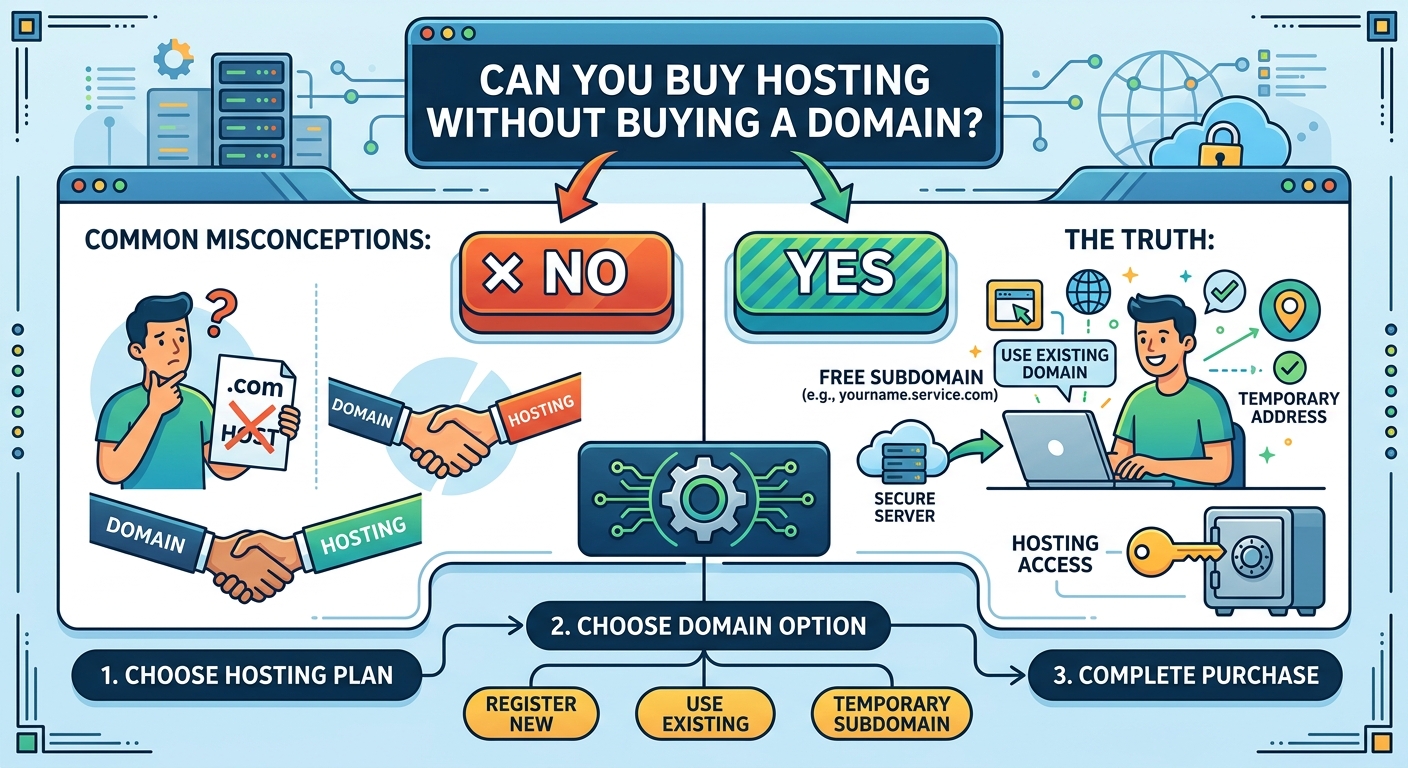
Can You Buy Hosting Without Buying a Domain?

Yes, you can buy web hosting without buying a domain name. Hosting and domain registration are separate services, even though they are commonly purchased together when launching a website.

This flexibility can be useful for business owners, SMEs, churches, law firms and other organisations that want to prepare a website before choosing a permanent web address. You may also already own a domain registered with another provider and only need hosting for your website.

Understanding the difference between these services will help you avoid unnecessary costs and make setup easier.

What is web hosting?

Web hosting is the service that stores your website’s files and makes them available online. These files may include your website pages, images, databases, videos and application code.

When someone visits your website, the hosting server delivers the relevant files to their browser. Hosting can come in different forms, including shared hosting, VPS hosting and cloud hosting. The right option depends on the size of your website, expected traffic, technical requirements and available budget.

Without hosting, your website files do not have a reliable place to operate online. You may have designed a website, but visitors will not be able to access it through the internet until it is placed on a suitable server.

What is a domain name?

A domain name is the address people type into a browser to find your website. It is the readable alternative to using a numerical IP address.

For example, a business might use a domain based on its name, while a church, law firm or professional organisation may choose an address that reflects its identity. A domain can help people remember your website and can support a more professional online presence.

Registering a domain gives you the right to use that web address for the registration period, subject to the terms of the domain extension and registrar. It does not automatically provide storage for your website files. That is the role of hosting.

Can hosting work without a domain?

Yes. Many hosting providers allow you to purchase a hosting plan without registering a new domain. You may be given a temporary address, a server address or another access method for viewing and managing your website.

This allows you to:

  • Upload website files before selecting a permanent domain.
  • Build and test a website privately or on a temporary address.
  • Use a domain registered with a different provider.
  • Move an existing website to new hosting without transferring the domain.
  • Set up a website project while your preferred domain choice is still being decided.

The exact temporary access method depends on the hosting provider. It may not be suitable as a permanent public address, but it can be useful during development and migration.

When might you buy hosting first?

1. You are still choosing a domain name

A suitable domain name may require careful thought. You may want to confirm your business name, review available domain extensions or agree on a name with business partners before registering it.

Buying hosting first can allow your website work to begin while that decision is being finalised. However, if you have already found a valuable and suitable domain name, registering it promptly may reduce the risk of someone else taking it.

2. You already own a domain

Many website owners purchase their domain and hosting from different companies. For example, you may have registered your domain previously but now need more suitable hosting for a new website.

You do not need to purchase the domain again. Instead, you can connect the existing domain to your new hosting account by updating its DNS settings or nameservers.

3. You are moving an existing website

When transferring a website to a new hosting provider, the domain can remain with its current registrar. The important task is to point the domain to the new server after the website files and databases have been moved.

Keeping the domain and hosting separate can also make future changes easier because you are not required to transfer both services whenever you change hosting.

4. You are developing a website before launch

A designer or developer may need hosting to build and test a website before the organisation is ready to publish it. A temporary address can support this stage, although access controls should be considered if the website contains confidential information or unfinished content.

How do you connect a domain to hosting?

After purchasing hosting, you generally connect your domain by changing its DNS configuration. The hosting provider will normally supply the nameservers or DNS records required for the connection.

The usual process is:

  1. Purchase or choose a hosting plan.
  2. Obtain the hosting account details and required nameservers or DNS records.
  3. Log in to the account where your domain is registered.
  4. Replace or update the relevant DNS settings.
  5. Upload your website files or install your chosen website platform.
  6. Test the domain and confirm that the website loads correctly.

DNS changes may not appear everywhere immediately. The time can vary depending on the records involved, caching and the providers handling the domain and hosting. During this period, some visitors may see the old destination while others see the new one.

What happens to email if you change hosting?

Business email often depends on DNS records, so changing hosting should be planned carefully. If your organisation uses email addresses connected to its domain, do not remove or replace mail-related records without knowing how your email service is configured.

A website can be moved to new hosting while email continues to operate through a separate email provider. The key is to update only the records required for the website and preserve the records needed for mail delivery.

Before making DNS changes, record your existing settings and confirm which service handles your email. This is especially important for organisations such as law firms and businesses that rely on consistent communication with clients.

Is it better to buy hosting and a domain together?

For many beginners, purchasing both services from one provider is convenient. One account may make billing, support and initial setup easier. Some providers also offer domain registration during the hosting order process.

However, buying them together is not required. Separate providers may suit you if:

  • You already have a domain.
  • Your preferred domain registrar does not provide the hosting features you need.
  • You want to keep your domain independent from your hosting provider.
  • You are moving a website and want to avoid changing several services at once.

When comparing options, look beyond the introductory offer. Consider renewal terms, storage, backups, support, security features, control panel access and the hosting resources your website needs. The lowest initial cost is not always the lowest overall cost or the best fit for a business website.

What can you do before buying a domain?

While using temporary hosting access, you can prepare much of your website. You may create page content, upload images, configure a content management system, test forms and organise your navigation.

It is still wise to delay public promotion until you have a permanent domain and have tested the complete website. A temporary address may be difficult to remember and may not represent your brand professionally.

You should also confirm that your final domain can be connected easily to the hosting account. Check whether the host supports the technology your website requires, such as databases, programming languages, content management systems or specific server configurations.

Do you need a domain for every website?

A domain is not required for every type of online project. A website can be tested on a temporary address, hosted within an internal network or accessed through a platform-provided address.

For a public-facing organisation, however, a custom domain is usually the more practical choice. It gives visitors a clear address, supports brand recognition and can make it easier to create professional domain-based email addresses. The domain should be chosen carefully because changing it later can affect links, search visibility, printed materials and customer awareness.

Final considerations before you buy hosting

Before ordering, identify what you need now and what you may need later. A small informational website may have different requirements from a busy online shop, a client portal or a website with custom applications.

  • Decide whether you need a domain immediately or already own one.
  • Confirm how you will access the hosting account without a domain.
  • Check how the provider connects external domains.
  • Review backup, security and support options.
  • Protect existing email and DNS settings during any change.
  • Choose hosting that can support your website’s expected requirements.

Sonhosting can help simplify the process of choosing hosting and setting up the tools needed for a website. Whether you are preparing a new website or moving an existing domain, understanding how hosting and domains work separately makes it easier to plan with confidence.

In short, you can buy hosting without buying a domain. You can use temporary access while building your website, connect a domain registered elsewhere or purchase a domain later. The best approach depends on your project timeline, technical needs and how quickly you are ready to establish a permanent online identity.

Your Cart

©2018 - currentyear Sonhosting • By Digital Nigeria - RC 7487481
All Rights Reserved
Powered by ShootOut Now Services