How to Choose the Best Domain Extension for a Nigerian Business

How to Choose the Best Domain Extension for a Nigerian Business

Choosing a domain extension is one of the first decisions you make when building a website. For a Nigerian business, the choice often comes down to several familiar options: .com, .ng, .com.ng and specialised extensions such as .org or .net.

The right choice depends less on which extension sounds most impressive and more on your audience, brand name, budget, growth plans and the type of organisation you operate. A suitable domain should be easy to remember, credible to customers and practical to manage over time.

What a domain extension tells visitors

A domain extension is the part that appears after the final dot in a web address. In yourbusiness.com, for example, .com is the extension. It is also called a top-level domain, or TLD.

Some extensions communicate a geographic connection. The .ng extension is associated with Nigeria, while .uk is associated with the United Kingdom. Other extensions are more general. The .com extension is widely used by commercial businesses, while .org is commonly associated with organisations, communities and non-profit initiatives.

An extension does not, by itself, make a website trustworthy or successful. Trust also depends on whether the website works reliably, displays accurate contact information, uses HTTPS, offers a professional email address and provides useful information. However, the extension can influence how visitors interpret your business and where they believe it is based.

.com: familiar and flexible

.com is often the first extension people think of when they hear the word “website”. It can suit almost any commercial business, including Nigerian companies that want to serve customers locally and internationally.

It may be a good choice if:

  • Your business plans to serve customers outside Nigeria.
  • You want an extension that many customers already recognise.
  • Your preferred business name is available as a .com.
  • You want a domain that can support future expansion into other markets.

The main challenge is availability. Short, common and memorable .com names are often already registered. You may need to use a more distinctive brand name, add a relevant word or consider a Nigerian extension instead of choosing a long and confusing domain.

.ng: a clear Nigerian identity

.ng can help communicate that a business is Nigerian or has a strong connection to Nigeria. It may be suitable for local companies, Nigerian creators, community projects, media platforms and businesses whose main customers are in the country.

A .ng domain can make a short brand name possible when the equivalent .com is unavailable. For example, a business with a distinctive name may prefer a concise address such as brand.ng rather than a longer alternative under another extension.

Choose .ng when your Nigerian identity is part of your positioning and your customers are unlikely to be confused by the shorter local extension. It can also work well alongside a .com domain when a business wants to protect its brand in more than one domain space.

.com.ng: a practical option for commercial businesses

.com.ng combines a commercial signal with a Nigerian identity. It can be a practical choice for small businesses, entrepreneurs and growing companies that want visitors to understand both what they do and where they operate.

It may be especially useful when:

  • The .com version of your business name is unavailable or unsuitable.
  • Your core market is Nigeria.
  • You want a domain that clearly looks commercial and locally focused.
  • You are building a new brand and want a straightforward alternative.

Before registering any Nigerian domain, check the current registration requirements, pricing and renewal conditions with your registrar. Domain policies and availability can differ by extension and may change over time.

When another extension may be more appropriate

Not every organisation should use a commercial extension. A non-profit, association, community group or charitable initiative may find .org more appropriate because it matches how people generally understand that type of organisation.

.net is a general-purpose alternative, although it may be less immediately connected with a particular business type. Industry-specific extensions can sometimes help explain what a business does, but they should not be selected only because they sound modern. The domain must still be easy to say, spell and remember.

In most cases, clarity is more valuable than novelty. A simple domain under a familiar extension is usually easier to promote than an unusual extension that customers may forget or mistype.

A decision framework for Nigerian businesses

Use the following questions to narrow your options:

1. Where are your customers?

If most customers are in Nigeria, a Nigerian extension can reinforce your local identity. If you serve several countries or expect international expansion, .com may offer broader familiarity. Your choice does not permanently restrict your market, but it can shape first impressions.

2. What does your brand need to communicate?

A business selling products or services may suit .com or .com.ng. A professional association may prefer .org. A local identity may be important enough to choose .ng. The extension should support your positioning rather than contradict it.

3. Is the name easy to remember?

Say the complete domain aloud. Ask whether someone could type it correctly after hearing it once. Avoid unnecessary hyphens, complicated spelling, excessive words and numbers that require explanation.

4. Can you use it consistently?

Check whether the same or a closely related name is available on the social platforms and communication channels your business actually uses. Perfect consistency is not always possible, but a large mismatch can make a brand harder to find.

5. Can you manage it for the long term?

Consider registration, renewal and related services such as hosting and business email. A domain is not a one-time purchase. It needs accurate ownership details, monitored renewal dates and secure account access.

Should you register more than one extension?

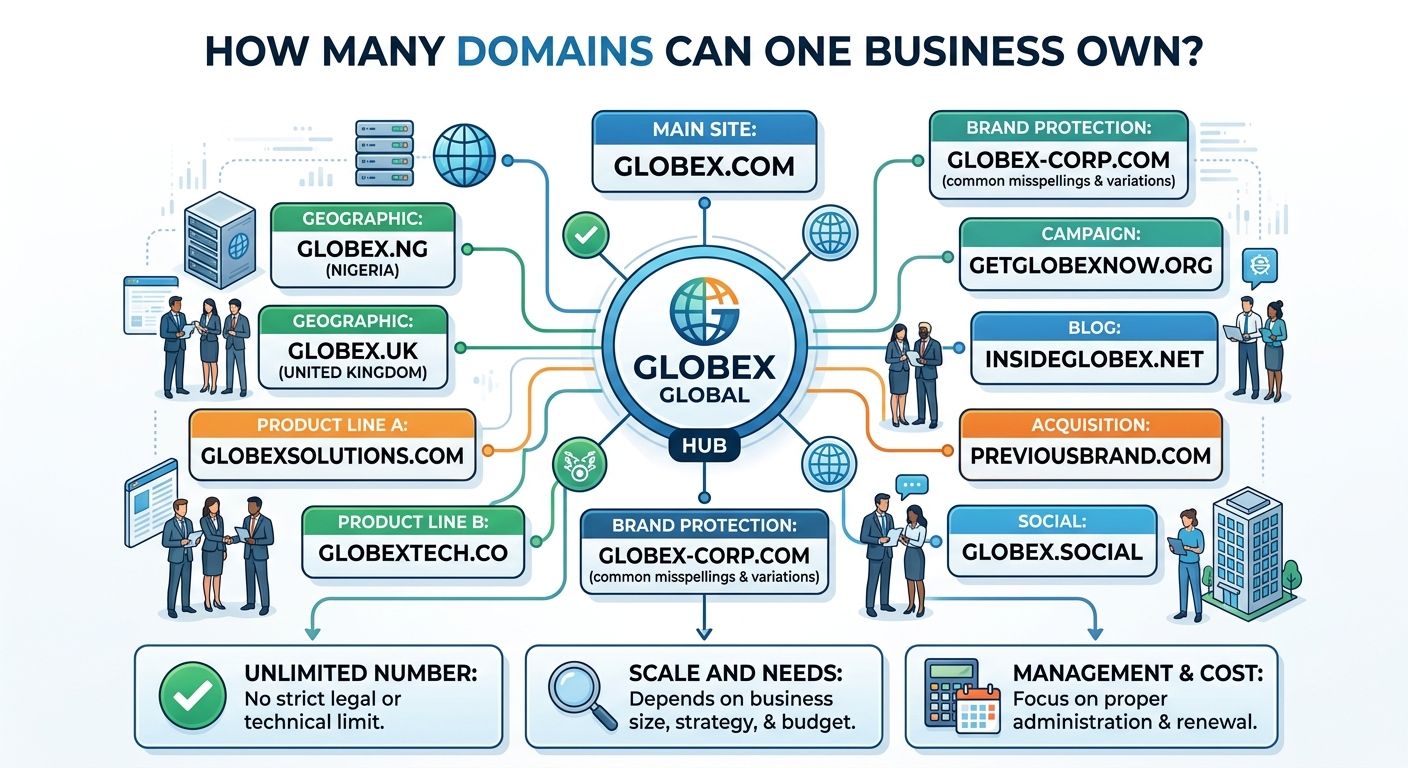
Some businesses register more than one version of their name. For example, a company may use a .com.ng domain for its main Nigerian website while also registering the matching .com or .ng address.

This can be useful for brand protection, preventing confusion and redirecting visitors to one primary website. However, registering multiple domains is not automatically necessary. Each additional domain creates another renewal to track, and owning several domains does not replace the need for a clear primary address.

Choose one main domain for your website, email and marketing materials. If you register related domains, configure them deliberately and keep access to all of them under the business’s control.

Do not confuse a domain with hosting

Your domain is the address people use to find you. Hosting is the service that stores your website’s files and makes them available online. You normally need both for a functioning website.

You may also need an SSL certificate so visitors can connect through HTTPS, and domain-based business email such as [email protected]. These parts work together: the domain supports your identity, hosting supports your website, and professional email helps customers recognise official communication.

A hosting provider such as Sonhosting can help combine domain registration, hosting, SSL and business email into a manageable setup. The important point is to understand what you own, what is being renewed and who has administrative access.

Protect ownership from the beginning

Register the domain using accurate business or owner information and keep confirmation records. The person responsible for the business should retain access to the registrar account, email address and recovery methods.

Avoid leaving your domain entirely under the control of a former employee, developer or agency. A web professional may help set everything up, but the business should still know how to access and renew its essential digital assets.

Use a strong, unique password and enable available account security features. Set reminders well before the renewal date. An expired domain can affect your website, email and customer communications, so renewal management is part of basic business continuity.

A practical recommendation

For a Nigerian business serving mainly local customers, compare .ng and .com.ng with the matching .com option. Choose the one that produces the clearest, easiest-to-remember address within your budget. For a business with international ambitions, .com may be the strongest primary choice when it is available and suitable.

There is no universally best domain extension. The best option is the one that matches your audience, supports your brand, remains easy to communicate and can be securely maintained. Select the extension as part of a complete online presence that includes reliable hosting, HTTPS, professional email and accurate business information—not as a substitute for those essentials.

How to Check Whether a Domain Name Is Available

How to Check Whether a Domain Name Is Available

Choosing a domain name is often one of the first decisions you make when creating a website. The challenge is that a name may be unavailable even when no active website appears at that address. It may already be registered, reserved, listed for sale or connected to a website that is temporarily offline.

A proper availability check helps you avoid wasted branding work and reduces the risk of registering a name that is difficult to remember, easy to misspell or controlled by someone else. It also gives you a chance to secure a domain that fits your business, website, email and long-term plans.

What does domain availability mean?

A domain is generally available when it has not already been registered by another person or organisation and can be registered through an authorised domain provider. Availability is checked for the complete domain name, including its extension.

For example, these are different domain names:

  • brighttraders.com
  • brighttraders.ng
  • brighttraders.org

The fact that one is unavailable does not automatically mean that the others are available. Each extension has its own registration system and requirements.

It is also important to distinguish an unavailable domain from an inactive website. A registered domain might show a blank page, an error message or an expired-looking website while still being owned by someone. Only an official availability check can tell you whether it can be registered normally.

Start with a short list of suitable names

Before using a domain search tool, prepare several possible names. Your first choice may already be taken, so having alternatives makes the process easier.

A useful domain name is usually:

  • Easy to say and spell
  • Simple enough to remember after hearing it once
  • Relevant to the business, organisation or personal brand
  • Suitable for a website and professional email address
  • Flexible enough to support future growth

Try to avoid unnecessary hyphens, unusual spellings and long combinations of words. These can create confusion when people type the address or tell it to someone over the phone. A mobile-first audience may also appreciate a short name that is easy to enter on a small screen.

Consider whether the name still makes sense if your business adds new products or serves a wider market. A very narrow domain may be accurate today but restrictive later.

Use a domain search tool

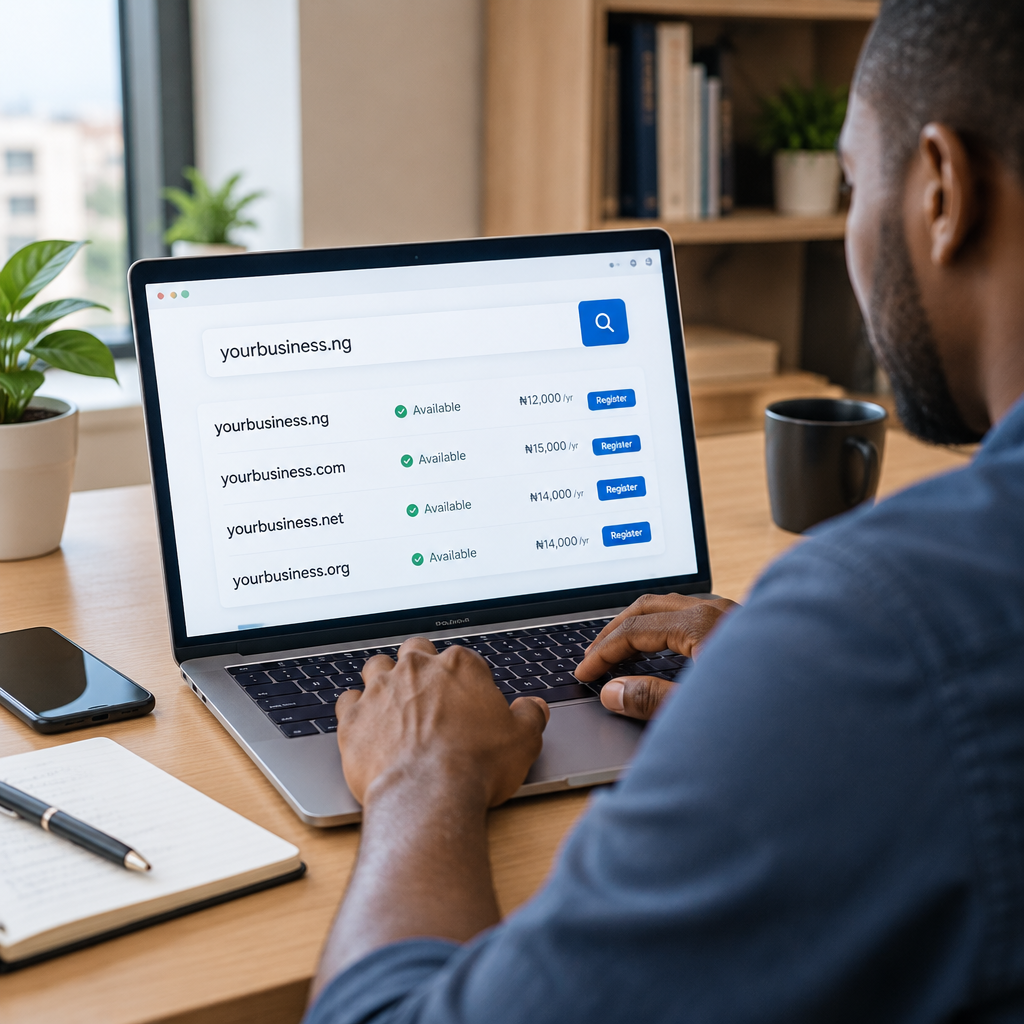
The most direct way to check availability is to enter your preferred name into a domain search tool provided by a domain registrar or hosting company. Type the name without a website prefix such as https://, then review the results for the extensions you are considering.

A typical search may show one of several results:

  • Available: the domain can usually be registered, subject to the provider’s process and any extension-specific requirements.
  • Unavailable: the domain is already registered or cannot currently be registered through that service.
  • Premium or resale: the name may be controlled by another party and offered at a separate price.
  • Suggested alternative: a similar name or different extension may be available.

Do not rely only on whether the address has a working website. Search the exact domain through a registration service and read the result carefully.

Check more than one domain extension

The extension is the part after the final dot, such as .com, .org or a Nigerian country-code extension. The best choice depends on your audience, organisation type and plans.

A Nigerian business may consider a local extension when it wants its market focus to be clear. A general extension may be useful when the business expects customers from different countries or wants a familiar international address. An organisation, community group or non-commercial project may prefer an extension that reflects its purpose, where suitable and available.

Do not select an extension solely because it is the cheapest option. Consider how easy it will be for customers to remember, whether it matches your brand and whether it supports the professional image you want to create.

If the exact name is available in more than one relevant extension, registering additional versions can sometimes reduce confusion. However, only do this when the names serve a clear purpose and fit your budget. A business does not need to buy every possible variation.

Check the name for spelling and brand problems

An available domain can still be a poor choice. Review it carefully before registration.

Say it aloud

Ask another person to write down the name after hearing it. If they produce several spellings, customers may also type it incorrectly.

Look for unintended meanings

Words can form different meanings when placed together without spaces. Read the domain as a single phrase and consider how it might be interpreted by customers in Nigeria and other markets you serve.

Check social and business usage

Search for businesses, products or organisations using a very similar name. A domain may be technically available but still create confusion with an established brand. You should also check relevant business registration, trademark and social media considerations before building a brand around the name. A domain registration does not automatically give you rights to every use of a name.

Confirm who will control the domain

Registering a domain is not only about finding an available address. It is also about retaining access and control.

Use accurate registrant and contact information where requested, and keep the account email address accessible to the business. Save the login details securely and make sure more than one responsible person understands how renewal and account recovery work.

If a developer, employee or agency helps you register the domain, confirm that the business owns the account or has the appropriate administrative access. A domain connected to your website and business email is an important digital asset. Losing access can affect your website, email communication and customer trust.

Check renewal and registration details before paying

Review the order carefully before completing registration. Confirm:

  • The exact spelling of the domain
  • The selected extension
  • The registration period
  • The renewal terms shown by the provider
  • Which account will manage the domain
  • Whether domain privacy or related options are included, available or separate

Prices, eligibility rules and renewal policies can differ by extension and provider, so read the current information displayed during registration. Do not assume that the first-year cost is the same as the renewal cost.

After registration, record the renewal date and keep payment or billing information up to date. An expired domain can interrupt a website or domain-based email and may eventually become available for someone else to register.

What to do if your preferred domain is unavailable

You have several practical options:

  • Try a relevant alternative extension.
  • Add a clear word such as your location, service or business category.
  • Use a shorter variation that keeps the brand recognisable.
  • Consider whether the registered name is actively used or offered for sale, but verify ownership and costs carefully.
  • Choose a different name rather than making a small change that customers may confuse with another business.

For example, if greenbasket.com is unavailable, a business might compare a suitable local extension, a location-based variation or a related brand name. The strongest alternative is not necessarily the closest spelling. It is the one customers can understand, remember and associate with the correct business.

Connect the domain to the rest of your online presence

Once you register the domain, the next step is connecting it to suitable hosting, a website and professional email. A domain by itself is only the address. Hosting provides the environment where the website operates, while email services can provide addresses such as hello@yourdomain or support@yourdomain.

For a Nigerian small business or entrepreneur, this combination can create a more dependable online home than relying only on social media profiles. A website can explain your services, provide accurate contact information and give customers a clear way to enquire or buy. HTTPS security, backups, dependable support and appropriate WordPress maintenance can also help reduce avoidable management problems.

You do not need to choose the most advanced hosting plan immediately. Consider the size of your website, expected visitors, email needs, growth plans and how much technical work you want handled for you. The right service is the one that supports your actual requirements while leaving room to grow.

A simple domain-checking workflow

  1. Write down three to five possible domain names.
  2. Check the exact names across relevant extensions.
  3. Remove names that are hard to spell, too long or confusingly similar to another brand.
  4. Compare the registration and renewal information.
  5. Register the strongest available option through a provider you can access and trust.
  6. Save account details and renewal dates.
  7. Connect the domain to your website and business email when ready.

The best domain is not simply the first one marked “available.” It is a name that your customers can remember, that your business can control, and that still fits your plans as the organisation grows. Check carefully before registering, keep ownership information accurate, and treat the domain as a core part of your online business infrastructure rather than as a minor technical detail.

How to Buy a Domain Name for Your Business

How to Buy a Domain Name for Your Business

Choosing a domain name is one of the first important decisions when building a business website. Your domain is the address customers use to find you online, and it can also support professional email, marketing and long-term brand recognition.

For a Nigerian business, entrepreneur or organisation, the right domain should be easy to remember, connected to your name or service, and registered under information you control. Buying the cheapest available name is not always the best decision. You also need to consider the domain extension, ownership details, renewal process and how the name will work as your business grows.

What is a domain name?

A domain name is the readable address people enter to visit a website, such as yourbusiness.com. Computers use numerical IP addresses to locate websites, but domain names make those addresses easier for people to remember and share.

A domain is not the same as web hosting. The domain is your website’s address, while hosting is the server space where your website files, images and databases are stored. You normally need both for a functioning website. You may also connect the domain to domain-based business email, such as [email protected].

Start with your business identity

Before searching for available names, decide what the domain needs to achieve. A local service provider may want a name that is easy for nearby customers to recognise. A startup may prefer a name that can support expansion beyond one city or product. A creator or professional may use their personal name to build a long-term reputation.

Write down a few possible names and check that they are:

  • Easy to say, spell and remember
  • Relevant to your business or brand
  • Short enough to type comfortably on a mobile phone
  • Suitable for use in email addresses
  • Flexible enough if your products or services change

Avoid names that depend heavily on punctuation, unusual spelling or long strings of words. A customer who hears your name in a conversation should have a reasonable chance of typing it correctly.

Choose the right domain extension

The extension is the part after the final dot, such as .com, .org or a Nigerian country-code extension. Your choice should support how customers see the business and where you expect to operate.

Common options to consider

  • .com: A widely recognised choice for commercial businesses and organisations serving a broad market.
  • .org: Often associated with organisations, communities and non-commercial initiatives, although the name should still match your actual purpose.
  • Nigerian extensions: A country-specific option can help communicate a connection to Nigeria and may suit businesses focused on the local market.

There is no universal rule that one extension is best for every business. Consider what your audience expects, whether the name is easy to communicate and whether the extension fits your future plans. If a strong brand name is available in more than one relevant extension, some businesses register multiple versions and direct them to the main website. This is optional and should be weighed against the additional renewal costs.

Check availability and possible conflicts

Use a domain search tool from a reputable registrar to see whether your preferred name is available. If it is already registered, do not assume that adding random numbers or extra words is the only solution. Try a shorter variation, a clear service-related phrase or a different suitable extension.

Before registering, check whether the name could be confused with another business, product or organisation. Search engines and social platforms can help you identify similar names, but they are not a substitute for appropriate legal or trademark advice. Avoid registering a name that appears designed to imitate another company or brand.

It is also useful to check how the name looks in lowercase and how it sounds when spoken aloud. Some combinations of words can be misunderstood when written without spaces. This matters when customers type the address from a radio advertisement, conversation or business card.

Register the domain in your own control

When you buy a domain, pay close attention to the registrant or account information. A business should not lose access to its domain because it was registered using a developer’s personal email address, a former employee’s account or an unknown third party’s details.

Use a business-controlled email address where practical, and keep the account login, recovery details and registration records secure. If a web developer or hosting provider helps with registration, confirm that your business is clearly listed as the owner and that you can access the relevant account.

Keep copies of important information, including:

  • The domain name and extension
  • The registrar account email address
  • Renewal dates and payment details
  • Account recovery information
  • Nameservers and DNS records, where relevant

Do not share passwords through informal channels. Use a strong, unique password and enable multi-factor authentication if the registrar provides it.

Understand the total cost

Domain registration is commonly paid for a fixed period, often one year at a time, and it must be renewed to remain active. The first registration price may differ from the renewal price, so check the ongoing cost before making a decision.

Also look for related charges or optional services. These may include privacy-related features where available, transfer fees, additional domain extensions or email services. The goal is not to avoid every additional service, but to understand what you are paying for and which features your business actually needs.

For budget-conscious Nigerian businesses, renewal planning is especially important. A domain that expires can interrupt a website and domain-based email. Put the renewal date on a shared business calendar and keep payment information current. Automatic renewal can help, but it should not replace checking that the payment method and account access still work.

Connect the domain to your website and email

After registration, the domain must be connected to your hosting account through DNS settings. This tells the internet where to find your website and how to deliver email. DNS changes can take time to become visible across different networks, so a newly registered domain may not work immediately everywhere.

If you plan to use business email, make sure the email records are configured correctly. Website hosting and email hosting may be provided together or as separate services, but both need reliable account management. Test sending and receiving messages before printing the address on signs, invoices or marketing materials.

Enable HTTPS for the website through an SSL certificate. Visitors should be able to see that the connection is encrypted, particularly when they submit contact details, log in or make a payment. HTTPS is one part of website security; strong passwords, updates, backups and secure hosting practices are also important.

A practical buying workflow

  1. Define the brand, audience and geographic focus.
  2. List several simple domain name options.
  3. Check spelling, pronunciation and possible confusion.
  4. Compare suitable extensions and ongoing renewal costs.
  5. Search availability through a reputable domain provider.
  6. Register the domain using accurate business or owner information.
  7. Secure the account with a unique password and recovery method.
  8. Record the renewal date and set a reminder.
  9. Connect the domain to hosting, the website and business email.
  10. Test the website, email address and contact details.

What to do if your preferred domain is unavailable

Do not rush into buying a name that is difficult to spell or unrelated to your brand. Consider a clear variation, a suitable Nigerian extension or a name that describes your service more directly. If the domain appears to be owned by someone else, be cautious about paying an inflated resale price. The cost and risk may not make sense for a small business.

You can also choose a temporary alternative while building your brand, but make sure all public materials use one consistent address. Changing domains later can affect email, printed materials, search visibility and customer recognition, so choose carefully before launching.

Keep ownership secure after registration

Buying the domain is only the beginning. Review the account periodically, keep contact information accurate and check that renewal notices reach someone responsible. Limit account access to people who need it, and maintain backups of your website rather than assuming the domain protects your website content.

A domain, dependable hosting, professional email and a secure website work together to create a stable online home. A hosting provider can handle technical tasks such as DNS configuration, WordPress support and security guidance, while you retain access to the business assets that matter.

The best domain name is not simply one that is available. It is one your customers can remember, your business can control and your team can manage reliably for years to come.

Domain Privacy and Security: What Website Owners Should Know

Domain Privacy and Security: What Website Owners Should Know

Your domain name is more than a web address. It may lead customers to your website, business email, online store or booking system. If an unauthorised person takes control of it, your website can become unavailable, your email can stop working and customers may lose confidence in your business.

Domain privacy and domain security are related, but they solve different problems. Privacy helps limit the amount of personal contact information displayed in public registration records. Security helps prevent unauthorised changes, transfers or account access. A responsible website owner should understand both.

What domain privacy means

When you register a domain, the registrar collects contact and registration details. Some registration information may be available through public domain lookup services, although the exact information shown depends on the domain extension, registrar and applicable policies.

Domain privacy, sometimes called WHOIS privacy, is a service or registrar feature that replaces or masks certain personal contact details in public records. Instead of displaying a private individual’s email address or phone number, the record may show a privacy service or a method for contacting the domain holder indirectly.

This can be useful for entrepreneurs, creators and small organisations that do not want personal contact details exposed unnecessarily. It may reduce unwanted messages, automated spam and opportunistic contact.

Privacy does not mean that the registrar has no record of the domain owner. The registrar may still retain accurate registration information and may disclose it where required by law, policy or a valid request. Domain privacy is therefore not a way to make a domain anonymous.

Privacy is not the same as security

A private registration record does not stop someone from guessing your password, accessing your registrar account or tricking support staff into changing domain settings. It also does not protect your website from malware, weak WordPress plugins or stolen hosting credentials.

Think of privacy as reducing unnecessary public exposure. Think of security as protecting control of the domain and the services connected to it.

Protection What it helps with What it does not solve
Domain privacy Limits personal details shown in public registration records Unauthorised account access or website attacks
Strong registrar password Reduces the chance of account takeover Every possible form of phishing or social engineering
Multi-factor authentication Adds another verification step during login Problems caused by lost recovery access
Transfer lock Helps prevent an unauthorised domain transfer Compromised registrar credentials or incorrect ownership records
SSL certificate Encrypts connections between visitors and a website Protection of the domain account itself

Why domain security matters to a business

A domain often connects several important services. The website may use it for customer enquiries, while domain-based email may be used for invoices, password resets and supplier communication. DNS records may also connect the domain to an online store, marketing platform or other business tools.

If an attacker changes the DNS records, visitors could be sent to the wrong website. If email-related records are changed, messages may be delayed, redirected or rejected. A domain takeover can therefore affect more than the website itself.

This is especially important for Nigerian small businesses and professionals building trust online. A business may rely on a mobile-first audience, online enquiries and business email even if most of its operations remain offline. Losing access to the domain can interrupt customer communication at a critical time.

Practical steps to protect your domain

1. Register the domain in the business owner’s name

Use accurate ownership and contact information. A domain registered only through a developer, former employee or agency can create problems when that person becomes unavailable. Your organisation should know who legally owns the domain and how to access the registrar account.

Keep a private record of the registrar, renewal date, account email and recovery method. Do not publish sensitive login details in a shared document or send them casually through chat.

2. Use a unique, strong password

The registrar password should not be reused for email, social media, WordPress or hosting. A password manager can help create and store a long, unique password without requiring you to memorise every login.

Be cautious with messages claiming that a domain is about to expire or that you must urgently confirm payment. Rather than clicking an unexpected link, sign in through the registrar’s known website or contact its support team using an official channel.

3. Enable multi-factor authentication

Where available, multi-factor authentication adds a second check after the password. This can make account access more difficult for someone who obtains the password alone. Make sure the business has a secure recovery method and that more than one authorised person understands the recovery process.

4. Keep transfer protection enabled

Many domain registrars provide a transfer lock or similar setting. It is designed to reduce the risk of an unauthorised transfer to another registrar. Check the lock before making legitimate changes, such as moving the domain to a new provider, and restore it afterwards if appropriate.

5. Monitor renewals

An expired domain can cause website and email disruption. Automatic renewal may help, but it should not replace monitoring. Confirm that the payment method is current, renewal notices reach an actively monitored email address and the domain remains under the business’s control.

Do not rely only on a developer’s inbox for renewal reminders. Set an internal calendar reminder and retain access to the registrar account.

6. Limit access to DNS and hosting accounts

Give access only to people who need it. If a developer or staff member no longer works on the website, remove or review their access. Use separate accounts where possible rather than sharing one administrator login.

Domain security should be considered alongside hosting security. A reliable hosting arrangement, SSL certificate, current software, backups and managed WordPress support can address different parts of the overall risk. None of these replaces the others.

What domain privacy cannot hide

Privacy protection does not remove information from your own website. Visitors may still see the business name, contact details, physical address, social media accounts or information in your site’s legal and contact pages. That information should be accurate and appropriate for customers.

It also does not prevent someone from identifying a business through its website content, public records, email signatures or other online activity. The purpose is not to conceal a legitimate business. It is to avoid exposing unnecessary personal registration details in public domain records.

Some domain extensions or registration arrangements may have different privacy rules. Before registering a domain, review the registrar’s explanation of what information will be displayed and whether privacy protection is included or available.

A simple ownership check for website owners

  • Can the business log in to the registrar without relying on a former developer?
  • Are the registrant details accurate and controlled by the business?
  • Is the renewal date recorded in more than one place?
  • Is multi-factor authentication enabled where available?
  • Is the domain transfer lock active when no transfer is planned?
  • Are the registrar, hosting and business email accounts protected with separate credentials?
  • Does the business have current backups and a documented recovery contact?

The main takeaway

Domain privacy can reduce unnecessary exposure of personal registration information, but it is only one part of protecting a digital business. The most important foundation is clear ownership: your business should control the domain, registrar account, hosting account and domain-based email.

For a Nigerian business or organisation, combining accurate ownership records with strong passwords, multi-factor authentication, renewal monitoring, transfer protection and dependable hosting creates a more resilient online presence. The goal is not to make technology complicated. It is to make sure customers can continue finding, contacting and trusting your business.

A Beginner’s Guide to Nameservers

A Beginner’s Guide to Nameservers

When someone types your domain name into a browser, how does the browser know which server contains your website? The answer involves nameservers.

Nameservers work behind the scenes to connect a domain, such as yourbusiness.com or a Nigerian domain, to the correct hosting service. You do not need to become a DNS specialist to use them, but understanding the basics can help you launch a website, move hosting providers and avoid common setup problems.

This guide explains what nameservers are, how they differ from domain names and hosting, and what to check before changing them.

What are nameservers?

Nameservers are specialised servers that tell the internet where to find the DNS records for a domain name. DNS stands for Domain Name System. It translates human-readable domain names into the technical information computers use to locate websites and other online services.

For example, when a visitor enters example.com in a browser, the domain’s nameservers help direct the request to the DNS system responsible for that domain. The DNS records then provide information such as:

  • Which server hosts the website
  • Where email for the domain should be delivered
  • Which services are authorised to send email
  • Whether a subdomain should point to another service

A simple way to think about nameservers is to treat them like a signpost. Your domain is the address people remember, while the nameservers point internet services towards the records that explain where the website and email are located.

Nameservers, domains and hosting: what is the difference?

These three terms are connected, but they are not the same.

Domain name

A domain is the address people use to reach your website. It might be your company name, a personal brand or an organisation’s name. Registering a domain gives you the right to use that address for the registration period, provided it is renewed and kept in good standing.

Web hosting

Web hosting is the service that stores your website’s files and makes them available online. A hosting account may contain your website files, databases, SSL configuration, backups and other resources.

Nameservers

Nameservers connect the domain’s DNS management to the DNS service that contains its records. If your domain uses the nameservers provided by your hosting company, that hosting company will usually manage the main DNS zone for the domain.

Domain registration and hosting can be purchased from the same provider or from separate providers. The important issue is that the domain points to the correct DNS service and that you retain access to the accounts controlling it.

What do nameservers usually look like?

Nameservers are normally written as hostnames, such as:

  • ns1.examplehost.com
  • ns2.examplehost.com

Your hosting provider supplies the exact nameservers to use. They may contain the provider’s brand, or they may use a domain created specifically for its DNS service. Nameservers are not the same as IP addresses, although the nameserver system eventually helps direct requests to IP addresses and other DNS destinations.

Most hosting services provide at least two nameservers. Using more than one helps provide continuity if one nameserver is temporarily unavailable, although the exact design depends on the provider.

When do you need to change nameservers?

You may need to update nameservers in several situations:

  • You registered your domain with one company and bought hosting from another.
  • You are moving an existing website to a new hosting provider.
  • A developer or agency originally configured the domain and you want to manage it yourself.
  • You are setting up a new website for your business or organisation.
  • Your provider has asked you to move to new DNS servers.

For a new domain and a new hosting account, the process is usually straightforward: obtain the correct nameservers from the hosting provider, enter them at the domain registrar and wait for the DNS changes to take effect.

How to update nameservers safely

1. Confirm where the domain is registered

First, identify the company where the domain was registered. This may be different from the company hosting the website. You will need access to the domain registrar account, not just the hosting control panel.

If a former employee, developer or agency registered the domain, make sure your organisation has the login details and that the registration information is accurate. Losing access to a domain can create serious problems for a website, business email and customer communications.

2. Obtain the correct nameservers

Ask your hosting provider for the exact nameserver addresses for your hosting plan. Copy them carefully. A small spelling error can prevent the domain from resolving correctly.

Do not guess nameservers based on another customer’s website or an old setup guide. Providers can change their DNS arrangements, and different hosting services may use different nameservers.

3. Record the existing DNS settings

Before making changes, save a copy or screenshot of the current DNS records. This is particularly important if the domain already has business email, verification records or subdomains.

Changing nameservers can move control of the domain’s DNS records from one provider to another. If the new DNS zone does not include the necessary email records, website email may stop working even if the website itself loads normally.

4. Enter the new nameservers at the registrar

Log in to the domain registrar, find the domain management or nameserver section, and replace the existing nameservers with the new ones. Save the change and check that the values displayed afterwards are correct.

Some registrars use labels such as “Custom nameservers”, “Use my own DNS” or “Change DNS servers”. The wording varies, but the purpose is the same.

5. Allow time for the change

Nameserver changes are not always visible everywhere immediately. Different internet providers, devices and DNS resolvers may temporarily hold older information in their cache. As a result, one person may see the new website while another still sees the old one.

Avoid repeatedly changing the nameservers because the website does not appear instantly. Check the settings first, then allow the DNS change time to spread. If the problem continues, contact the domain or hosting provider and provide the domain name and the exact nameservers you entered.

Nameservers and business email

A common mistake is to focus only on the website during a hosting change. Your domain may also support addresses such as [email protected] or [email protected].

Email delivery depends mainly on DNS records, including MX records. If you change nameservers and the new DNS zone does not contain the correct MX records, incoming email may be delayed or delivered incorrectly. Other records can also matter, including SPF, DKIM and DMARC records used to help authenticate outgoing email.

Before changing nameservers, list the services connected to the domain:

  • Website hosting
  • Business email
  • Payment or booking tools
  • Subdomains
  • Website verification services
  • Marketing and email delivery platforms

This short inventory can prevent an unexpected interruption. If you are unsure which records are needed, ask your current email provider or hosting support team before making the change.

Common nameserver problems

The domain shows an error page

This may happen if the nameservers are incorrect, the DNS records are missing or the hosting account is not configured for the domain. Check the spelling and confirm that the domain has been added to the correct hosting account.

The website works, but email has stopped

This often points to missing or incorrect mail records in the new DNS zone. Restore the required email records or ask the email provider for the correct settings.

Only some people see the new website

This can be normal while DNS information is being refreshed. Check the configuration before assuming the change failed.

The domain is not under your control

If you cannot access the registrar account, work on recovering ownership and account access before attempting technical changes. A business should keep control of its domain, hosting and email rather than relying entirely on a former employee or third party.

A practical example

Imagine a Nigerian business has its domain registered with one company but decides to host a WordPress website with a new provider. The business receives two nameservers from the new hosting company and updates them at the registrar.

Before the change, the business records its existing email and verification records. After the change, it confirms that the domain points to the new website and that messages to its domain-based email addresses are still arriving. If the website loads but email does not, the next step is to check the MX and related mail records rather than changing the nameservers again.

This approach is especially useful for small businesses and entrepreneurs who need a reliable website without turning every technical change into a major disruption.

What to remember

Nameservers are the connection between your domain and the DNS records that direct website, email and other online services. You usually change them when setting up hosting or moving a website, but the change should be planned carefully.

Keep access to your domain registrar, record existing DNS settings, confirm the correct nameservers with your provider and check both your website and business email afterwards. With those precautions, nameservers become a manageable part of running a professional online presence rather than a confusing technical obstacle.

What to Do When Your Website Is Down

What to Do When Your Website Is Down

When your website is down, the first priority is not to panic or immediately change random settings. A website can become unavailable because of a hosting issue, an expired domain, a DNS problem, a WordPress error, a security incident or a small configuration change. Each cause needs a different response.

For a Nigerian business, an outage can mean missed enquiries, interrupted sales, failed bookings or customers wondering whether the business is still operating. The right approach is to confirm the problem, collect useful information and escalate it quickly when necessary.

First, confirm that the website is really down

Try opening the website from a different device or internet connection. For example, test it on your phone using mobile data instead of the Wi-Fi connection used by your computer. Ask someone outside your office or home to check it as well.

This simple test helps separate a website-wide problem from a local connection or DNS issue. If the site works for other people but not for you, restart your router, try another browser and clear the browser cache before making changes to the website itself.

Also check whether every page is affected. If the homepage loads but a particular page shows an error, the problem may be limited to a plugin, theme, page setting or internal link. If the hosting control panel, email or other services are also unavailable, the issue may be broader.

Record the exact error message

Do not describe the problem only as “the site is not working.” Save a screenshot and write down the exact message shown in the browser. Common examples include:

  • “This site can’t be reached”: The domain may not be resolving, or the server may not be reachable.
  • “Server not found”: There may be a domain or DNS problem.
  • “500 Internal Server Error”: The server encountered a problem, often involving website code, plugins or configuration.
  • “Error establishing a database connection”: WordPress may be unable to connect to its database.
  • “Your connection is not private”: The SSL certificate may be missing, expired or incorrectly configured.
  • A hosting account or suspension notice: The account may require action from the hosting provider.

The exact wording gives your hosting or website support team a much better starting point than a general report.

Check the domain and hosting account

A website needs both a domain name and hosting. The domain is the address visitors type, while hosting is the service that stores and delivers the website files. If either one has a problem, visitors may not reach the site.

Sign in to the account used to manage the domain and hosting. Check whether:

  • The domain registration is still active.
  • Automatic renewal information is current.
  • The hosting subscription has not expired or been suspended.
  • The domain is pointing to the correct hosting service.
  • Any recent account notices require action.

Domain ownership and account access are especially important for businesses. If the domain was registered by a former employee, developer or third party, make sure the business still has access to the relevant account and accurate registration information. Losing access can make a simple outage much harder to resolve.

Think about what changed recently

Many outages happen shortly after a change. Consider whether anyone recently:

  • Installed or updated a WordPress plugin or theme.
  • Changed DNS records or nameservers.
  • Moved the website to a new host.
  • Changed PHP or other hosting settings.
  • Edited website files.
  • Added a security plugin, redirect or SSL setting.
  • Changed passwords or user permissions.

If the timing matches a recent change, do not keep making additional changes without a backup or a clear plan. In WordPress, a faulty plugin or theme can sometimes cause a complete outage. A qualified administrator or managed WordPress support provider may be able to disable the suspected component and restore access safely.

Check whether the problem affects email

Website hosting and business email may be connected to the same domain but are not always affected in the same way. A website outage does not automatically mean that email has stopped working, and working email does not prove that the website is healthy.

Send a test email from an external address and check whether your business mailbox can send and receive messages. If email is also affected, mention this when contacting support. Avoid changing MX records or other email settings unless you know exactly what they do; an incorrect change can create a second problem.

Contact hosting support with useful information

If the problem is not clearly local or easy to correct, contact your hosting provider promptly. Include:

  • The domain name.
  • The time the problem began, if known.
  • The exact error message.
  • A screenshot or short screen recording.
  • Whether the problem affects all visitors or only one connection.
  • Whether the website, dashboard and email are affected.
  • Any recent updates, migrations or configuration changes.

Do not send your account password in a support ticket or chat. Use the provider’s approved verification process. Good support should explain what is happening in clear language and identify what action is needed from you, rather than leaving you to interpret unfamiliar server messages.

What not to do during an outage

Several rushed responses can make recovery more difficult:

  • Do not repeatedly refresh or reload the site and assume that this will fix a server problem.
  • Do not delete plugins, themes or files without knowing whether a backup exists.
  • Do not change DNS records randomly. DNS updates can take time to spread, and incorrect records may affect both website access and email.
  • Do not create a new hosting account immediately unless a migration plan and complete backups are available.
  • Do not ignore security warnings. An unexpected outage, unfamiliar administrator account or changed website content may indicate compromise.

If you suspect hacking, change relevant passwords from a safe device, avoid making unnecessary edits and ask a hosting or security professional to investigate. The aim is to preserve evidence and restore a trustworthy website, not simply make the error page disappear.

Use a simple recovery workflow

For a small business, the following workflow keeps the response organised:

  1. Confirm: Test the website from another device and connection.
  2. Capture: Save the error message, screenshot and time of failure.
  3. Check: Review domain, hosting, renewal and account notices.
  4. Compare: Identify recent website, DNS, email or security changes.
  5. Protect: Avoid destructive edits and preserve available backups.
  6. Escalate: Contact hosting or managed WordPress support with complete details.
  7. Communicate: If the outage affects customers, use an available channel such as social media, phone or business email to provide a brief update.

Reduce the chance of another outage

Once the website is restored, ask why it failed and what can be improved. Useful preventive measures include keeping domain and hosting renewals under review, maintaining current backups, using strong unique passwords and enabling appropriate account security controls.

WordPress websites also need controlled updates and regular checks. Test important forms, checkout pages, contact details and mobile layouts after major changes. Since many Nigerian customers browse on mobile devices, a website should be checked on both phones and computers, not only on the administrator’s desktop.

Keep a written record of who controls the domain, hosting, website administrator account, business email and backup location. At least two trusted people in the organisation should know how to reach the right provider without sharing passwords informally.

When professional help is the sensible option

You do not need to become a server administrator to run a reliable business website. If the cause involves DNS, SSL, server configuration, malware, database errors or repeated WordPress failures, professional support can reduce the risk of making the problem worse.

The most suitable support depends on the business. A simple brochure website may need dependable shared hosting and responsive assistance. A growing site with heavier traffic, specialised software or greater control requirements may need a different hosting arrangement. The expensive option is not automatically the right one; the decision should reflect traffic, website complexity, email needs, budget and how much technical work the business wants handled for it.

A website outage is stressful, but it is also a process problem that can be managed. Confirm the scope, record the evidence, check the domain and hosting status, avoid random changes and contact support with clear information. After recovery, protect the business with accessible accounts, monitored renewals, reliable backups and a practical maintenance routine.

What to Do If Your Preferred Domain Name Is Taken

What to Do If Your Preferred Domain Name Is Taken

Finding that your preferred domain name is already taken can be frustrating, especially when you have already chosen a business name, designed a logo or started planning your website. However, an unavailable domain does not mean you must abandon your brand or choose a confusing web address.

The goal is to find a domain that is clear, trustworthy, easy to remember and suitable for your customers. For Nigerian businesses, entrepreneurs, creators and organisations, the right alternative should also support local recognition, professional email and long-term ownership.

First, confirm what “taken” means

A domain can be unavailable for several different reasons. It may be actively used by an established business, registered but unused, listed for sale, or reserved under a specific domain extension. These situations require different responses.

Visit the domain in a browser and observe what appears. A working website suggests that another organisation is actively using the name. A parking page, advertising page or blank page may indicate that the domain is registered but not being developed. You should not assume that an unused-looking domain is available for registration.

Use a reputable domain registration service to check the current registration status and available extensions. Avoid relying only on a search engine or social media search. A business may own a domain without having an active website, and a name that appears unused may still be unavailable.

Check whether the name is worth pursuing

If the exact domain is being used by another business, consider whether your proposed name could create confusion. A similar domain, especially in the same industry, may lead customers to the wrong website or create problems with email communication.

Ask yourself:

  • Could customers mistake the other business for mine?
  • Does the name resemble an existing brand, organisation or product?
  • Would the name be difficult to protect or explain?
  • Is the domain suitable for professional email as well as a website?

If the answer to these questions raises concerns, changing the business name or adding a distinctive word may be safer than trying to compete with an established domain.

Improve the name without making it confusing

A good alternative usually preserves the core identity of the business while adding useful context. You might include the service, location, audience or business type.

For example, a business called “Bright Path” may find that brightpath.com is taken. Depending on its work and customers, it could consider a clear variation such as brightpathconsulting, brightpathng or a suitable local domain extension, provided the result is distinctive and available.

Keep the alternative as short and natural as possible. Avoid adding several unrelated words simply to obtain an available domain. A long or awkward address increases the likelihood of typing errors and makes it harder to say over the phone or include on printed materials.

Be cautious with:

  • Multiple hyphens
  • Unusual abbreviations that customers will not understand
  • Numbers that could be written in different ways
  • Misspellings intended to imitate an unavailable name
  • Words that are difficult to pronounce or spell

Consider another domain extension

The part after the final dot is the domain extension. Many businesses first think of a familiar generic extension, but other suitable options may be available.

A local extension can help communicate that a business serves Nigeria or has a Nigerian identity. Depending on the organisation and eligibility requirements, a Nigerian domain may be appropriate. Other extensions can also describe the organisation’s purpose or industry, although the best choice depends on what customers recognise and trust.

Do not choose an extension solely because it is the cheapest or most unusual option. Consider how it will look in a business email address, whether customers are likely to remember it, and whether it fits the organisation’s audience in Nigeria or across West Africa.

If you use a different extension, say it clearly in your marketing. Include the complete address on your website, social media profiles, proposals, invoices and business cards so customers do not automatically type the more familiar extension.

Decide whether to buy the domain from its current owner

Some registered domains are listed for sale. Purchasing one may be reasonable when the name is highly valuable to your brand and the cost is acceptable. However, an asking price is not automatically evidence that the domain is worth buying.

Before considering a purchase, evaluate:

  • Whether the name is genuinely important to your long-term business identity
  • Whether it has a history that could harm your reputation
  • Whether the current owner can transfer it securely
  • Whether the price fits your budget without reducing funds needed for your website, hosting or email

For a new small business, a clear available alternative is often more practical than spending heavily on a domain. Money may be better used on reliable hosting, a secure website, professional email, useful content and customer support.

Protect the alternatives before announcing your brand

Once you find a suitable domain, register it promptly if it is available. Domain availability can change, and delaying registration may leave the name open to someone else.

Register the domain using accurate ownership information and an account that the business controls. Do not rely entirely on a developer, former employee or unknown third party to manage this essential asset. The business should know:

  • Which account holds the domain
  • Who can access that account
  • When the domain renews
  • Which email address receives renewal notices
  • How to update payment and contact details

Use a strong, unique password and enable additional account security where available. Keep renewal reminders active, because an expired domain can interrupt a website, business email and customer enquiries.

Secure related variations where they are useful

You do not need to register every possible version of your name. However, it may be useful to secure an obvious spelling variation, a relevant local extension or a common alternative that could otherwise be used to confuse customers.

Only register variations that you can manage and renew. A collection of unused domains creates extra administrative work and may give a false sense of protection. Focus on the names customers are most likely to type or expect to see.

Connect the domain to a professional online presence

A domain is an address, not a complete website. You still need hosting for the website files, and you may need domain-based email such as hello@yourbusinessdomain. Using a professional email address can make communication feel more established than relying only on a free personal mailbox.

Choose hosting based on the actual needs of the business: expected traffic, website type, email requirements, growth plans, budget and how much technical management you want handled for you. A small business may need a straightforward hosting plan, while a busier website or specialised application may require a different setup.

Once the website is ready, check that it uses HTTPS, displays accurate contact information and works well on mobile devices. These details matter because many customers will first encounter the business on a phone, through a message or a social media link.

A simple decision framework

When your first-choice domain is unavailable, compare alternatives using four tests:

  1. Clarity: Can a customer understand and spell it after hearing it once?
  2. Distinctiveness: Is it clearly separate from other businesses?
  3. Credibility: Does it look appropriate on email, proposals and invoices?
  4. Ownership: Can your business register, manage and renew it directly?

If an alternative passes all four tests, it may be a better business asset than an expensive or confusing exact-match domain.

The key takeaway

Your preferred domain being taken is a problem to assess, not a reason to delay your online presence. Check for brand confusion, create a clear variation, consider an appropriate local or alternative extension, and register the chosen name under your business’s control.

A dependable domain becomes more useful when it is connected to reliable hosting, professional email, website security and accurate business information. The best domain is not necessarily the shortest or most fashionable one; it is the address your customers can find, remember and trust.

What Is Web Hosting and How Does It Work?

What Is Web Hosting and How Does It Work?

When someone types your website address into a browser, several things need to happen before the page appears. The domain name must point to the right server, that server must be available, and it must deliver your website’s files to the visitor’s device. Web hosting is the service that makes much of this possible.

For a Nigerian small business, entrepreneur, creator or organisation, hosting is not just a technical purchase. It can affect whether customers can find your information, send an enquiry, trust your business and complete an online action. A suitable hosting service helps keep a website available, secure and manageable without requiring the owner to become a server administrator.

What is web hosting?

Web hosting is a service that provides the storage, software and server resources needed for a website to be available online. Website files may include HTML pages, images, videos, stylesheets, scripts, databases and content management system files such as WordPress.

These files are stored on a server, which is a computer connected to the internet and configured to respond to website requests. When a visitor enters your web address or clicks a link, the browser requests the relevant files from the hosting server. The server sends them back, and the browser assembles them into the page the visitor sees.

A hosting provider typically manages the underlying server environment, network connection and hosting tools. Depending on the service, the provider may also offer backups, security features, technical support, SSL certificates, email hosting and tools for installing or maintaining WordPress.

How web hosting works in practice

A simple website visit usually involves these steps:

  1. The visitor enters a domain name. For example, they might type a business’s address into a browser.
  2. The domain is looked up. The domain’s DNS settings help direct the request to the correct hosting server.
  3. The server receives the request. It locates the requested website files or database content.
  4. The server sends a response. The page, images and other resources are delivered to the visitor’s browser.
  5. The browser displays the website. The visitor can then read information, submit a form, make a purchase or take another action.

This process normally happens quickly, but its quality depends on several factors: the hosting environment, website design, available resources, server location and configuration, internet conditions and the number of people using the website at the same time.

Domain name and web hosting: what is the difference?

A domain name and web hosting work together, but they are not the same thing.

A domain name is the readable address people use to reach a website, such as a company’s name followed by a domain extension. It is similar to the address of a business premises: it tells people where to find you.

Web hosting is the server space and service where the website itself is stored. It is similar to the premises where the business operates: it contains the information, tools and resources visitors need.

You can register a domain without immediately building a website, and you can purchase hosting before connecting a domain to it. To publish a working website, however, the domain must be connected to the hosting service through DNS settings or nameservers.

Businesses should keep accurate ownership information and maintain access to their domain account. A domain is an important digital asset. If it is registered under a former employee, developer or inaccessible account, recovering control can become difficult. Renewal dates should also be monitored so the domain does not expire unexpectedly.

Common types of web hosting

Shared hosting

Shared hosting places multiple websites on one server. The websites share some server resources, which generally makes this type of hosting more affordable and straightforward to manage.

It can be suitable for a new business website, portfolio, blog, brochure website or small online project. The main consideration is that resource availability may be shared with other accounts. A website with increasing traffic, demanding applications or unusual technical requirements may eventually need a different environment.

Virtual private server hosting

A virtual private server, often called a VPS, divides a physical server into separate virtual environments. A VPS usually provides more dedicated resources and control than basic shared hosting.

It may suit a growing website, web application or business that needs more control over its server environment. However, greater control can also mean greater management responsibility. Customers should consider whether they have the technical ability to maintain the server or whether managed support is more appropriate.

Dedicated hosting

Dedicated hosting gives one customer use of an entire physical server. It can provide substantial resources and control, but it is usually more complex and costly than smaller hosting arrangements.

It is not automatically the best choice for every business. A website should need the additional capacity or control before moving to this level of service.

Managed WordPress hosting

Managed WordPress hosting is designed around WordPress websites. Depending on the provider, management may include WordPress setup, updates, security assistance, backups, performance configuration and technical support.

This can be useful for business owners who want to use WordPress without handling every maintenance task themselves. It does not remove the need for strong passwords, careful plugin selection, suitable content and sensible account access, but it can reduce the technical workload.

What should a hosting plan include?

The right plan depends on the website’s size, traffic, email needs, budget, growth plans and desired level of support. Important features to examine include:

  • Storage and resource limits: Check whether the plan can support the website files, images, databases and expected growth.
  • SSL support: HTTPS helps protect data exchanged between the visitor and website and is an expected part of a professional website.
  • Backups: Find out whether backups are available, how often they are created and how restoration works.
  • Technical support: Accessible help is valuable when a website, email account or domain develops a problem.
  • WordPress compatibility: Confirm that the hosting environment supports the WordPress version, themes and plugins the website requires.
  • Email services: If the business needs addresses such as info@yourdomain, check whether professional business email is included or purchased separately.
  • Renewal and account access: Make sure the business knows who controls the hosting, domain and email accounts and when renewals are due.

The cheapest plan may be enough for a simple website, while a busy online store or application may require more resources and specialist support. The most expensive plan is not automatically the most suitable.

How hosting affects business websites

Hosting can influence availability, loading experience, security and ease of maintenance. If a website is regularly unavailable, extremely slow or difficult to update, visitors may leave before contacting the business. Unreliable email can create a similar problem when customer enquiries fail to arrive or replies are delayed.

Hosting is only one part of website performance. Large images, poorly configured plugins, weak website code and excessive scripts can also slow a site down. A practical setup combines suitable hosting with an efficient website, compressed media, regular updates and sensible security practices.

For Nigerian businesses, mobile visitors and inconsistent connection conditions make a clear, lightweight website especially useful. Important information such as services, location, contact details, opening hours and enquiry options should be easy to find without requiring visitors to load unnecessary content.

A practical way to choose hosting

Start with the website’s actual requirements rather than a list of impressive technical features. Ask:

  • Is this a small information website, blog, portfolio, online shop or web application?
  • How many visitors are expected now, and is significant growth likely?
  • Will the website use WordPress?
  • Does the business need domain-based email?
  • How important are backups, updates and hands-on technical support?
  • Who will manage renewals and retain access to the accounts?

For example, a new professional service business may need a domain, shared hosting, SSL, WordPress support and business email. A growing organisation with heavier traffic may need additional resources or a VPS. The decision should follow the website’s needs, not pressure to purchase capacity that will remain unused.

Hosting should reduce technical burden

Website owners should understand the essentials without being forced to become hosting experts. A reliable setup connects a suitable domain, dependable hosting, HTTPS security, professional email, accurate content and a clear way for customers to get in touch.

Providers such as Sonhosting support this practical approach by combining hosting, domain registration, SSL certificates, business email and managed WordPress support for Nigerian businesses and entrepreneurs. The aim is to keep the technical work manageable while the business concentrates on customers and growth.

The key takeaway is simple: a domain is the address, hosting is the online space where the website operates, and DNS connects the two. Choose hosting according to your website’s real requirements, protect access to your digital assets, maintain backups and make sure support is available when you need it.

What Is DNS and Why Does It Matter?

What Is DNS and Why Does It Matter?

When someone types your business domain into a browser, how does their device find the correct website? The answer is DNS, or the Domain Name System.

DNS connects a human-friendly domain such as yourbusiness.com to the technical destinations used by websites, email services and other online tools. You usually do not see DNS working, but a problem with it can make a website unavailable, stop business email from arriving or send visitors to the wrong service.

For a Nigerian business, creator or organisation building a dependable online presence, understanding the basics of DNS can help you protect your domain, troubleshoot problems and avoid losing access to important digital assets.

DNS explained in simple terms

Computers communicate using numerical Internet Protocol (IP) addresses. People, however, find names much easier to remember than strings of numbers. DNS acts like a directory that helps translate a domain name into the destination a device needs to contact.

For example, when a customer enters your domain in a browser, a DNS lookup helps identify the server hosting your website. The browser can then request the website’s files and display the page.

The same domain can also use DNS to direct other services. Your website may point to one provider, while your domain-based email uses another. This is why changing a website host does not always require moving business email, provided the relevant DNS records are preserved and updated correctly.

What happens when someone visits a website?

A simplified version of the process looks like this:

  1. The visitor enters a domain name in a browser or follows a link.
  2. The device asks a DNS resolver for the domain’s current records.
  3. The resolver finds the authoritative DNS information for that domain.
  4. The browser receives the destination, such as a web server’s IP address.
  5. The browser connects to the server and requests the website.

Several systems may cache DNS information temporarily to make repeat lookups faster. This is useful for performance, but it also explains why a DNS change may not appear everywhere immediately. Different networks and devices can retain the previous information until their cached data expires.

Important types of DNS records

DNS records tell the Internet what different services should do with your domain. You do not need to memorise every technical detail, but knowing the main record types makes hosting and email conversations much clearer.

<

Record Common purpose
A Points a domain or subdomain to an IPv4 address, often for a website.
AAAA Points a domain or subdomain to an IPv6 address.
CNAME Points one hostname to another hostname, often for a subdomain or external service.
MX Identifies the mail servers responsible for receiving email for a domain.
TXT Stores text used for verification and email-authentication policies, among other purposes.
NS Identifies the name servers that provide authoritative DNS information for the domain.

These records work together. A website may need an A record, while professional email commonly depends on correct MX and email-authentication records. Removing or replacing records without understanding their purpose can interrupt one service while fixing another.

DNS, a domain and hosting are not the same thing

These terms are often confused:

  • A domain name is the memorable address people use to reach you, such as yourbusiness.ng or yourbusiness.com.
  • Web hosting provides server space and resources for your website’s files, database and applications.
  • DNS directs requests for your domain to the appropriate website, email provider or other online service.

They can be purchased from the same company or managed through separate providers. The important issue is not whether everything is with one provider; it is whether your organisation knows who controls each account and can access the domain and DNS settings.

A website developer may set up DNS during launch, but the business should retain access to its domain registrar account and understand where DNS is managed. This protects the business if a developer, employee or service relationship changes.

Why DNS matters to a business

It keeps your website reachable

If the records directing your domain to your hosting server are wrong, visitors may see an error or an unrelated page instead of your website. For a business that relies on enquiries, bookings or online sales, even a basic DNS mistake can create missed opportunities.

It helps business email work

Website hosting and email hosting are separate functions. MX records tell other mail systems where to deliver messages sent to addresses such as [email protected]. Incorrect MX records can cause mail delivery failures or route messages to the wrong provider.

It supports trust and security

DNS is involved in domain verification and email authentication. TXT records may be used to confirm ownership of a service or publish policies that help receiving mail systems assess whether messages are legitimately sent for your domain. DNS is not a complete security solution, but careful management reduces avoidable risks.

It affects changes and migrations

When moving a website to a new host, DNS is often the final connection between the domain and the new server. Planning the records in advance can reduce disruption. A migration should account for website records, email records, subdomains, verification records and any other service connected to the domain.

A practical DNS change workflow

Before changing DNS, use this simple process:

  1. Identify the purpose. Decide whether you are connecting a website, setting up email, verifying a service or creating a subdomain.
  2. Record the current settings. Keep a copy or screenshot of existing records before editing them. Include the record type, name, value and any relevant timing setting.
  3. Confirm the destination. Obtain the exact values from your hosting or service provider. Do not guess an IP address or mail-server name.
  4. Change only what is necessary. Avoid deleting unrelated records, especially MX, TXT or verification records.
  5. Test from more than one connection. Check the website and send or receive test email. A mobile network and a fixed connection may update at different times.
  6. Keep access and documentation. Store the registrar and DNS-management details securely so another authorised person can maintain the setup.

For example, if a business moves its website to new hosting but keeps its existing email provider, it should update the website-related record while preserving the MX records and relevant email-authentication records. Changing every record at once could take the website online while silently breaking email.

Common DNS problems and what they usually mean

  • The domain shows an old website: the DNS change may not have reached every network yet, or the old record may still exist.
  • The domain does not load: the website record may be missing, incorrect or pointing to a server that is not configured for the domain.
  • Email stops arriving after a website change: MX records may have been removed or replaced.
  • A service cannot verify the domain: a TXT or CNAME record may have the wrong name, value or formatting.
  • Only one subdomain fails: that hostname may need its own record even though the main domain works.

DNS issues can resemble hosting, website or email problems. If the symptoms are unclear, checking the records and contacting the provider that manages DNS is often safer than repeatedly changing settings.

Good DNS habits for Nigerian businesses

Keep the domain registration details accurate, monitor renewal dates and use a strong, unique password for the registrar account. Enable multi-factor authentication when available. Limit DNS access to trusted people and avoid giving permanent control to a contractor who no longer needs it.

It is also worth documenting which provider manages the domain, website hosting, email and DNS. This is particularly useful for small teams where one person may handle several online responsibilities. A reliable hosting and support partner can manage the technical work, but the business should still retain ownership and access to its core accounts.

Visitors may discover a business through social media, but a domain gives the organisation a stable digital home. When that domain leads to a secure website and dependable domain-based email, it supports a more consistent customer experience.

The practical takeaway

DNS is the connection layer between your domain and the online services behind it. You do not need to become a server administrator, but you should know who controls your DNS, what the main records do and which services depend on them.

Before making a change, document the current setup, update only the required record and test both your website and email. That small amount of care can prevent a confusing technical issue from becoming a lost enquiry, missed message or damaged customer experience.

How Many Domains Can One Business Own?

There is usually no single limit on the number of domain names one business can own. A company may register one domain for its main website or manage dozens of domains for different brands, services, locations and marketing campaigns.

However, the practical limit depends on the domain registrar, the domain extensions you choose, registration requirements, budget and your ability to manage the portfolio properly. For businesses in Nigeria, this may include a combination of international extensions such as .com and country-code domains such as .ng or other relevant options.

Before buying several domains, it is important to understand why you need them and how each one will be used. A well-planned domain strategy can protect your brand and support growth. Buying names without a clear purpose can create unnecessary renewal costs and administrative work.

Is there a legal limit on business domain ownership?

In most cases, there is no general rule that restricts a business to one domain name. Businesses can register multiple domains as long as they follow the terms set by the registrar and the relevant domain registry.

Different domain extensions may have different requirements. Some are open for general registration, while others may require proof of eligibility, local presence or specific business information. Registration policies can also vary between providers and may change over time.

A business should provide accurate information when registering domains and should avoid using names that infringe another organisation’s trademark or identity. Owning a domain does not automatically give a business the right to use a protected brand name.

Why would a business need multiple domains?

Most companies do not need a large collection of domains, but owning more than one can be useful in several situations.

Protecting your business name

A company may register its main brand under more than one extension to reduce the risk of confusion or impersonation. For example, a business might use one domain for its website while registering a related extension to prevent another party from using a similar address.

These additional domains can redirect visitors to the main website. They may also help customers recognise the official online presence of the business.

Supporting different brands or services

A company with several brands may use separate domains for each brand. A hosting company, for example, could have one main corporate domain and different domains for specialised services, provided each website has a clear business purpose.

Separate domains can make it easier for customers to find information about a particular product or service. They can also help keep different audiences and website content organised.

Serving different locations

Businesses operating in multiple cities, regions or countries may use domains that reflect their target markets. A Nigerian business may choose a country-code domain for its local audience and an international extension for customers outside Nigeria.

A location-specific domain can support a local marketing strategy, but it should not be purchased simply because it is available. The website, contact information and content should clearly serve the intended market.

Using campaign or promotional domains

Some businesses register short, memorable domains for advertising campaigns, events or specific landing pages. These domains can be easier to communicate in print, radio, social media or offline marketing.

Campaign domains should be managed carefully. When a campaign ends, the business must decide whether to renew the domain, redirect it to a permanent page or allow it to expire.

Redirecting common variations

Customers may type a business name incorrectly or use a different extension by mistake. Registering a small number of common variations can help direct those visitors to the correct website.

This approach is most useful when the variations are closely connected to the brand. Registering many random spellings can quickly become expensive without providing meaningful protection.

How many domains does a typical business need?

There is no ideal number for every business. A small business, church, law firm or growing enterprise may only need one primary domain. A second domain may be worthwhile for brand protection, a major service or a distinct location.

Larger organisations may need more domains because they operate multiple brands, regions or online services. The important question is not “How many can we buy?” but “What role does each domain serve?”

Before registering a domain, write down its purpose. A simple review can include:

  • What website, page or service will use this domain?
  • Will it redirect to another website or host separate content?
  • Does it protect a valuable brand name?
  • Who is the intended audience?
  • How will the domain be promoted and maintained?
  • Is the expected benefit greater than the ongoing renewal cost?

What does owning multiple domains involve?

Every domain normally needs to be renewed according to the registrar’s schedule. Owning several domains means tracking renewal dates, registration details, DNS settings and access permissions.

A domain portfolio can become difficult to manage when domains are registered under different accounts or email addresses. For better control, businesses should keep domains in an account owned by the organisation rather than by an individual employee, agency or contractor.

Maintain a simple domain register containing:

  • The domain name and extension
  • The registrar and account owner
  • The registration and renewal dates
  • The purpose of the domain
  • Where the domain points, such as a website, email service or redirect
  • The staff members or providers authorised to manage it

This information makes it easier to renew important domains and remove unused ones. It also reduces the risk of losing access when a staff member leaves the business.

Domains, websites and email are separate services

Buying a domain does not automatically create a website. It is the address visitors use to find your online presence. Website files require hosting, while business email may require a separate email service or hosting arrangement.

A domain can point to a website hosted on shared hosting, a VPS or cloud hosting, depending on the organisation’s technical and performance requirements. Several domains can also point to the same website through redirects or domain configuration.

Businesses should be careful when changing DNS settings. Incorrect records can make a website or email service unavailable. If you are unsure which records to change, ask your hosting provider or technical administrator before making updates.

How to manage multiple domains securely

Domain names are valuable business assets, especially when they are connected to a website, email accounts and customer communications. Basic security controls can help protect them.

  • Use a strong, unique password for the registrar account.
  • Enable two-factor authentication when the provider offers it.
  • Keep account recovery email addresses and phone details current.
  • Limit account access to people who need it.
  • Record renewal dates and enable reminders or automatic renewal where appropriate.
  • Review domain permissions when an employee or service provider no longer works with the business.
  • Be cautious with emails requesting urgent domain transfers or payment changes.

Businesses should also confirm that important domains are registered using accurate legal and contact information. Keep copies of invoices and registration records for internal administration.

Should you register every available domain extension?

No. Registering every possible extension is rarely necessary. The best choice depends on your brand, customers, location and long-term plans.

Start with the domain that will be your primary public address. Then consider a limited number of alternatives that protect the brand or support a genuine business objective. Avoid buying domains solely because they are cheap or available if there is no plan to use or monitor them.

It is also wise to check the name before registration. Search for possible trademark conflicts, confusingly similar businesses and meanings that could create problems in your target market.

When should a business let a domain expire?

A domain may no longer be useful when a campaign has ended, a service has been discontinued or a brand has been replaced. Before allowing it to expire, check whether it is connected to website redirects, email addresses, advertising materials or customer bookmarks.

Unused domains can sometimes be redirected to a current website, but keeping them indefinitely is not always the best option. Review the portfolio periodically and retain domains that provide clear protection or business value.

Conclusion

One business can usually own multiple domain names, and there is no universal number that suits every organisation. The right portfolio may contain one domain or several, depending on your brands, services, markets and marketing plans.

Choose domains with a clear purpose, keep them in a business-controlled account and track renewals carefully. If you need help connecting domains to hosting, email or a new website, a reliable hosting provider can help you manage the technical setup while you focus on running the business.

Your Cart

©2018 - currentyear Sonhosting • By Digital Nigeria - RC 7487481
All Rights Reserved
Powered by ShootOut Now Services