
Domain Registration, Hosting and Website Development: What Should You Buy First?

Domain Registration, Hosting and Website Development: What Should You Buy First?

Starting a business website can feel unnecessarily complicated. You may be told to buy a domain, choose a hosting plan, install WordPress, order a custom design and set up business email—all before you have a clear idea of what should happen first.

The good news is that these services have different jobs. Once you understand how they fit together, you can make a practical decision without paying for services you do not yet need.

For most Nigerian small businesses, entrepreneurs, creators and organisations, the sensible order is:

  1. Choose and register a domain name.
  2. Select hosting that matches the website you plan to run.
  3. Build, install or commission the website.
  4. Add business email, SSL and ongoing maintenance.

There are exceptions, but this sequence protects your online identity first and gives your website a reliable place to operate.

First, understand what each service does

Domain registration is your website address

A domain is the address people type into a browser to find your business online. It is also the part that usually appears after the “@” in a professional email address.

For example, a business might use a domain such as yourbusiness.com or choose a suitable local option where appropriate. The domain itself does not contain your website files. It simply directs visitors to the services connected to it.

Registering the domain early is useful because your preferred name may not remain available. It also gives you control over an important business asset before a developer, employee or third party begins setting up the website.

Web hosting stores and serves your website

Hosting is the service that stores your website’s files, database and other resources, then makes them available when someone visits your domain.

Without hosting, a domain has nowhere to point. You may own the address, but visitors will not see a functioning website until hosting and the necessary website software are connected to it.

Hosting plans vary in storage, performance, email options, support and management requirements. A simple information website may need very different resources from an online shop, media-heavy site or growing organisation.

Website development creates the customer experience

Website development includes planning, designing, building and configuring the website. This might involve a WordPress installation and theme, a custom website, landing pages, a booking system, an online shop or integrations with other tools.

Development determines what visitors can do on the site and how easily they can find important information. Hosting supports the website, but it does not automatically provide useful content, a clear structure or a trustworthy customer experience.

What should you buy first?

Start with the domain when your business name is decided

If you have chosen a business or project name and intend to use it online, registering the domain is usually the first practical step. This is especially important when the name is short, distinctive or closely connected to your brand.

Before registering, check that:

  • The spelling is correct and easy to communicate.
  • The name is not unnecessarily long or confusing.
  • You can renew and manage the domain through an account your business controls.
  • The registration details and contact information are accurate.
  • You understand when the domain will renew.

Do not allow the domain to be registered only under the personal email address of a developer or former employee. If someone else manages the setup, your organisation should still retain access to the registrar account and renewal information.

Buy hosting when you are ready to build or move the website

Once the domain is secured, choose hosting based on the website’s actual needs. You do not necessarily need the largest or most expensive plan at the beginning.

Consider:

  • Whether the site will use WordPress or another platform.
  • How many pages, images, products or files it will contain.
  • Whether customers will submit forms, book appointments or make payments.
  • How many business email accounts you need.
  • How much technical management and support you want handled for you.
  • Whether the website is expected to grow significantly.

A small professional website for a consultant, local service provider or community organisation may have modest requirements. An online shop or busy content website may need more resources and closer attention to performance, backups and security.

Arrange development after the foundation is clear

Website development can begin after you know the domain, hosting environment and main business goals. This does not mean you must wait to plan the website. In fact, planning should happen alongside domain selection and hosting decisions.

Before development starts, prepare a simple brief covering:

  • The main purpose of the website.
  • The services or products you offer.
  • The customers you want to reach.
  • The pages you need, such as Home, About, Services, Contact and FAQs.
  • The actions visitors should take, such as calling, sending an enquiry or buying.
  • Your branding, images and contact details.

This helps prevent a common problem: paying for a visually attractive website that does not clearly explain the business or make it easy for customers to take the next step.

Can you buy everything at once?

Yes. Many providers can supply the domain, hosting, website development, SSL certificate and business email as one coordinated setup. This can be convenient because fewer technical connections need to be managed separately.

However, convenience should not mean giving up ownership. Confirm that your business can access:

  • The domain registrar account.
  • The hosting control panel or management account.
  • The website administrator account.
  • The business email administration settings.
  • Website backups and relevant files.
  • Renewal notices and billing information.

A provider may manage the technical work for you, but your business should not become dependent on an inaccessible account. Clear ownership is particularly important if you later change developers, move hosting or update your website.

Where do SSL and business email fit?

SSL should be part of the website launch

SSL enables HTTPS, the secure connection used by modern websites. It helps protect information exchanged between a visitor’s browser and the website and prevents the site from appearing as an obvious security risk in the browser.

HTTPS is important for a professional online presence, particularly when visitors submit contact details, log in or make payments. It should be configured before the website is publicly launched, not treated as an afterthought.

Business email can follow the domain

Once the domain is registered, you can create domain-based email addresses such as [email protected] or [email protected]. This is more suitable for customer communication than relying only on a personal free email address.

Plan the addresses around how your organisation works. A small business may need general addresses such as sales, accounts and support, while an organisation may need individual mailboxes for staff and departments.

Remember to secure email accounts with strong, unique passwords and appropriate recovery details. Losing access to business email can interrupt customer enquiries, invoices, password resets and important service notifications.

A practical example for a Nigerian small business

Imagine a Lagos-based catering business that currently receives enquiries through social media. Its goal is to look more established and make it easier for customers to request a quote.

The business could begin by registering a suitable domain and recording the renewal details in a shared business system. Next, it could select hosting suitable for a WordPress website and create a professional email address. The website brief might include menus, service areas, event types, a gallery, frequently asked questions and an enquiry form.

After the site is built, the owner should check it on mobile devices, confirm that contact details are accurate, test the enquiry form, verify HTTPS and ensure that backups and updates are being handled. Social media can continue sending visitors to the website, while the domain remains the business’s stable online home.

Common purchasing mistakes to avoid

  • Buying hosting before deciding what you need: A plan may include features you will not use or lack resources you later require.
  • Confusing a domain with a website: Registering an address does not create pages, content or a functioning customer journey.
  • Letting another person control the domain: Your business may face serious problems if that person becomes unavailable.
  • Ignoring renewals: An expired domain can disrupt both the website and domain-based email.
  • Choosing design without planning content: A website needs clear information and useful actions, not just attractive visuals.
  • Skipping maintenance: WordPress updates, backups, security checks and performance reviews remain important after launch.

The simplest buying decision

If you are starting from scratch, secure the domain first, then choose hosting and arrange development around your actual business requirements. If you already own the domain, review its access and renewal status before buying anything else.

For customers who do not want to become server administrators or security specialists, managed hosting and practical support can reduce the technical burden. The right provider should explain the setup clearly, match recommendations to your needs and help keep the website, email, security and renewals organised.

The most useful way to think about the process is not “Which product is cheapest?” but “Which foundation will keep my business accessible, credible and in control?” A suitable domain, dependable hosting, a focused website, secure email and ongoing maintenance work together. Buying them in that order helps you build an online presence that supports the business instead of becoming another technical problem to manage.
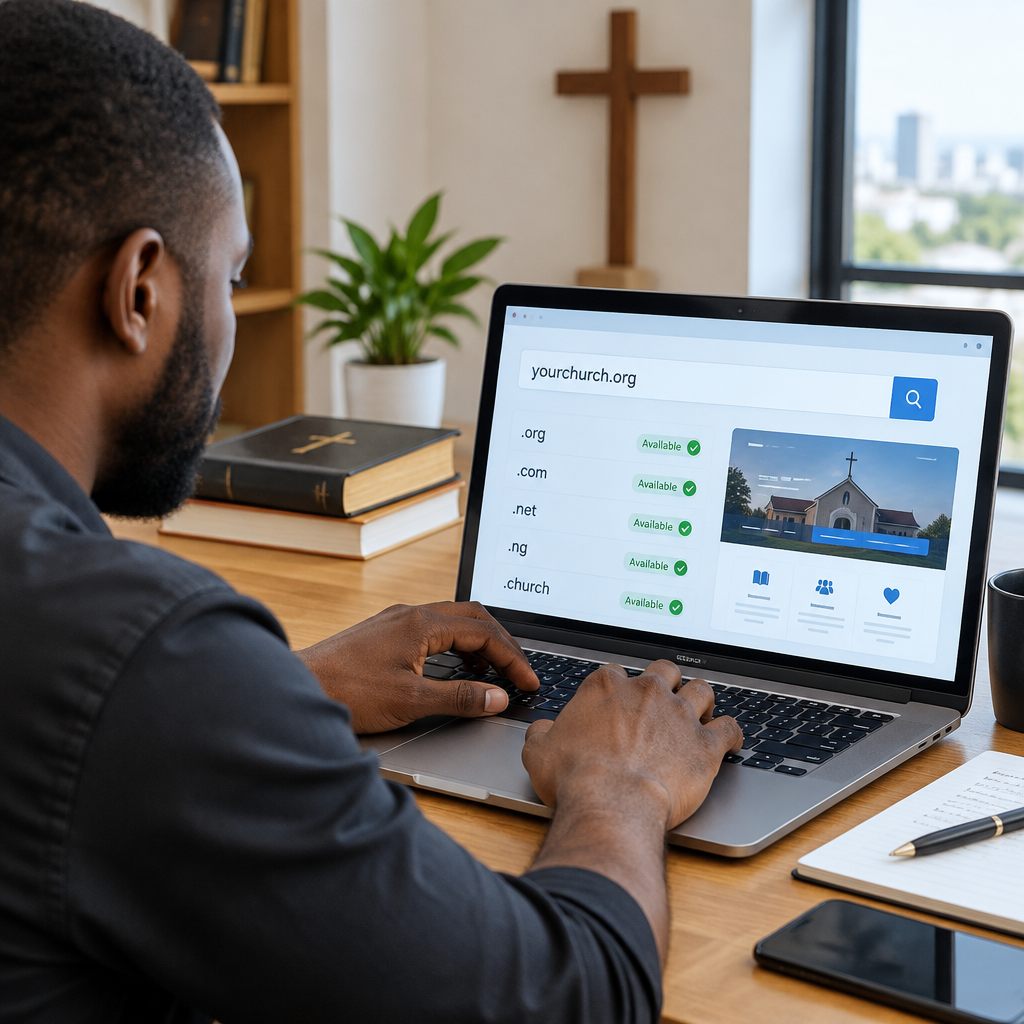
How to Register a Domain for a Church Website

How to Register a Domain for a Church Website

A church website needs a domain that people can remember, type correctly and trust. Whether your church wants to publish service times, share sermons, receive prayer requests or help visitors find the building, the domain is the website address people will use to reach you.

Registering one is usually straightforward, but the decision deserves care. A church can lose access to its website or email if a domain is registered under the wrong person’s details, allowed to expire or controlled by an inaccessible account. The best approach is to choose a suitable name, register it in the church’s name and keep its ownership information and renewal access organised.

What is a domain name?

A domain name is the readable address used to visit a website, such as yourchurch.org. It points visitors to the hosting account where the website files are stored.

Domain registration and web hosting are related but different:

  • Domain registration gives you the right to use a particular website address for a registration period.
  • Web hosting stores the website and makes it available online.
  • Business or church email hosting supports addresses such as [email protected].

You can register a domain before building the website. However, once you are ready to publish, you will need hosting and a correctly configured connection between the domain and the hosting account.

Choose the right domain name

Start with the church name that members and visitors already know. A simple domain based on the church’s official name is usually easier to communicate than a slogan or complicated abbreviation.

For example, a church called Grace Community Chapel might consider a name similar to gracecommunitychapel.org, if it is available. If the full name is too long, a clear shortened version may work, provided it will not confuse visitors or resemble another organisation.

Use these guidelines when comparing options:

  • Keep the name short enough to say and type easily.
  • Avoid unnecessary hyphens, numbers and unusual spellings.
  • Make sure the name reflects the church or ministry clearly.
  • Check how it sounds when spoken aloud during announcements.
  • Consider whether the name will still fit if the church adds new services or locations.

Avoid choosing a domain based only on what is available today. A very cheap or unusual name may be difficult for members to remember and may look less credible on printed materials, social media profiles and church email addresses.

Should a church use .org, .com or .ng?

The extension is the part after the final dot. Common options include .org, .com and country-related extensions such as .ng.

.org is often a natural fit for churches, charities and other community organisations. .com is widely recognised and may be suitable when the preferred .org address is unavailable. A Nigerian church may also consider a relevant .ng option to communicate its local identity.

There is no single extension that makes a church website trustworthy by itself. The important factors are clarity, accurate ownership, a reliable website, secure connections and useful information. Before choosing a country-code domain, check the registrar’s current eligibility, documentation and registration requirements, because these can vary by domain type and may change.

Check availability before registering

Use a domain search tool provided by a reputable registrar. Search the exact name first, then compare a few sensible alternatives if it has already been taken.

When a preferred domain is unavailable, do not immediately copy another organisation’s name by adding a random number or small spelling change. Visitors could go to the wrong website, and the church could face confusion or a dispute. Instead, consider adding a meaningful location or ministry descriptor, such as the city, parish, campus or chapel name.

Before paying, check the full spelling carefully. A domain that contains a typing mistake can be difficult to change later, and registration fees may not be refundable in every situation.

Register the domain in the church’s name

This is one of the most important steps. The domain should be connected to the church or its legally responsible organisation, not permanently tied to a volunteer, web designer, pastor or former employee.

Use an official church email address where practical, and provide accurate registrant and administrative contact information. Keep a record of:

  • The domain name and registration date
  • The registrar account email address
  • The account recovery method
  • The renewal date and payment method
  • The people authorised to manage the domain
  • The hosting account and website administrator details

A church may appoint one person to manage the technical work, but at least one other authorised leader should know where the account is held and how access can be recovered. This protects the church when volunteers change, staff leave or a supplier relationship ends.

Understand the registration period and renewal

A domain is normally registered for a defined period and must be renewed before it expires. Expiry can interrupt the website, church email and links printed on flyers, signs and social media profiles.

Set more than one renewal reminder. Keep the billing email current and make sure the payment method will remain available. If automatic renewal is enabled, do not rely on it without checking that the payment details and account access still work.

It is also useful to document who receives renewal notices. A domain account controlled by an inbox nobody monitors is a preventable risk.

Connect the domain to church hosting

After registration, the domain must be connected to the hosting service. The hosting provider will normally give instructions involving either nameservers or DNS records. These settings tell the domain where to find the website and related services.

If the church uses managed WordPress support, the hosting provider may help with the connection and the initial website setup. This can be useful for a volunteer team that wants to focus on service information, sermons and community updates rather than server administration.

DNS changes may take time to appear consistently across the internet. During this stage, some people may see the new website before others. That does not necessarily mean the registration failed.

Set up a professional church email address

A domain can support email addresses such as [email protected], [email protected] or [email protected]. This is generally more professional and easier to maintain than relying on a personal free email account for official church communication.

Create addresses based on roles where possible, rather than tying every important function to one person. For example, an address such as contact@ can continue working when the volunteer who previously managed enquiries changes.

Keep email security in mind. Use strong, unique passwords, enable multi-factor authentication when available and limit access to people who need it. Correct DNS email records also help receiving services identify legitimate messages, although configuration should be handled carefully.

Protect the domain and website

Domain registration is only the beginning. Protect the church’s online presence with a small set of practical controls:

  • Use a strong password for the registrar account.
  • Enable multi-factor authentication where available.
  • Keep the domain contact information accurate.
  • Install an SSL certificate so the website uses HTTPS.
  • Back up the website and database regularly.
  • Keep WordPress, themes and plugins maintained if WordPress is used.
  • Give administrators only the access they need.

An SSL certificate helps encrypt visitors’ connections and allows the website to load with HTTPS. It is especially important when visitors submit prayer requests, contact forms, registration details or donations.

A practical registration workflow

A church committee can use this simple workflow:

  1. Agree on the official church name and any acceptable short versions.
  2. List the preferred extensions, such as .org, .com or a suitable Nigerian option.
  3. Search availability through a reputable domain provider.
  4. Confirm the spelling and check for confusingly similar names.
  5. Register the domain using church-controlled contact details.
  6. Record the account, renewal date and authorised managers.
  7. Connect the domain to reliable hosting.
  8. Set up HTTPS, official email and regular backups.
  9. Test the website on mobile phones and confirm that contact details are accurate.

What if a developer or volunteer already registered it?

Ask for the registrar name, account access and current registrant information. The church should have direct access rather than depending on a former volunteer to renew or change DNS settings.

If access is unclear, contact the registrar and follow its account recovery or ownership-transfer process. Gather relevant records, payment information and organisational documents if requested. Do not create a second domain immediately without checking whether the original can be recovered, especially if members already know and use it.

Make the domain part of a dependable online presence

A good domain will not replace accurate service times, clear directions or helpful content. Visitors should quickly find the church’s location, meeting schedule, contact channels and information about what to expect. Since many Nigerian visitors use mobile phones, test the website on a phone and make sure pages load, text is readable and enquiry options are easy to use.

The strongest setup connects a memorable domain with dependable hosting, a secure website, domain-based email, current information and clear ownership records. Hosting support can handle much of the technical work, allowing church leaders and volunteers to concentrate on serving their community.

The key takeaway: register the domain as a church-owned asset, protect access and plan for renewal before building the rest of the website around it. A few careful decisions at registration time can prevent lost access, broken email and unnecessary disruption later.

Your Cart

©2018 - currentyear Sonhosting • By Digital Nigeria - RC 7487481
All Rights Reserved
Powered by ShootOut Now Services