
Website Security Basics for Nigerian Businesses

Website Security Basics for Nigerian Businesses

A website can be a valuable business asset, but it can also create serious problems when it is neglected. A hacked website may display malicious content, redirect visitors to harmful pages, stop working, or damage the trust customers place in your business. If your business uses the same weak password for its website, email and social accounts, one compromised account can put several digital assets at risk.

Website security does not require every business owner to become a cybersecurity specialist. It starts with a few practical habits: using secure hosting, protecting administrator accounts, keeping software updated, maintaining backups and controlling access to your domain and website.

This guide explains the main security measures for Nigerian small businesses, entrepreneurs, creators and organisations that use websites, WordPress, business email and domain names.

What website security protects

Website security is about more than preventing a page from being hacked. It helps protect:

  • Your website: its files, design, content and contact forms.
  • Your domain: the address customers use to find you.
  • Your hosting account: the environment where your website operates.
  • Your business email: conversations, customer information and payment-related messages.
  • Your visitors: from malicious downloads, fraudulent pages and unsafe connections.
  • Your reputation: because a broken or compromised website can make a business appear unreliable.

For a Nigerian business, these risks can be particularly disruptive when customers depend on a website for enquiries, bookings, online sales or contact details. A website may also serve visitors using mobile devices and varying network conditions, so a security problem that prevents pages from loading can quickly become a customer-service problem.

Start with HTTPS and an SSL certificate

HTTPS encrypts the connection between a visitor’s browser and your website. It is enabled through an SSL certificate. When HTTPS is working correctly, visitors normally see a padlock or other secure-connection indicator in their browser.

HTTPS helps protect information submitted through contact forms, login pages and checkout processes from being read while it travels between the visitor and the website. It also helps prevent browsers from displaying warnings that can discourage visitors.

An SSL certificate is important even if your website does not collect payments. A professional website should make visitors feel that they are dealing with a legitimate organisation. After installing SSL, check that all versions of your website redirect properly to the HTTPS version and that images, scripts and other resources do not load insecurely.

Use strong, separate passwords

Weak or reused passwords remain one of the simplest ways for attackers to gain access. Avoid passwords based on your business name, phone number, birthday, location or common words. A strong password should be long, unique and difficult to guess.

Use separate passwords for:

  • Your domain registrar account
  • Your hosting control panel
  • Your WordPress administrator account
  • Your business email account
  • Your payment and financial services

If one service is compromised, separate passwords reduce the chance that attackers can enter everything else. A password manager can help you generate and store unique passwords without requiring you to memorise every one.

Where available, enable multi-factor authentication. This adds another verification step, such as an authenticator app or security key. It is especially important for administrator, hosting, domain and email accounts.

Keep WordPress, themes and plugins updated

WordPress websites are made up of several components, including the WordPress core software, themes and plugins. Updates often fix security weaknesses as well as adding features or improving compatibility.

Leaving an old plugin installed can create an avoidable risk, even if you no longer use it. Remove themes and plugins that are unnecessary, and download software only from reputable sources. Do not use pirated or “nulled” themes and plugins. They may contain hidden malicious code and can also prevent you from receiving legitimate security updates.

Before applying major changes, maintain a recent backup and test important website functions afterwards. If you do not want to handle WordPress maintenance yourself, managed WordPress support can help with routine technical tasks, provided the service and responsibilities are clearly understood.

Make backups useful, not merely available

A backup is a copy of your website that can be used after accidental deletion, a failed update, a malware infection or another serious problem. Without a usable backup, restoring a website may be slow, expensive or impossible.

A practical backup approach should consider:

  • Frequency: how often your website changes and how much recent information you can afford to lose.
  • Coverage: whether the backup includes both website files and the database.
  • Independence: whether at least one copy is stored separately from the live website.
  • Retention: how many older versions are kept in case a problem is discovered later.
  • Testing: whether you have confirmed that the backup can actually be restored.

Do not assume that a backup exists simply because someone once mentioned it. Ask what is backed up, where it is stored and how restoration works. A backup that has never been tested may not be reliable when you need it.

Protect your domain and hosting accounts

Your domain is one of your most important digital assets. If someone gains control of it, they may redirect visitors to another website, interfere with email or make it difficult for customers to find your business.

Keep your domain registration details accurate and monitor renewal dates. Use an email address that your business can access independently of the website. For example, if your domain is temporarily unavailable, you should still be able to receive renewal notices and recovery messages.

Businesses should also retain access to their own registrar and hosting accounts. A developer, former employee or external provider may help manage these services, but the business should know who owns the accounts, where recovery details are stored and how access can be transferred when roles change.

Keep a simple record of your domain, hosting, email and website administrator access. Store it securely and review it when staff or contractors leave.

Secure business email

Business email is closely connected to website security. Attackers may use a compromised mailbox to impersonate your business, request payments, send fraudulent links or reset passwords for other services.

Use a domain-based email address rather than relying only on a personal free email account for business communication. Protect each mailbox with a unique password and multi-factor authentication where available. Be cautious with unexpected invoices, password-reset requests and messages that create urgency.

Email security settings can also help receiving mail servers identify messages that are genuinely authorised by your domain. A hosting or email provider can explain which protections are available for your setup. These measures do not replace careful behaviour, but they can make impersonation more difficult.

Limit access and check activity

Not everyone who helps with your website needs full administrator access. Give each person only the permissions required for their work. A content editor may not need access to domain settings, billing information or server configuration.

Remove old user accounts and change shared credentials when a staff member, agency or contractor no longer works with you. Review login notifications and account activity when available. Unexpected password-reset messages, new administrator accounts or unfamiliar changes to website content should be investigated promptly.

A practical response if something goes wrong

If you suspect that your website or account has been compromised, avoid making random changes that could destroy evidence or worsen the problem. Use a separate trusted device to change passwords, starting with the email account used for recovery. Enable multi-factor authentication, contact your hosting or website support provider, and preserve relevant messages or login alerts.

Ask for the affected account to be reviewed, suspicious files or users to be identified, and a clean backup to be restored only after the cause of the problem is understood. After recovery, update software, remove unnecessary access and check whether domain or email settings were changed.

A simple security routine for a small business

Security becomes easier when it is part of normal business administration. Once a month, review the following:

  • Are WordPress, themes and plugins updated?
  • Is HTTPS working across the website?
  • Have backups completed successfully, and has restoration been tested?
  • Do domain, hosting, email and administrator accounts use unique passwords?
  • Is multi-factor authentication enabled where possible?
  • Are former users and contractors removed?
  • Are domain registration and payment details still accurate?
  • Do contact forms, login pages and important website functions work as expected?

Website security is not a single product or one-time installation. It is a combination of secure services, sensible access control, regular maintenance and a recovery plan. A suitable hosting provider, SSL certificate, business email setup and managed WordPress support can reduce the technical burden, but the business must still retain control of its essential accounts.

The most useful first step is to identify your most important digital assets and protect them in order: your recovery email, domain account, hosting account, website administrator account and business mailboxes. Once those foundations are secure, regular updates and tested backups can help keep your online presence dependable for customers.
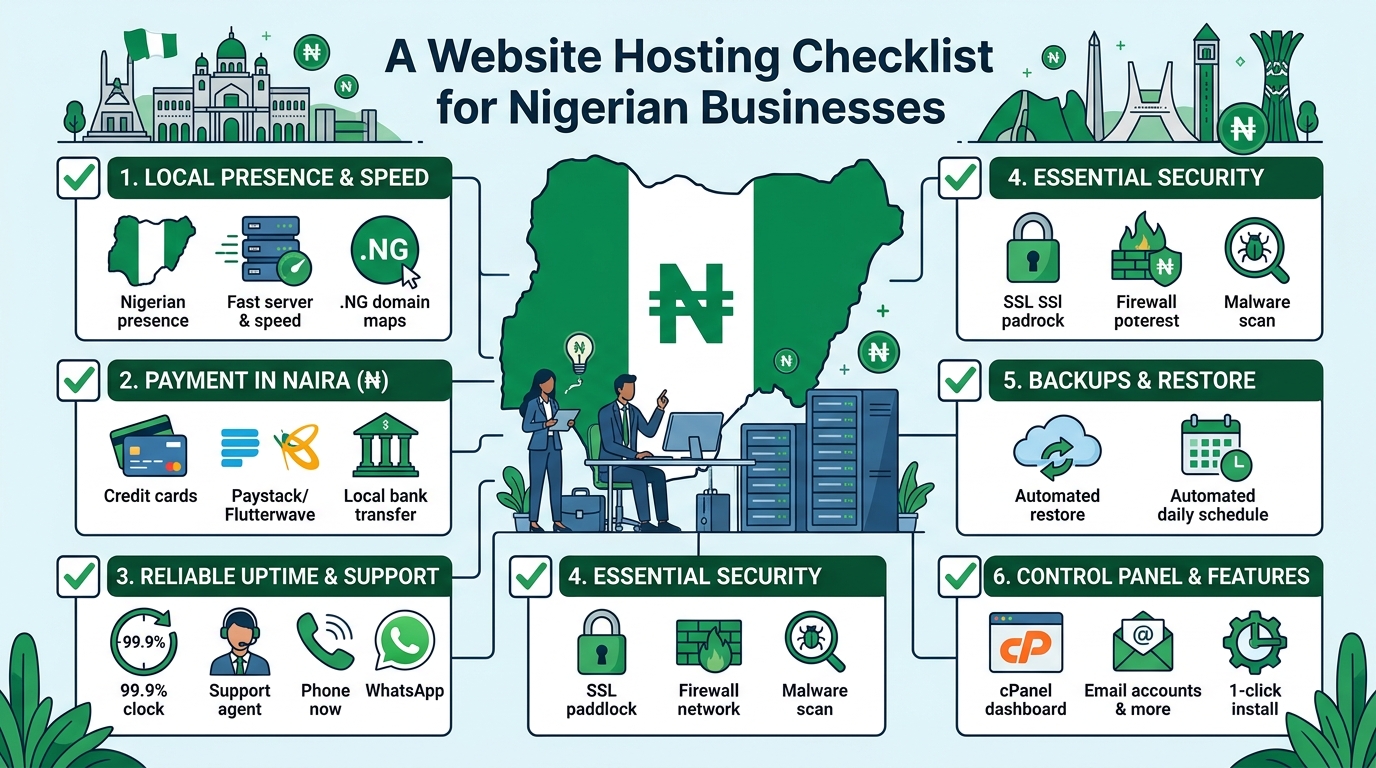
A Website Hosting Checklist for Nigerian Businesses

Choosing website hosting is an important decision for any Nigerian business. Your hosting service affects how quickly your website loads, how reliably it stays online, how secure it is and how easy it is to manage.

The cheapest plan is not always the best choice, and the most advanced plan may provide more capacity than your organisation currently needs. A small business, church, law firm and growing online company can have very different hosting requirements.

Use this checklist to compare hosting providers and select a plan that fits your website, budget and future goals.

1. Identify what your website needs

Before comparing hosting packages, define the purpose of your website. A simple business website with a few pages has different requirements from an online shop, membership platform or busy company portal.

Consider the following questions:

  • How many pages will your website have?
  • Will you publish blog posts, videos, documents or other large files?
  • Will visitors submit contact forms or make enquiries?
  • Will you sell products or accept online payments?
  • Will your church need event information, sermons or donation features?
  • Will a law firm publish downloadable legal resources or client information?
  • Do you expect traffic to increase over time?

For a basic company profile, a standard shared hosting plan may be appropriate. A website with more traffic, demanding applications or specialised technical requirements may eventually need VPS or cloud hosting.

2. Check the hosting resources

Hosting plans often differ in the amount of storage, processing capacity, memory and other resources they provide. Do not compare plans based only on the number of websites or the advertised storage.

Storage

Storage is used for website files, databases, email accounts, images, backups and other data. Estimate your current needs, then allow room for growth. Large images, videos and downloadable documents can use storage quickly.

Bandwidth and traffic

Bandwidth relates to the amount of data transferred between your website and its visitors. A page containing large images or files can use more bandwidth than a simple text page. Ask how the provider manages usage and what happens if your website grows beyond the plan’s normal capacity.

Server resources

Shared hosting places multiple websites on the same server environment. It can be a practical starting point for many small websites, but performance may be affected by the activities of other accounts. If your website needs more consistent resources, ask whether VPS or cloud hosting is available as an upgrade.

3. Ask about reliability and uptime

Your website should be available when potential customers, members, clients or visitors try to access it. A hosting provider should clearly explain how it works to maintain reliable service and respond to technical problems.

When assessing reliability, ask:

  • Is there an uptime commitment in the service terms?
  • How are server faults monitored?
  • How does the provider communicate during service interruptions?
  • Is technical support available when your website has a problem?
  • Are there planned maintenance windows?

Avoid choosing a provider based on an uptime figure alone. Read the terms carefully and look for a clear support process. It is also useful to keep your own website monitoring in place so you know when important pages become unavailable.

4. Review website speed features

Website speed affects the experience of visitors, particularly people using mobile devices or less consistent internet connections. Hosting is only one part of performance, but it provides the foundation.

Look for a hosting environment that supports modern website software and efficient server configuration. Ask whether the plan supports caching, current PHP versions where relevant, databases suited to your website platform and secure connections.

You should also optimise your own website by resizing images, reducing unnecessary plugins, choosing a lightweight design and keeping software updated. A powerful hosting plan cannot fully compensate for an overloaded or poorly maintained website.

5. Confirm security and backup arrangements

Security should be a basic requirement, not an optional extra. A compromised website can damage your reputation, interrupt business operations and expose information.

Before signing up, check whether the provider offers or supports:

  • SSL certificates for encrypted connections
  • Server-level security measures
  • Protection against common malicious activity
  • Malware detection or cleanup options
  • Account isolation or access controls
  • Regular backups

Backups are especially important, but do not assume that a backup exists simply because it is mentioned in a plan. Ask how often backups are created, how long they are retained and whether you can restore your website yourself or need to contact support.

Keep an independent copy of important website content where possible. Your organisation should also use strong passwords, enable available multi-factor authentication and limit administrative access to people who need it.

6. Choose and protect your domain name

Your domain name is the address people use to find your website. It should be easy to remember, relevant to your organisation and simple to communicate by phone or in person.

When purchasing a domain, confirm:

  • Who will be listed as the registrant or owner?
  • How will domain renewal reminders be sent?
  • Can you manage domain settings yourself?
  • What are the renewal and transfer procedures?
  • Is domain privacy available and suitable for your registration?

Keep control of the domain account and its recovery email address. A web designer or staff member may help manage the website, but the organisation should retain access to the domain and hosting accounts.

7. Understand email hosting

Professional email addresses using your domain can help your organisation present a consistent identity. However, email services have different storage, security and sending limits.

Ask whether the hosting plan includes business email and find out how many mailboxes, aliases and forwarding addresses are available. Check the mailbox size and whether webmail and mobile access are supported.

Also ask how the provider handles spam and whether the domain can be configured with email authentication records. Correct email configuration can help legitimate messages reach recipients and reduce the risk of someone impersonating your domain.

8. Evaluate customer support

When a website stops working, access to knowledgeable support can be more valuable than a small difference in monthly cost. This is particularly important for organisations without an in-house technical team.

Check the available support channels, operating hours and expected response process. Ask whether support can help with common tasks such as domain connections, SSL activation, email configuration, database issues and restoring a backup.

Good support should make technical information understandable. Before buying, you can assess the provider’s communication by asking specific questions about your intended website rather than relying only on general sales descriptions.

9. Read the pricing and renewal terms

Hosting costs can include more than the initial advertised plan. Compare the full cost over the period you expect to use the service.

Review:

  • Initial and renewal pricing
  • Domain registration and renewal charges
  • SSL or backup costs, if charged separately
  • Migration or setup fees
  • Upgrade costs
  • Taxes or payment-related charges
  • Cancellation and refund terms

Choose a payment arrangement your organisation can manage consistently. An expired domain or suspended hosting account can make a website unavailable, so assign someone to monitor renewal dates.

10. Consider future growth

Your first hosting plan does not have to support every possible future project, but your provider should offer a sensible path for growth. Ask whether you can increase resources, host additional websites, move to VPS hosting or use cloud hosting when necessary.

For example, a law firm may begin with a brochure website and later add a knowledge centre. A church may add online registration, media resources or donation tools. A growing SME may introduce an online shop or customer portal. Planning for these possibilities can reduce the disruption of changing providers later.

11. Check migration and ownership policies

If you already have a website, ask how it will be moved to the new host. Confirm whether the provider can assist with transferring files, databases, email accounts and domain settings.

Make sure you will receive access to the key components of your website. This includes the hosting control panel, domain management, website files, databases and relevant administrator accounts. Clear ownership and access arrangements reduce problems if your web developer, employee or agency changes.

A simple decision checklist

Question What to confirm
What type of website do we have? Basic website, blog, online shop, portal or application
Can the plan handle our content? Storage, traffic, databases and email capacity
How will problems be handled? Support channels, availability and response process
Is our website protected? SSL, security controls and backup arrangements
What will we pay over time? Renewals, add-ons, upgrades and cancellation terms
Can we grow? Upgrade options and migration support

Conclusion

The right hosting plan should be secure, manageable and suitable for your organisation’s current needs. Start by understanding your website, then compare resources, reliability, support, security, domain ownership and total costs.

For many Nigerian SMEs, churches and professional firms, a well-supported standard hosting plan can provide a practical starting point. As traffic and technical requirements increase, VPS or cloud hosting may offer a more suitable next step. Taking time to check these details before you buy can help your organisation avoid unnecessary costs and keep its website dependable.

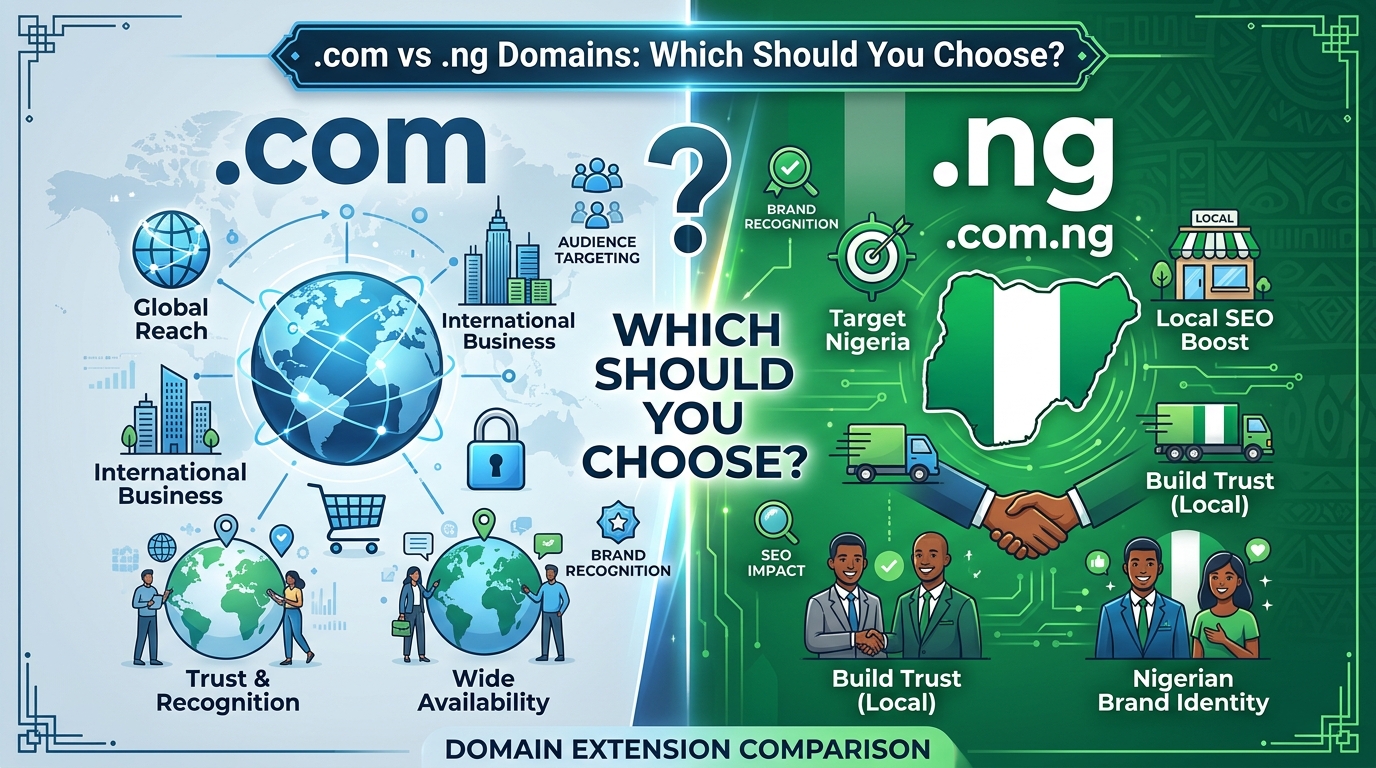
.com vs .ng Domains: Which Should You Choose?

Choosing a domain name is one of the first important decisions when creating a website. Your domain is more than a web address: it is part of your brand identity, appears in marketing materials and can influence how visitors perceive your organisation.

For businesses and organisations in Nigeria, the choice often comes down to a .com domain or a Nigerian country-code domain such as .ng or .com.ng. Both can be suitable, but the best option depends on your audience, business goals and the image you want to build.

This guide explains the main differences between .com and .ng domains so you can make a confident decision before purchasing your domain and hosting.

What is a .com domain?

A .com domain is a generic top-level domain. It was originally associated with commercial organisations, but it is now used by businesses, individuals, non-profits, churches, professionals and many other types of websites around the world.

Because .com has been used for many years, it is familiar to internet users in Nigeria and internationally. When people hear a business name, they may automatically try the .com version first. This familiarity can make a .com domain easy to remember and suitable for organisations serving customers across multiple countries.

However, popular .com names are often already registered. You may need to adjust your preferred name, add a relevant word or choose a different extension if the exact domain is unavailable.

What is a .ng domain?

A .ng domain is Nigeria’s country-code top-level domain. It identifies a website with a connection to Nigeria and can help communicate that a business, organisation or service is focused on the Nigerian market.

There are also second-level options such as .com.ng, which is commonly associated with commercial websites, and other Nigerian domain categories intended for particular types of organisations. The appropriate option may depend on the domain provider’s requirements and the organisation applying for it.

A .ng domain can be useful for a Nigerian SME, local service provider, church, law firm or community organisation that wants its Nigerian identity to be clear. It can also make a brand name available when the corresponding .com has already been taken.

Key differences between .com and .ng

1. Audience and market focus

The clearest difference is geographical positioning. A .com domain has a global feel, while .ng signals Nigeria.

If your organisation mainly serves customers in Lagos, Abuja, Port Harcourt or other parts of Nigeria, a .ng domain can reinforce your local presence. It may help visitors immediately understand that your services are intended for the Nigerian market.

A .com domain may be more appropriate if you plan to serve customers in several countries, sell internationally or build a brand that is not tied to one location. It is also a sensible choice when your target audience is already familiar with your business name under a .com address.

2. Brand perception

Neither extension automatically makes a website more professional. A trustworthy brand depends more on the quality of its website, communication, security, customer service and consistency.

That said, the extensions communicate different things. A .com domain can make a company appear broadly international. A .ng domain can present a business as proudly Nigerian, locally relevant and focused on serving people in the country.

For a Nigerian church, a .ng domain may clearly identify the organisation’s location. For a law firm serving Nigerian clients, it can support a local professional identity. A company with international expansion plans may prefer .com as its primary domain, even if it starts in Nigeria.

3. Availability of names

Domain availability is a practical consideration. Short, obvious .com names are often unavailable because many businesses and individuals already use them.

You may have more naming flexibility with a .ng or .com.ng domain. This can allow you to use your preferred business name without adding unnecessary numbers, hyphens or extra words.

Before deciding, check the exact name across the extensions you are considering. A good domain should be easy to spell, easy to say aloud and closely related to your organisation’s name or services.

4. Memorability

People are generally familiar with .com, which can make it easy to remember. However, familiarity does not mean that every .com domain is memorable. A long or complicated name can still be difficult to recall.

A concise .ng domain may be more memorable than a crowded .com alternative. For example, a clear business name with a relevant Nigerian extension may be easier to communicate than a .com address containing several extra words.

When comparing options, say each domain aloud and consider how it will look on a sign, invoice, social media profile, business card or radio advertisement.

5. Search engine considerations

Changing the domain extension alone does not guarantee better search engine visibility. Search engines consider many aspects of a website, including useful content, technical performance, relevance, links and the quality of the user experience.

A Nigerian country-code domain can provide a useful geographic signal for searches connected to Nigeria. A .com domain can support a broader international positioning. The extension should therefore match your intended audience, while your website content and technical setup support your search goals.

Most importantly, choose a domain that you can build consistently. A relevant, trusted website is more valuable than selecting an extension based only on assumptions about rankings.

When should you choose a .com domain?

A .com domain may be the better choice if:

  • Your business plans to serve customers outside Nigeria.
  • You want a broadly international brand identity.
  • Your audience is already familiar with your .com name.
  • You expect to expand into different countries or markets.
  • The .com version of your brand name is available and easy to use.

For example, a technology company developing services for customers across Africa may choose .com to avoid limiting its brand to one country. A Nigerian business can still use .com while clearly showing its location through its website content, contact information and business messaging.

When should you choose a .ng domain?

A .ng or .com.ng domain may be a strong choice if:

  • Your main customers are in Nigeria.
  • Your organisation wants to emphasise its Nigerian identity.
  • You provide location-based services to Nigerian clients.
  • The matching .com domain is unavailable or too expensive for your budget.
  • You want a short, clear alternative to a long .com name.

This can work well for local retailers, schools, churches, professional practices, community organisations and SMEs whose services are primarily delivered within Nigeria.

Can you buy both .com and .ng?

Yes, many organisations choose to register both versions when they are available. One domain can be used as the main website, while the other redirects visitors to it.

Owning both can help protect your brand and reduce the risk of another party registering a similar domain. It can also prevent confusion when customers type the wrong extension. However, registering multiple domains adds renewal responsibilities, so keep your domain records organised and renew every important domain on time.

If you use more than one domain, decide which one is your primary address. Use that version consistently on your website, email addresses, social media profiles, invoices and promotional materials.

What to check before registering your domain

  1. Check the spelling: Avoid names that are difficult to pronounce or easy to mistype.
  2. Keep it practical: Shorter domains are usually easier to share and remember.
  3. Consider the future: Choose a name that still fits if your products or services expand.
  4. Review registration requirements: Requirements and policies can vary by domain extension and provider.
  5. Plan for renewal: Keep your registration email and payment details current.
  6. Protect your brand: Consider related extensions if the name is important to your organisation.

Does the domain extension affect hosting?

Your choice of .com or .ng does not prevent you from using standard web hosting, VPS hosting or cloud hosting. The domain points visitors to your website, while hosting provides the server space and resources needed to run it.

When purchasing hosting, check that the provider can help you connect your chosen domain, manage DNS records and set up professional email addresses. A reliable setup should also support website security, backups and the software your organisation needs.

Final recommendation

Choose .com if you want a global identity, plan to expand internationally or already have a strong .com brand. Choose .ng or .com.ng if your organisation mainly serves Nigeria and you want your local identity to be immediately clear.

There is no universally superior extension. The best domain is available, easy to remember, aligned with your audience and suitable for your long-term plans. Once you choose it, focus on building a fast, secure and useful website that gives visitors a reason to return.

Your Cart

©2018 - currentyear Sonhosting • By Digital Nigeria - RC 7487481
All Rights Reserved
Powered by ShootOut Now Services