
How to Check Whether a Domain Name Is Available

How to Check Whether a Domain Name Is Available

Choosing a domain name is often one of the first decisions you make when creating a website. The challenge is that a name may be unavailable even when no active website appears at that address. It may already be registered, reserved, listed for sale or connected to a website that is temporarily offline.

A proper availability check helps you avoid wasted branding work and reduces the risk of registering a name that is difficult to remember, easy to misspell or controlled by someone else. It also gives you a chance to secure a domain that fits your business, website, email and long-term plans.

What does domain availability mean?

A domain is generally available when it has not already been registered by another person or organisation and can be registered through an authorised domain provider. Availability is checked for the complete domain name, including its extension.

For example, these are different domain names:

  • brighttraders.com
  • brighttraders.ng
  • brighttraders.org

The fact that one is unavailable does not automatically mean that the others are available. Each extension has its own registration system and requirements.

It is also important to distinguish an unavailable domain from an inactive website. A registered domain might show a blank page, an error message or an expired-looking website while still being owned by someone. Only an official availability check can tell you whether it can be registered normally.

Start with a short list of suitable names

Before using a domain search tool, prepare several possible names. Your first choice may already be taken, so having alternatives makes the process easier.

A useful domain name is usually:

  • Easy to say and spell
  • Simple enough to remember after hearing it once
  • Relevant to the business, organisation or personal brand
  • Suitable for a website and professional email address
  • Flexible enough to support future growth

Try to avoid unnecessary hyphens, unusual spellings and long combinations of words. These can create confusion when people type the address or tell it to someone over the phone. A mobile-first audience may also appreciate a short name that is easy to enter on a small screen.

Consider whether the name still makes sense if your business adds new products or serves a wider market. A very narrow domain may be accurate today but restrictive later.

Use a domain search tool

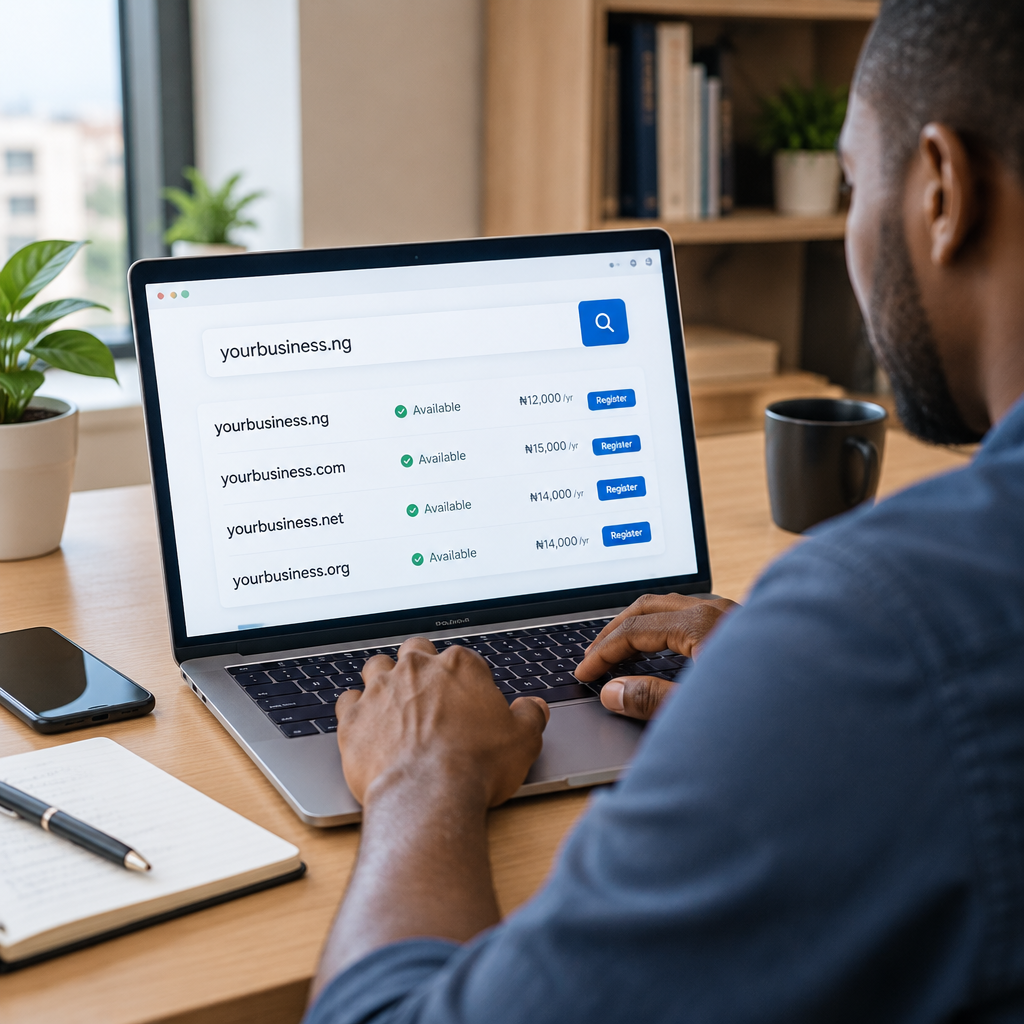
The most direct way to check availability is to enter your preferred name into a domain search tool provided by a domain registrar or hosting company. Type the name without a website prefix such as https://, then review the results for the extensions you are considering.

A typical search may show one of several results:

  • Available: the domain can usually be registered, subject to the provider’s process and any extension-specific requirements.
  • Unavailable: the domain is already registered or cannot currently be registered through that service.
  • Premium or resale: the name may be controlled by another party and offered at a separate price.
  • Suggested alternative: a similar name or different extension may be available.

Do not rely only on whether the address has a working website. Search the exact domain through a registration service and read the result carefully.

Check more than one domain extension

The extension is the part after the final dot, such as .com, .org or a Nigerian country-code extension. The best choice depends on your audience, organisation type and plans.

A Nigerian business may consider a local extension when it wants its market focus to be clear. A general extension may be useful when the business expects customers from different countries or wants a familiar international address. An organisation, community group or non-commercial project may prefer an extension that reflects its purpose, where suitable and available.

Do not select an extension solely because it is the cheapest option. Consider how easy it will be for customers to remember, whether it matches your brand and whether it supports the professional image you want to create.

If the exact name is available in more than one relevant extension, registering additional versions can sometimes reduce confusion. However, only do this when the names serve a clear purpose and fit your budget. A business does not need to buy every possible variation.

Check the name for spelling and brand problems

An available domain can still be a poor choice. Review it carefully before registration.

Say it aloud

Ask another person to write down the name after hearing it. If they produce several spellings, customers may also type it incorrectly.

Look for unintended meanings

Words can form different meanings when placed together without spaces. Read the domain as a single phrase and consider how it might be interpreted by customers in Nigeria and other markets you serve.

Check social and business usage

Search for businesses, products or organisations using a very similar name. A domain may be technically available but still create confusion with an established brand. You should also check relevant business registration, trademark and social media considerations before building a brand around the name. A domain registration does not automatically give you rights to every use of a name.

Confirm who will control the domain

Registering a domain is not only about finding an available address. It is also about retaining access and control.

Use accurate registrant and contact information where requested, and keep the account email address accessible to the business. Save the login details securely and make sure more than one responsible person understands how renewal and account recovery work.

If a developer, employee or agency helps you register the domain, confirm that the business owns the account or has the appropriate administrative access. A domain connected to your website and business email is an important digital asset. Losing access can affect your website, email communication and customer trust.

Check renewal and registration details before paying

Review the order carefully before completing registration. Confirm:

  • The exact spelling of the domain
  • The selected extension
  • The registration period
  • The renewal terms shown by the provider
  • Which account will manage the domain
  • Whether domain privacy or related options are included, available or separate

Prices, eligibility rules and renewal policies can differ by extension and provider, so read the current information displayed during registration. Do not assume that the first-year cost is the same as the renewal cost.

After registration, record the renewal date and keep payment or billing information up to date. An expired domain can interrupt a website or domain-based email and may eventually become available for someone else to register.

What to do if your preferred domain is unavailable

You have several practical options:

  • Try a relevant alternative extension.
  • Add a clear word such as your location, service or business category.
  • Use a shorter variation that keeps the brand recognisable.
  • Consider whether the registered name is actively used or offered for sale, but verify ownership and costs carefully.
  • Choose a different name rather than making a small change that customers may confuse with another business.

For example, if greenbasket.com is unavailable, a business might compare a suitable local extension, a location-based variation or a related brand name. The strongest alternative is not necessarily the closest spelling. It is the one customers can understand, remember and associate with the correct business.

Connect the domain to the rest of your online presence

Once you register the domain, the next step is connecting it to suitable hosting, a website and professional email. A domain by itself is only the address. Hosting provides the environment where the website operates, while email services can provide addresses such as hello@yourdomain or support@yourdomain.

For a Nigerian small business or entrepreneur, this combination can create a more dependable online home than relying only on social media profiles. A website can explain your services, provide accurate contact information and give customers a clear way to enquire or buy. HTTPS security, backups, dependable support and appropriate WordPress maintenance can also help reduce avoidable management problems.

You do not need to choose the most advanced hosting plan immediately. Consider the size of your website, expected visitors, email needs, growth plans and how much technical work you want handled for you. The right service is the one that supports your actual requirements while leaving room to grow.

A simple domain-checking workflow

  1. Write down three to five possible domain names.
  2. Check the exact names across relevant extensions.
  3. Remove names that are hard to spell, too long or confusingly similar to another brand.
  4. Compare the registration and renewal information.
  5. Register the strongest available option through a provider you can access and trust.
  6. Save account details and renewal dates.
  7. Connect the domain to your website and business email when ready.

The best domain is not simply the first one marked “available.” It is a name that your customers can remember, that your business can control, and that still fits your plans as the organisation grows. Check carefully before registering, keep ownership information accurate, and treat the domain as a core part of your online business infrastructure rather than as a minor technical detail.

How to Buy a Domain Name for Your Business

How to Buy a Domain Name for Your Business

Choosing a domain name is one of the first important decisions when building a business website. Your domain is the address customers use to find you online, and it can also support professional email, marketing and long-term brand recognition.

For a Nigerian business, entrepreneur or organisation, the right domain should be easy to remember, connected to your name or service, and registered under information you control. Buying the cheapest available name is not always the best decision. You also need to consider the domain extension, ownership details, renewal process and how the name will work as your business grows.

What is a domain name?

A domain name is the readable address people enter to visit a website, such as yourbusiness.com. Computers use numerical IP addresses to locate websites, but domain names make those addresses easier for people to remember and share.

A domain is not the same as web hosting. The domain is your website’s address, while hosting is the server space where your website files, images and databases are stored. You normally need both for a functioning website. You may also connect the domain to domain-based business email, such as [email protected].

Start with your business identity

Before searching for available names, decide what the domain needs to achieve. A local service provider may want a name that is easy for nearby customers to recognise. A startup may prefer a name that can support expansion beyond one city or product. A creator or professional may use their personal name to build a long-term reputation.

Write down a few possible names and check that they are:

  • Easy to say, spell and remember
  • Relevant to your business or brand
  • Short enough to type comfortably on a mobile phone
  • Suitable for use in email addresses
  • Flexible enough if your products or services change

Avoid names that depend heavily on punctuation, unusual spelling or long strings of words. A customer who hears your name in a conversation should have a reasonable chance of typing it correctly.

Choose the right domain extension

The extension is the part after the final dot, such as .com, .org or a Nigerian country-code extension. Your choice should support how customers see the business and where you expect to operate.

Common options to consider

  • .com: A widely recognised choice for commercial businesses and organisations serving a broad market.
  • .org: Often associated with organisations, communities and non-commercial initiatives, although the name should still match your actual purpose.
  • Nigerian extensions: A country-specific option can help communicate a connection to Nigeria and may suit businesses focused on the local market.

There is no universal rule that one extension is best for every business. Consider what your audience expects, whether the name is easy to communicate and whether the extension fits your future plans. If a strong brand name is available in more than one relevant extension, some businesses register multiple versions and direct them to the main website. This is optional and should be weighed against the additional renewal costs.

Check availability and possible conflicts

Use a domain search tool from a reputable registrar to see whether your preferred name is available. If it is already registered, do not assume that adding random numbers or extra words is the only solution. Try a shorter variation, a clear service-related phrase or a different suitable extension.

Before registering, check whether the name could be confused with another business, product or organisation. Search engines and social platforms can help you identify similar names, but they are not a substitute for appropriate legal or trademark advice. Avoid registering a name that appears designed to imitate another company or brand.

It is also useful to check how the name looks in lowercase and how it sounds when spoken aloud. Some combinations of words can be misunderstood when written without spaces. This matters when customers type the address from a radio advertisement, conversation or business card.

Register the domain in your own control

When you buy a domain, pay close attention to the registrant or account information. A business should not lose access to its domain because it was registered using a developer’s personal email address, a former employee’s account or an unknown third party’s details.

Use a business-controlled email address where practical, and keep the account login, recovery details and registration records secure. If a web developer or hosting provider helps with registration, confirm that your business is clearly listed as the owner and that you can access the relevant account.

Keep copies of important information, including:

  • The domain name and extension
  • The registrar account email address
  • Renewal dates and payment details
  • Account recovery information
  • Nameservers and DNS records, where relevant

Do not share passwords through informal channels. Use a strong, unique password and enable multi-factor authentication if the registrar provides it.

Understand the total cost

Domain registration is commonly paid for a fixed period, often one year at a time, and it must be renewed to remain active. The first registration price may differ from the renewal price, so check the ongoing cost before making a decision.

Also look for related charges or optional services. These may include privacy-related features where available, transfer fees, additional domain extensions or email services. The goal is not to avoid every additional service, but to understand what you are paying for and which features your business actually needs.

For budget-conscious Nigerian businesses, renewal planning is especially important. A domain that expires can interrupt a website and domain-based email. Put the renewal date on a shared business calendar and keep payment information current. Automatic renewal can help, but it should not replace checking that the payment method and account access still work.

Connect the domain to your website and email

After registration, the domain must be connected to your hosting account through DNS settings. This tells the internet where to find your website and how to deliver email. DNS changes can take time to become visible across different networks, so a newly registered domain may not work immediately everywhere.

If you plan to use business email, make sure the email records are configured correctly. Website hosting and email hosting may be provided together or as separate services, but both need reliable account management. Test sending and receiving messages before printing the address on signs, invoices or marketing materials.

Enable HTTPS for the website through an SSL certificate. Visitors should be able to see that the connection is encrypted, particularly when they submit contact details, log in or make a payment. HTTPS is one part of website security; strong passwords, updates, backups and secure hosting practices are also important.

A practical buying workflow

  1. Define the brand, audience and geographic focus.
  2. List several simple domain name options.
  3. Check spelling, pronunciation and possible confusion.
  4. Compare suitable extensions and ongoing renewal costs.
  5. Search availability through a reputable domain provider.
  6. Register the domain using accurate business or owner information.
  7. Secure the account with a unique password and recovery method.
  8. Record the renewal date and set a reminder.
  9. Connect the domain to hosting, the website and business email.
  10. Test the website, email address and contact details.

What to do if your preferred domain is unavailable

Do not rush into buying a name that is difficult to spell or unrelated to your brand. Consider a clear variation, a suitable Nigerian extension or a name that describes your service more directly. If the domain appears to be owned by someone else, be cautious about paying an inflated resale price. The cost and risk may not make sense for a small business.

You can also choose a temporary alternative while building your brand, but make sure all public materials use one consistent address. Changing domains later can affect email, printed materials, search visibility and customer recognition, so choose carefully before launching.

Keep ownership secure after registration

Buying the domain is only the beginning. Review the account periodically, keep contact information accurate and check that renewal notices reach someone responsible. Limit account access to people who need it, and maintain backups of your website rather than assuming the domain protects your website content.

A domain, dependable hosting, professional email and a secure website work together to create a stable online home. A hosting provider can handle technical tasks such as DNS configuration, WordPress support and security guidance, while you retain access to the business assets that matter.

The best domain name is not simply one that is available. It is one your customers can remember, your business can control and your team can manage reliably for years to come.

What to Do If Your Preferred Domain Name Is Taken

What to Do If Your Preferred Domain Name Is Taken

Finding that your preferred domain name is already taken can be frustrating, especially when you have already chosen a business name, designed a logo or started planning your website. However, an unavailable domain does not mean you must abandon your brand or choose a confusing web address.

The goal is to find a domain that is clear, trustworthy, easy to remember and suitable for your customers. For Nigerian businesses, entrepreneurs, creators and organisations, the right alternative should also support local recognition, professional email and long-term ownership.

First, confirm what “taken” means

A domain can be unavailable for several different reasons. It may be actively used by an established business, registered but unused, listed for sale, or reserved under a specific domain extension. These situations require different responses.

Visit the domain in a browser and observe what appears. A working website suggests that another organisation is actively using the name. A parking page, advertising page or blank page may indicate that the domain is registered but not being developed. You should not assume that an unused-looking domain is available for registration.

Use a reputable domain registration service to check the current registration status and available extensions. Avoid relying only on a search engine or social media search. A business may own a domain without having an active website, and a name that appears unused may still be unavailable.

Check whether the name is worth pursuing

If the exact domain is being used by another business, consider whether your proposed name could create confusion. A similar domain, especially in the same industry, may lead customers to the wrong website or create problems with email communication.

Ask yourself:

  • Could customers mistake the other business for mine?
  • Does the name resemble an existing brand, organisation or product?
  • Would the name be difficult to protect or explain?
  • Is the domain suitable for professional email as well as a website?

If the answer to these questions raises concerns, changing the business name or adding a distinctive word may be safer than trying to compete with an established domain.

Improve the name without making it confusing

A good alternative usually preserves the core identity of the business while adding useful context. You might include the service, location, audience or business type.

For example, a business called “Bright Path” may find that brightpath.com is taken. Depending on its work and customers, it could consider a clear variation such as brightpathconsulting, brightpathng or a suitable local domain extension, provided the result is distinctive and available.

Keep the alternative as short and natural as possible. Avoid adding several unrelated words simply to obtain an available domain. A long or awkward address increases the likelihood of typing errors and makes it harder to say over the phone or include on printed materials.

Be cautious with:

  • Multiple hyphens
  • Unusual abbreviations that customers will not understand
  • Numbers that could be written in different ways
  • Misspellings intended to imitate an unavailable name
  • Words that are difficult to pronounce or spell

Consider another domain extension

The part after the final dot is the domain extension. Many businesses first think of a familiar generic extension, but other suitable options may be available.

A local extension can help communicate that a business serves Nigeria or has a Nigerian identity. Depending on the organisation and eligibility requirements, a Nigerian domain may be appropriate. Other extensions can also describe the organisation’s purpose or industry, although the best choice depends on what customers recognise and trust.

Do not choose an extension solely because it is the cheapest or most unusual option. Consider how it will look in a business email address, whether customers are likely to remember it, and whether it fits the organisation’s audience in Nigeria or across West Africa.

If you use a different extension, say it clearly in your marketing. Include the complete address on your website, social media profiles, proposals, invoices and business cards so customers do not automatically type the more familiar extension.

Decide whether to buy the domain from its current owner

Some registered domains are listed for sale. Purchasing one may be reasonable when the name is highly valuable to your brand and the cost is acceptable. However, an asking price is not automatically evidence that the domain is worth buying.

Before considering a purchase, evaluate:

  • Whether the name is genuinely important to your long-term business identity
  • Whether it has a history that could harm your reputation
  • Whether the current owner can transfer it securely
  • Whether the price fits your budget without reducing funds needed for your website, hosting or email

For a new small business, a clear available alternative is often more practical than spending heavily on a domain. Money may be better used on reliable hosting, a secure website, professional email, useful content and customer support.

Protect the alternatives before announcing your brand

Once you find a suitable domain, register it promptly if it is available. Domain availability can change, and delaying registration may leave the name open to someone else.

Register the domain using accurate ownership information and an account that the business controls. Do not rely entirely on a developer, former employee or unknown third party to manage this essential asset. The business should know:

  • Which account holds the domain
  • Who can access that account
  • When the domain renews
  • Which email address receives renewal notices
  • How to update payment and contact details

Use a strong, unique password and enable additional account security where available. Keep renewal reminders active, because an expired domain can interrupt a website, business email and customer enquiries.

Secure related variations where they are useful

You do not need to register every possible version of your name. However, it may be useful to secure an obvious spelling variation, a relevant local extension or a common alternative that could otherwise be used to confuse customers.

Only register variations that you can manage and renew. A collection of unused domains creates extra administrative work and may give a false sense of protection. Focus on the names customers are most likely to type or expect to see.

Connect the domain to a professional online presence

A domain is an address, not a complete website. You still need hosting for the website files, and you may need domain-based email such as hello@yourbusinessdomain. Using a professional email address can make communication feel more established than relying only on a free personal mailbox.

Choose hosting based on the actual needs of the business: expected traffic, website type, email requirements, growth plans, budget and how much technical management you want handled for you. A small business may need a straightforward hosting plan, while a busier website or specialised application may require a different setup.

Once the website is ready, check that it uses HTTPS, displays accurate contact information and works well on mobile devices. These details matter because many customers will first encounter the business on a phone, through a message or a social media link.

A simple decision framework

When your first-choice domain is unavailable, compare alternatives using four tests:

  1. Clarity: Can a customer understand and spell it after hearing it once?
  2. Distinctiveness: Is it clearly separate from other businesses?
  3. Credibility: Does it look appropriate on email, proposals and invoices?
  4. Ownership: Can your business register, manage and renew it directly?

If an alternative passes all four tests, it may be a better business asset than an expensive or confusing exact-match domain.

The key takeaway

Your preferred domain being taken is a problem to assess, not a reason to delay your online presence. Check for brand confusion, create a clear variation, consider an appropriate local or alternative extension, and register the chosen name under your business’s control.

A dependable domain becomes more useful when it is connected to reliable hosting, professional email, website security and accurate business information. The best domain is not necessarily the shortest or most fashionable one; it is the address your customers can find, remember and trust.

What Content Should a New Business Website Include?

What Content Should a New Business Website Include?

A new business website does not need dozens of pages to be useful. It needs the right information, organised so visitors can quickly understand what you offer, decide whether they can trust you and take the next step.

This is especially important for small businesses and entrepreneurs in Nigeria and West Africa. Many potential customers will visit from a mobile phone, compare several options and look for clear evidence that a business is real, reachable and able to solve their problem. A website that looks attractive but leaves basic questions unanswered can lose enquiries.

The most effective starting point is to build content around your customers’ decisions. What do they need to know before contacting you, buying from you or visiting your business?

Start with a clear homepage

Your homepage should explain the business within a few seconds. Visitors should not have to interpret a vague slogan or search through several menus to understand what you do.

Include:

  • A direct description of your main product or service
  • The type of customer you help
  • The problem you solve or outcome you support
  • Your service area, where relevant
  • A clear next step, such as requesting a quote, booking a consultation, placing an order or sending an enquiry

For example, a web hosting company might explain that it provides hosting, domain registration, business email and managed WordPress support for businesses that need a dependable online presence. That is more useful than simply saying it is a “digital solutions provider”.

Your homepage can also introduce your main services, display important trust signals and link visitors to more detailed pages. It should guide people rather than try to contain every piece of information about the business.

Create a dedicated page for each important service

Do not place every offering in one long paragraph. Give each major service its own page when customers need different information before making a decision.

A useful service page should answer five questions:

  1. What is the service?
  2. Who is it for?
  3. What problem does it address?
  4. What does the customer receive?
  5. How can the customer get started or ask questions?

Explain features in terms of business value. A page about business email, for instance, can explain how an address using the company’s domain may present a more professional image than a personal email address. A page about SSL can explain that HTTPS helps protect information exchanged between a visitor and the website.

Keep claims accurate. If prices, limits, delivery times or technical specifications apply, state them clearly and keep them updated. Avoid promising results that depend on factors outside your control, such as guaranteed search rankings or perfect website performance.

Include an About page that builds confidence

Visitors often want to know who is behind a business before they share personal information, make payment or request a quotation. An About page does not need to be a long personal history. It should explain why the business exists, who it serves and how it works.

Consider including:

  • The business’s purpose and area of focus
  • The people or type of organisation you serve
  • Your approach to customer service
  • The principles that guide your work
  • Relevant business location or service coverage

For a technical business, plain language is particularly valuable. Customers should understand what you handle for them and what support they can expect without needing to become hosting experts, server administrators or security specialists.

Make contact information easy to find

A visitor should never have to hunt for a way to contact you. Put essential contact details in the header or footer and create a dedicated Contact page.

Depending on the business, this may include:

  • Phone number and business email address
  • Physical address or service area
  • Business hours and expected response times
  • Links to relevant social media profiles
  • A simple enquiry form, where appropriate

Check that contact details are consistent across the website and other public business profiles. Test forms on both phones and computers, and make sure enquiries reach an account that someone monitors.

Explain your products, process and next steps

Customers are more likely to enquire when they understand what happens after they click a button. Add a short explanation of your process, such as:

  1. Share your requirements
  2. Receive a recommendation or quotation
  3. Confirm the work or order
  4. Receive updates and support

The exact process will vary, but clarity reduces uncertainty. It is also helpful to explain what information customers should prepare. A website development business might ask about the organisation’s goals, services, existing domain and preferred pages. A hosting provider might need to know the type of website, expected email users and whether an existing site needs to be migrated.

Add trust signals without making unsupported claims

A new business may not have a long list of testimonials or case studies. That does not mean the website must be empty of credibility. Include accurate information that helps visitors assess the business.

Useful trust signals may include:

  • Clear business identity and contact details
  • Transparent service descriptions
  • Terms of service, privacy information and refund details where applicable
  • Secure HTTPS access
  • Relevant certifications or professional memberships, if genuinely held
  • Carefully presented testimonials or examples, with permission

Do not copy reviews, display logos without permission or describe a result you cannot substantiate. Honest, specific information is more useful than exaggerated marketing language.

Publish practical answers to common questions

A frequently asked questions section or knowledge area can reduce repetitive enquiries and help customers make better decisions. Topics should come from real customer concerns rather than being added only for search engines.

For a website and hosting business, useful questions might cover the difference between a domain and hosting, how domain renewals work, what business email involves, whether WordPress maintenance is needed and what happens during a website migration.

For any business, answer questions about pricing structure, delivery, cancellations, payment methods, support and preparation. If an answer varies by situation, say so and explain what information is needed to provide a suitable recommendation.

Design content for mobile visitors

Good content is not only about words. On a mobile-first website, visitors need readable text, clear buttons, short sections and images that do not prevent the page from loading. Place the most important information near the beginning, but avoid cramming every detail into the first screen.

Use headings that describe the content below them. Break long paragraphs into manageable sections and make calls to action specific: “Request a quotation” is clearer than “Click here”. Check the complete customer journey on a phone, including menus, forms, payment steps and phone links.

Protect ownership and keep the information current

Before launch, confirm that the business controls access to its domain, hosting account, website administration and business email. Keep ownership details accurate and monitor renewal dates. A website can become difficult to operate if access remains with a former employee, developer or unknown third party.

Also review content regularly. Remove discontinued services, correct outdated contact details and check that important links and forms still work. A simple monthly or quarterly review can prevent avoidable confusion.

A practical launch structure

Most new businesses can begin with a focused structure:

  • Home
  • About
  • Services or Products
  • Individual service or product pages for major offerings
  • Contact
  • Privacy and legal information where applicable
  • Frequently asked questions or helpful resources, if customers need them

This structure can grow over time. Start with content that supports real customer decisions, then add guides, case studies or additional landing pages as you learn which questions and services matter most.

The useful website test

Ask someone unfamiliar with the business to visit the website on a phone and answer three questions: What does this business offer? Who is it for? What should I do next? If they cannot answer quickly, revise the wording and navigation before adding more pages.

A new business website succeeds when it makes the next decision easier. Clear services, credible business information, accessible contact details, secure and reliable foundations, and helpful answers give visitors a reason to trust the business and take action. Build that foundation first; visual additions and extra features can follow when they serve a clear customer need.

Your Cart

©2018 - currentyear Sonhosting • By Digital Nigeria - RC 7487481
All Rights Reserved
Powered by ShootOut Now Services