The Main Types of Web Hosting Explained

The Main Types of Web Hosting Explained

Choosing web hosting can feel confusing because providers use different names for plans that may appear similar. Shared hosting, VPS hosting, dedicated hosting, cloud hosting and managed WordPress hosting all serve different needs. The most suitable option depends on your website’s size, expected traffic, budget, email requirements and how much technical work you want to manage yourself.

For a Nigerian small business, entrepreneur or organisation, the best hosting plan is not automatically the most powerful one. It is the plan that keeps the website dependable, secure and manageable without paying for resources you do not need.

What web hosting actually does

Web hosting provides the server space and services needed to make a website available online. When someone enters your domain name, such as yourbusiness.com, hosting helps deliver the website’s files, images, databases and other content to that visitor’s browser.

A domain name and hosting are related, but they are not the same thing. The domain is the address people use to find your website. Hosting is the service that stores and delivers the website. A complete online presence may also require business email, an SSL certificate, backups, website software and ongoing maintenance.

Shared hosting: a practical starting point

Shared hosting places multiple websites on the same physical server. The websites share server resources, while each account remains separately managed within the hosting environment.

This is often a suitable choice for:

  • Small business websites
  • Personal websites and portfolios
  • Blogs and creator websites
  • New WordPress websites
  • Simple organisation or information websites

The main advantage is simplicity and affordability. You can usually manage domains, email accounts, website files and databases through a hosting control panel rather than configuring a server from the beginning.

The limitation is that your website shares resources with other accounts. A busy or poorly managed site on the same server may affect the available capacity, depending on how the hosting environment is configured. Shared hosting may also become less suitable as a website grows or requires specialised server settings.

For many small websites, however, shared hosting is a sensible first step. A company does not need a VPS simply because it wants a professional website.

VPS hosting: more control and dedicated resources

VPS stands for Virtual Private Server. A physical server is divided into separate virtual environments, giving each VPS a defined allocation of resources and a greater degree of isolation than ordinary shared hosting.

VPS hosting may suit:

  • Growing websites with higher resource requirements
  • Web applications needing specific server settings
  • Online stores with increasing activity
  • Businesses running several websites or services
  • Users who need more control than shared hosting provides

A VPS can offer improved control, scalability and predictable resource allocation. It may also support custom software or configurations that are unavailable on a basic hosting plan.

That additional control creates additional responsibility. Depending on the service, you may need to manage operating system updates, server security, backups, performance settings and software installation. A managed VPS can reduce this burden by providing technical administration and support, while an unmanaged VPS is generally better suited to someone comfortable with server management.

Before choosing a VPS, consider whether you need its capabilities or whether you are simply responding to technical terminology. If your website is a normal business site with moderate traffic, a well-supported shared or managed WordPress plan may be more practical.

Dedicated hosting: an entire server for one customer

Dedicated hosting gives one customer access to an entire physical server. There are no other hosting accounts competing for the server’s processing capacity, memory or storage.

This option can be appropriate for organisations with demanding applications, large databases, high and consistent resource requirements, or specialised compliance and configuration needs. It may also be useful when an organisation needs complete control over the server environment.

The trade-off is cost and complexity. Dedicated hosting requires more planning and technical knowledge, and the customer may be responsible for many areas of server operation. It is rarely necessary for a basic company website, portfolio or small blog.

Businesses considering dedicated hosting should first identify the specific problem it will solve. If the concern is slow website performance, the cause could instead be an unoptimised website, oversized images, a plugin problem, limited database performance or a configuration issue. Upgrading to an entire server may not fix the real problem.

Cloud hosting: flexible resources across an infrastructure

Cloud hosting uses a network of connected servers or computing resources rather than relying on one traditional server alone. The exact design varies between providers, but the general idea is that websites can use resources from a broader infrastructure.

Cloud hosting may be useful for websites with changing workloads, applications that need flexible scaling, or organisations planning for growth. It can also provide options for distributing services and handling resource demand differently from a single-server arrangement.

However, “cloud” is not automatically a guarantee of better performance, security or availability. The quality of the service depends on its architecture, configuration, support, backups and management. A small business should ask what resources are included, how scaling works, what technical support is provided and how costs are calculated.

For some websites, cloud hosting is a valuable growth option. For others, a straightforward hosting plan provides all the capacity and simplicity required.

Managed WordPress hosting: WordPress with technical support

Managed WordPress hosting is designed specifically for websites built with WordPress. The hosting environment and support processes may be tailored to WordPress, with assistance for updates, performance, security and routine maintenance depending on the provider and plan.

This can be helpful for business owners who want WordPress flexibility without becoming responsible for every technical task. Managed support may include tools or services for WordPress installation, updates, backups, security monitoring or troubleshooting. The exact features should always be confirmed before purchase.

Managed WordPress hosting is a strong option when:

  • Your website uses WordPress as its main content management system
  • You want help with routine maintenance
  • You prefer not to administer a server
  • Your website is important to daily business operations
  • You need practical support when WordPress problems occur

It may be less suitable if you need to host several different applications or require a highly customised server environment. Some managed WordPress services also limit certain plugins or configurations to protect performance and security.

How to choose the right hosting type

Use your business requirements rather than the plan name as the starting point. Ask these questions:

  • What is the website for? A brochure website, blog, online store and custom application may need different resources.
  • How much traffic is expected? Consider normal visitors as well as campaigns, launches or seasonal demand.
  • How much technical work can you manage? If you do not want server administration to become another business responsibility, managed support may be worthwhile.
  • Do you need business email? Website hosting and email arrangements can differ. Confirm how many mailboxes, storage and support options are included.
  • What security and backup arrangements exist? Look for clear information about SSL, account security, backups and restoration rather than assuming they are automatic.
  • How will the website grow? Choose a service that offers a sensible upgrade path without requiring an immediate move to an expensive setup.

A practical example

Imagine a Nigerian consulting business launching a website with five pages, a contact form, a blog and domain-based email. It receives most visitors from mobile devices and does not have a technical employee.

A suitable starting point may be reliable shared hosting or managed WordPress hosting, depending on whether the site uses WordPress and how much maintenance support is wanted. The business should also confirm that its domain is registered under accurate ownership details, that important accounts remain accessible, and that the website has HTTPS, backups and clear contact information.

If the business later adds a busy membership platform or a resource-intensive application, it can review its hosting based on measured resource needs. Moving to a VPS may then be justified. The upgrade should respond to a real requirement, not simply the belief that a more advanced hosting label is always better.

Hosting is part of business reliability

Hosting affects more than whether a website appears online. It influences how easily the site can be maintained, how securely accounts are managed, whether email works reliably and how quickly problems can be resolved.

Keep control of your domain, hosting and email accounts. Use strong, unique passwords and appropriate account protection. Monitor renewals, maintain current contact information and keep backups that can be restored. These basic responsibilities help prevent avoidable disruption, especially when a website was originally created by a developer, former employee or third party.

The right hosting choice should make technology less burdensome. For many small businesses and entrepreneurs, that means starting with a well-supported shared or managed WordPress service, then upgrading only when the website’s requirements clearly demand it. VPS, cloud and dedicated hosting are valuable options, but they are tools for specific needs—not automatic signs of a more professional website.

Should a Church Buy Shared Hosting or VPS Hosting?

Should a Church Buy Shared Hosting or VPS Hosting?

Choosing hosting for a church website can feel more complicated than it needs to be. You may need a site for service times, sermons, events, announcements, donations, online forms and ministry information—but that does not automatically mean you need the most powerful hosting package available.

For many churches, shared hosting is a sensible starting point. A VPS becomes more appropriate when the website has consistent traffic, demanding applications, strict performance requirements or a technical team capable of managing a more advanced server environment.

The right choice depends less on the size of the church building and more on what the website must do, how many people use it at the same time and who will maintain the hosting.

What is shared hosting?

With shared hosting, several websites use resources on the same physical server. The hosting provider manages the server’s operating system, core security, hardware and much of the technical maintenance.

This arrangement keeps shared hosting relatively affordable and straightforward. A church administrator or volunteer can usually manage the website through a control panel, install WordPress and create email accounts without needing advanced server knowledge.

Shared hosting is often suitable for a church website that includes:

  • Service times, location and contact details
  • Pastor or ministry information
  • Event calendars and registration forms
  • News, announcements and blog posts
  • Photo galleries and downloadable documents
  • Audio sermons or links to media hosted elsewhere
  • A modest online giving or donation page

The main limitation is that your website shares server resources with other customers. If another site experiences unusually high activity or poor configuration, it may affect the available performance on the server, although reputable providers use controls to reduce this risk.

What is VPS hosting?

VPS stands for Virtual Private Server. A physical server is divided into separate virtual environments, giving each customer a more defined allocation of resources such as processing power, memory and storage.

A VPS normally provides greater control and more predictable performance than shared hosting. Depending on the service, you may be able to configure software, security settings and server-level applications that are not available on a standard shared plan.

That flexibility also creates responsibility. An unmanaged VPS may require knowledge of server administration, operating system updates, firewalls, backups, malware protection and performance monitoring. A managed VPS reduces this burden, but it usually costs more than shared hosting.

When shared hosting is the better choice

Your website is mainly informational

If visitors come to read basic information, view a calendar, download a bulletin or submit a contact form, shared hosting will often provide enough capacity. A simple church website does not need a dedicated server merely because it represents an active organisation.

Your church has a limited technical budget

Churches often need to prioritise funds across facilities, staff, outreach and community programmes. Shared hosting can provide the essential foundation—domain connection, website storage, SSL protection and email—without committing to infrastructure that may not yet be necessary.

No one is available to manage a server

This is one of the strongest reasons to choose shared hosting. If the website is maintained by a volunteer who only updates content occasionally, a provider-managed environment is usually safer and more practical than an unmanaged VPS.

You use WordPress with ordinary requirements

WordPress can work well on shared hosting when the site is properly maintained. Keep themes and plugins updated, remove extensions that are no longer needed, use strong administrator passwords and maintain reliable backups. Managed WordPress support can be particularly useful when a church does not have an in-house technical person.

When a VPS may be worth considering

The site receives high or unpredictable traffic

A church may experience traffic spikes during a major conference, registration period, public announcement or widely shared event. If the website regularly struggles during busy periods, a VPS may provide more consistent resources.

However, hosting alone does not solve every traffic problem. Large images, inefficient plugins, unoptimised databases and poorly configured caching can slow a site regardless of the hosting type. Performance should be reviewed before upgrading.

The website runs demanding applications

A basic WordPress site is different from a website that hosts a member portal, private content area, complex booking system, learning platform or custom ministry application. These uses may require more memory, processing capacity or server-level control.

Your church needs greater isolation or custom configuration

Some organisations want a more isolated environment for internal tools, databases or specific software requirements. A VPS can offer more control than shared hosting, although it is not automatically secure. Security still depends on proper configuration, updates, access controls and monitoring.

You have technical support available

A VPS makes more sense when a trusted developer, agency or managed hosting provider can handle server administration. Without that support, the extra control can become an operational risk rather than an advantage.

Shared hosting versus VPS hosting

Consideration Shared hosting VPS hosting
Cost Usually the more affordable option Usually costs more because resources and control are greater
Ease of use Designed for simpler website management May require technical administration
Performance Suitable for small to moderate websites More predictable resources for demanding sites
Control Limited server-level customisation Greater software and configuration control
Maintenance More server maintenance handled by the provider May require updates, security and monitoring by you or your provider
Best fit Informational sites and ordinary WordPress websites High-traffic, resource-intensive or custom applications

Do not confuse website hosting with livestream hosting

Many churches assume they need a VPS because they stream worship services. In most cases, a website should not directly carry the full burden of livestream video delivery. Video streaming can use substantial bandwidth and server resources.

A more practical arrangement is often to use a specialist video or streaming platform, then embed the stream or link to it from the church website. The website can remain on shared hosting while visitors access the live video through the service designed to deliver it.

The same principle applies to large audio libraries and high-resolution media. Store and deliver heavy files using suitable media tools where appropriate, rather than upgrading hosting without checking the actual source of the problem.

What to check before choosing a plan

Ask the hosting provider specific questions rather than comparing package names alone:

  • Is SSL included and automatically maintained?
  • Are backups provided, and how often can they be restored?
  • What support is available if the website goes offline?
  • Can the plan run the church’s chosen WordPress version, theme and plugins?
  • Are business email accounts included, and what storage limits apply?
  • What happens if traffic increases during an important event?
  • Can the church upgrade without moving immediately to a completely different provider?
  • Is VPS management included, or will the church be responsible for server administration?

For a Nigerian church, dependable support and clear communication may matter as much as technical specifications. A provider serving Nigerian businesses and organisations should make it easy to manage domains, SSL, website hosting and email in one practical setup, while explaining limitations honestly.

Security and reliability matter on either option

Moving from shared hosting to a VPS does not replace basic website security. Whichever option you choose, use SSL, keep WordPress and plugins current, limit administrator access and maintain tested backups. Protect church email accounts with strong, unique passwords and appropriate account controls.

Also plan for ownership and continuity. The church should know who controls the domain registration, hosting account, website administrator accounts and recovery email address. If a volunteer leaves, the organisation should not lose access to its digital presence.

A practical decision for most churches

Choose shared hosting if the church needs a reliable website, normal WordPress features, professional email and a manageable monthly service without maintaining a server. Start with a reputable provider and monitor real performance instead of paying for capacity you may never use.

Consider a managed VPS when the website has demonstrated resource demands, requires custom server software, experiences persistent performance limitations after optimisation or supports applications that shared hosting cannot run reliably. Managed support is especially important if the church does not employ a server administrator.

The best hosting decision is not the one with the most impressive technical specifications. It is the one that keeps the church website available, secure, maintainable and appropriate for the people it serves. Begin with the simplest platform that meets today’s needs, then upgrade when evidence—not guesswork—shows that greater control or capacity is necessary.

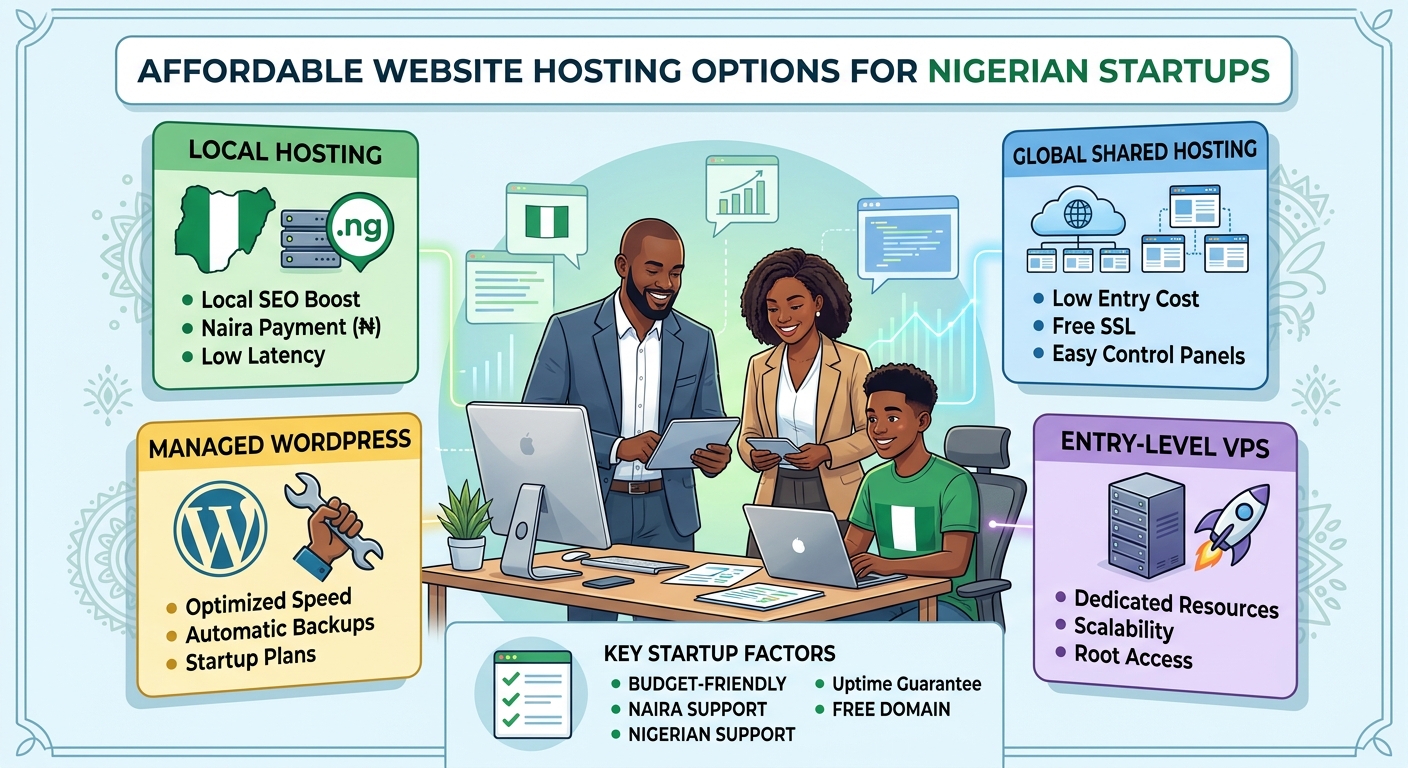
Affordable Website Hosting Options for Nigerian Startups

For a Nigerian startup, a website can support credibility, customer enquiries, online sales and business growth. However, hosting costs and technical decisions can feel difficult when you are working with a limited budget. The cheapest plan is not always the best choice, while an expensive package may include features your business does not yet need.

The right approach is to choose hosting that matches your current website, expected traffic and plans for growth. This guide explains the main hosting options available to Nigerian startups and the factors to consider before making a decision.

What is website hosting?

Website hosting is the service that stores your website files and makes them available to people online. When someone enters your domain name into a browser, the hosting server delivers your website’s pages, images and other content.

Hosting is different from a domain name. A domain is your website address, such as yourbusiness.ng or yourbusiness.com. Hosting is the space and technology used to store and serve the website. Most businesses need both a domain and a hosting plan.

A suitable hosting provider can also make important tasks easier, including setting up email, installing a content management system, creating backups and managing security settings.

Affordable hosting options for startups

Different hosting types suit different stages of business. Understanding the differences can help you avoid overspending or choosing a plan that cannot support your website.

Shared hosting

Shared hosting is often the most accessible option for a new startup. Several websites use resources on the same server, which allows the provider to offer hosting at a lower cost.

It can be suitable for:

  • Company websites with a small number of pages
  • New blogs and content websites
  • Landing pages for services or products
  • Small church, law firm or professional-service websites
  • Websites that are still building their audience

The main advantage is affordability and simplicity. Many shared hosting plans include a control panel and tools that help users install popular website platforms without advanced technical knowledge.

The trade-off is that your website shares server resources with other customers. Performance may be affected if a site on the same server uses unusually high resources. For a new or modestly sized website, however, a well-managed shared hosting plan may provide practical value.

WordPress hosting

WordPress hosting is designed for websites built with WordPress. It may include WordPress installation, updates, security features, backups or performance settings suited to the platform.

This option can be useful for startups that want to create a website quickly without building everything from scratch. WordPress supports company websites, blogs, service pages, news sections and many types of business content.

Before choosing a WordPress plan, check whether it gives you control over your website and whether important features are included. A low-cost plan may still require you to manage updates, plugins and backups yourself, while a managed service may provide more assistance at a higher cost.

Cloud hosting

Cloud hosting uses connected servers and infrastructure rather than relying on one physical server alone. Depending on the provider and plan, this can offer flexibility, scalability and improved resilience.

Cloud hosting may be appropriate for a startup with:

  • Growing visitor numbers
  • A web application or customer portal
  • More demanding business software
  • Seasonal changes in website traffic
  • A need to increase resources as the business develops

Cloud hosting is not automatically the most affordable option for every business. Its value depends on how resources are allocated and billed. A startup should understand the plan’s limits and charges before selecting it.

VPS hosting

A virtual private server, or VPS, provides an allocated virtual environment on a physical server. It generally offers more control and dedicated resources than basic shared hosting.

A VPS can be a good next step when a website has outgrown shared hosting or needs specific server software and configurations. It may also suit developers and businesses running applications that require more control.

However, VPS hosting often requires more technical administration. You may need to manage server updates, security, monitoring and backups, or pay for additional management. It is important to consider the full cost of running a VPS rather than looking only at the advertised hosting fee.

How to choose cost-effective hosting in Nigeria

Match the plan to your website

Start by identifying what you are building. A five-page business website does not need the same resources as an online store, membership platform or software application.

Consider the number of pages, expected visitors, image and video usage, databases, email accounts and any special software requirements. Choosing based on actual needs helps prevent both overspending and performance problems.

Check what is included

Hosting plans can vary significantly in what they provide. Review the details rather than comparing only headline prices.

Useful features may include:

  • Storage suitable for your website files
  • Bandwidth or traffic allowances
  • SSL support for secure browsing
  • Website backups
  • Malware monitoring or security tools
  • Database support
  • Email services, if required
  • A clear control panel
  • Migration assistance
  • Customer support

Some providers list certain features as optional add-ons. Knowing this in advance makes it easier to compare the total cost of each option.

Consider payment and renewal terms

Hosting is usually an ongoing service rather than a one-time purchase. Review the renewal terms, billing cycle and accepted payment methods before committing. A promotional starting price may not be the same as the price at renewal.

Nigerian startups should also consider whether the provider makes account management and payments convenient for their team. Clear invoices, accessible support and straightforward renewal information can reduce administrative problems later.

Look beyond server location

Some buyers assume that a server must be physically located in Nigeria for a website to perform well for Nigerian visitors. Server location can influence latency, but it is only one factor. Network quality, server configuration, caching, image optimisation and website code also affect speed.

Ask the provider how performance is managed and whether the service can support your expected audience. Avoid choosing solely because of a location claim without considering the complete hosting environment.

Review support quality

When a website becomes unavailable, quick and useful support matters. Check how customers can contact the provider and whether the support team can assist with common issues such as domain connections, email setup, website migration and hosting errors.

Support is especially important for business owners who do not have an in-house technical team. A slightly lower-priced plan may not be good value if resolving problems takes too long or requires specialist knowledge.

Ways to reduce hosting costs

Affordability does not mean choosing the smallest plan indefinitely. It means using resources carefully and avoiding unnecessary costs.

  1. Begin with a suitable entry plan: Choose enough storage and performance for your current website, with a clear path to upgrade.
  2. Keep your website efficient: Compress images, remove unused plugins and use a lightweight design where possible.
  3. Separate essential and optional services: Decide whether you need premium email, advanced security or specialist server management immediately.
  4. Maintain regular backups: A backup can help prevent the cost and disruption of rebuilding a website after a serious error.
  5. Track website usage: Monitor storage, traffic and resource consumption so you can change plans based on evidence.
  6. Protect your domain: Keep domain renewal information current and ensure the business retains control of the domain account.

Common mistakes to avoid

Startups sometimes choose hosting based only on the lowest advertised price. This can lead to unexpected renewal costs, limited support or a plan that cannot handle the website’s needs.

Other common mistakes include ignoring backups, using outdated software, selecting a VPS without the skills to manage it, and buying more resources before they are needed. It is also risky to register a domain or hosting account under the details of someone who may not remain involved in the business.

A practical hosting path for a new startup

A simple business website will often be able to begin with reliable shared hosting or a suitable WordPress plan. As the website gains visitors or requires more complex features, the business can review its resource usage and consider cloud or VPS hosting.

This staged approach keeps early costs manageable while leaving room for growth. The best provider should make upgrading clear and help you move to a more suitable environment when your needs change.

Conclusion

Affordable website hosting for a Nigerian startup should provide more than a low starting price. It should offer the resources, security, support and flexibility your business needs at its current stage.

Compare shared hosting, WordPress hosting, cloud hosting and VPS hosting according to your website’s purpose and expected growth. Check renewal terms, included features, support quality and upgrade options. With a thoughtful choice, your startup can establish a professional online presence without paying for complexity it does not yet need.

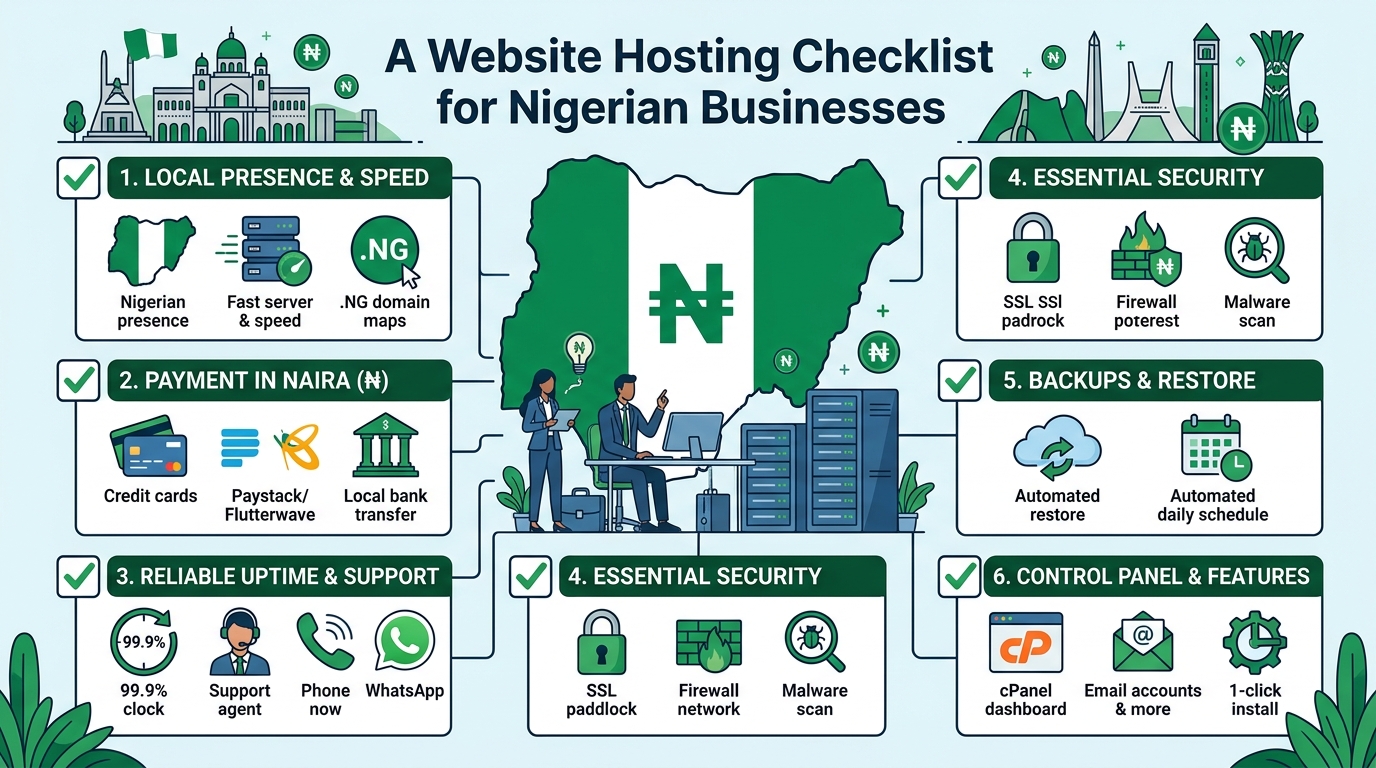
A Website Hosting Checklist for Nigerian Businesses

Choosing website hosting is an important decision for any Nigerian business. Your hosting service affects how quickly your website loads, how reliably it stays online, how secure it is and how easy it is to manage.

The cheapest plan is not always the best choice, and the most advanced plan may provide more capacity than your organisation currently needs. A small business, church, law firm and growing online company can have very different hosting requirements.

Use this checklist to compare hosting providers and select a plan that fits your website, budget and future goals.

1. Identify what your website needs

Before comparing hosting packages, define the purpose of your website. A simple business website with a few pages has different requirements from an online shop, membership platform or busy company portal.

Consider the following questions:

  • How many pages will your website have?
  • Will you publish blog posts, videos, documents or other large files?
  • Will visitors submit contact forms or make enquiries?
  • Will you sell products or accept online payments?
  • Will your church need event information, sermons or donation features?
  • Will a law firm publish downloadable legal resources or client information?
  • Do you expect traffic to increase over time?

For a basic company profile, a standard shared hosting plan may be appropriate. A website with more traffic, demanding applications or specialised technical requirements may eventually need VPS or cloud hosting.

2. Check the hosting resources

Hosting plans often differ in the amount of storage, processing capacity, memory and other resources they provide. Do not compare plans based only on the number of websites or the advertised storage.

Storage

Storage is used for website files, databases, email accounts, images, backups and other data. Estimate your current needs, then allow room for growth. Large images, videos and downloadable documents can use storage quickly.

Bandwidth and traffic

Bandwidth relates to the amount of data transferred between your website and its visitors. A page containing large images or files can use more bandwidth than a simple text page. Ask how the provider manages usage and what happens if your website grows beyond the plan’s normal capacity.

Server resources

Shared hosting places multiple websites on the same server environment. It can be a practical starting point for many small websites, but performance may be affected by the activities of other accounts. If your website needs more consistent resources, ask whether VPS or cloud hosting is available as an upgrade.

3. Ask about reliability and uptime

Your website should be available when potential customers, members, clients or visitors try to access it. A hosting provider should clearly explain how it works to maintain reliable service and respond to technical problems.

When assessing reliability, ask:

  • Is there an uptime commitment in the service terms?
  • How are server faults monitored?
  • How does the provider communicate during service interruptions?
  • Is technical support available when your website has a problem?
  • Are there planned maintenance windows?

Avoid choosing a provider based on an uptime figure alone. Read the terms carefully and look for a clear support process. It is also useful to keep your own website monitoring in place so you know when important pages become unavailable.

4. Review website speed features

Website speed affects the experience of visitors, particularly people using mobile devices or less consistent internet connections. Hosting is only one part of performance, but it provides the foundation.

Look for a hosting environment that supports modern website software and efficient server configuration. Ask whether the plan supports caching, current PHP versions where relevant, databases suited to your website platform and secure connections.

You should also optimise your own website by resizing images, reducing unnecessary plugins, choosing a lightweight design and keeping software updated. A powerful hosting plan cannot fully compensate for an overloaded or poorly maintained website.

5. Confirm security and backup arrangements

Security should be a basic requirement, not an optional extra. A compromised website can damage your reputation, interrupt business operations and expose information.

Before signing up, check whether the provider offers or supports:

  • SSL certificates for encrypted connections
  • Server-level security measures
  • Protection against common malicious activity
  • Malware detection or cleanup options
  • Account isolation or access controls
  • Regular backups

Backups are especially important, but do not assume that a backup exists simply because it is mentioned in a plan. Ask how often backups are created, how long they are retained and whether you can restore your website yourself or need to contact support.

Keep an independent copy of important website content where possible. Your organisation should also use strong passwords, enable available multi-factor authentication and limit administrative access to people who need it.

6. Choose and protect your domain name

Your domain name is the address people use to find your website. It should be easy to remember, relevant to your organisation and simple to communicate by phone or in person.

When purchasing a domain, confirm:

  • Who will be listed as the registrant or owner?
  • How will domain renewal reminders be sent?
  • Can you manage domain settings yourself?
  • What are the renewal and transfer procedures?
  • Is domain privacy available and suitable for your registration?

Keep control of the domain account and its recovery email address. A web designer or staff member may help manage the website, but the organisation should retain access to the domain and hosting accounts.

7. Understand email hosting

Professional email addresses using your domain can help your organisation present a consistent identity. However, email services have different storage, security and sending limits.

Ask whether the hosting plan includes business email and find out how many mailboxes, aliases and forwarding addresses are available. Check the mailbox size and whether webmail and mobile access are supported.

Also ask how the provider handles spam and whether the domain can be configured with email authentication records. Correct email configuration can help legitimate messages reach recipients and reduce the risk of someone impersonating your domain.

8. Evaluate customer support

When a website stops working, access to knowledgeable support can be more valuable than a small difference in monthly cost. This is particularly important for organisations without an in-house technical team.

Check the available support channels, operating hours and expected response process. Ask whether support can help with common tasks such as domain connections, SSL activation, email configuration, database issues and restoring a backup.

Good support should make technical information understandable. Before buying, you can assess the provider’s communication by asking specific questions about your intended website rather than relying only on general sales descriptions.

9. Read the pricing and renewal terms

Hosting costs can include more than the initial advertised plan. Compare the full cost over the period you expect to use the service.

Review:

  • Initial and renewal pricing
  • Domain registration and renewal charges
  • SSL or backup costs, if charged separately
  • Migration or setup fees
  • Upgrade costs
  • Taxes or payment-related charges
  • Cancellation and refund terms

Choose a payment arrangement your organisation can manage consistently. An expired domain or suspended hosting account can make a website unavailable, so assign someone to monitor renewal dates.

10. Consider future growth

Your first hosting plan does not have to support every possible future project, but your provider should offer a sensible path for growth. Ask whether you can increase resources, host additional websites, move to VPS hosting or use cloud hosting when necessary.

For example, a law firm may begin with a brochure website and later add a knowledge centre. A church may add online registration, media resources or donation tools. A growing SME may introduce an online shop or customer portal. Planning for these possibilities can reduce the disruption of changing providers later.

11. Check migration and ownership policies

If you already have a website, ask how it will be moved to the new host. Confirm whether the provider can assist with transferring files, databases, email accounts and domain settings.

Make sure you will receive access to the key components of your website. This includes the hosting control panel, domain management, website files, databases and relevant administrator accounts. Clear ownership and access arrangements reduce problems if your web developer, employee or agency changes.

A simple decision checklist

Question What to confirm
What type of website do we have? Basic website, blog, online shop, portal or application
Can the plan handle our content? Storage, traffic, databases and email capacity
How will problems be handled? Support channels, availability and response process
Is our website protected? SSL, security controls and backup arrangements
What will we pay over time? Renewals, add-ons, upgrades and cancellation terms
Can we grow? Upgrade options and migration support

Conclusion

The right hosting plan should be secure, manageable and suitable for your organisation’s current needs. Start by understanding your website, then compare resources, reliability, support, security, domain ownership and total costs.

For many Nigerian SMEs, churches and professional firms, a well-supported standard hosting plan can provide a practical starting point. As traffic and technical requirements increase, VPS or cloud hosting may offer a more suitable next step. Taking time to check these details before you buy can help your organisation avoid unnecessary costs and keep its website dependable.

Your Cart

©2018 - currentyear Sonhosting • By Digital Nigeria - RC 7487481
All Rights Reserved
Powered by ShootOut Now Services