
Website Creation Checklist for Nigerian SMEs

Website Creation Checklist for Nigerian SMEs

Creating a business website involves more than choosing a template and publishing a few pages. For a Nigerian SME, the website must help people understand what you offer, trust your business and take the next step—whether that means calling, sending an enquiry, visiting your office or placing an order.

It also needs to remain accessible on mobile devices, work reliably for local visitors and stay under the business’s control. This checklist covers the important decisions before launch and the maintenance tasks that keep a website useful afterwards.

1. Define what the website must achieve

Start with the business goal rather than the design. A website for a consulting firm may be designed to generate enquiries, while a retailer may need product pages and online ordering. A school, charity or professional organisation may need to provide information, collect applications or publish updates.

Write down the main action you want visitors to take. Examples include:

  • Call or send a WhatsApp message
  • Complete an enquiry form
  • Request a quotation
  • Book an appointment
  • Buy a product or service
  • Visit a physical location

Having one primary goal makes it easier to choose the right pages, navigation and calls to action. It also prevents the website from becoming a collection of disconnected information.

2. Choose and secure the right domain

Your domain is the address people use to find your website. It is also part of your brand, printed materials and business email, so choose it carefully.

A good domain should be reasonably short, easy to pronounce and simple to type. It should reflect the organisation’s name or a clear description of its work. Avoid unnecessary hyphens, confusing spellings and names that could be mistaken for another business.

Consider whether a suitable Nigerian domain is appropriate for your audience, or whether a more internationally familiar extension better supports your plans. The important point is to check availability, register the domain in the correct business or owner details and keep those details accurate.

The business should retain access to the domain account, registration email and renewal information. Do not allow a domain to remain accessible only to a former employee, designer or developer. Set renewal reminders and keep payment details up to date so an expired domain does not interrupt the website or email.

3. Select hosting that matches the website

Hosting is the service that stores your website and makes it available online. The right plan depends on the website’s size, expected visitors, email needs, technology and level of support required.

A small brochure website may not need the same resources as an online shop, membership platform or busy content website. Consider:

  • How many websites will be hosted
  • Whether the site uses WordPress or another platform
  • How much storage is needed for images, documents and backups
  • Whether the business needs domain-based email
  • How much technical management the owner wants to handle
  • Whether the website may grow into a larger or more resource-intensive service

The cheapest option is not automatically the most suitable, and the most expensive plan may provide resources the business will not use. Choose a service that fits current requirements while leaving a sensible path for growth. Reliable support is especially valuable when the business does not have an in-house server administrator.

4. Plan the essential pages

Most SMEs need a focused set of pages rather than a large website that is difficult to maintain. At a minimum, consider:

  • Home: Explain what the business does, who it serves and what visitors should do next.
  • About: Provide relevant background, location, capabilities and the reasons customers may choose the business.
  • Products or services: Describe each offer in clear customer-focused language.
  • Contact: Include an email address, telephone number, contact form, location and opening information where relevant.
  • Frequently asked questions: Answer common questions about process, delivery, payment or support.
  • Privacy and other required business information: Explain how enquiries or customer information are handled where appropriate.

Every page should have a purpose. Replace vague statements with useful details such as service areas, delivery coverage, typical customer problems, next steps and ways to request help.

5. Make the website mobile-friendly

Many Nigerian visitors will first encounter a website on a mobile phone. A site that looks acceptable on a large screen may be difficult to use on a smaller one if text is cramped, buttons are tiny or images take too long to load.

Test the website on more than one phone size. Check that:

  • Text is readable without excessive zooming
  • Menus open and close correctly
  • Buttons are easy to tap
  • Forms do not require unnecessary information
  • Images are compressed and displayed at suitable sizes
  • Important contact details appear without a long search

Keep the design focused. Large background videos, excessive animations and unoptimised images can make a website slower without helping visitors make a decision.

6. Build trust into the design and content

Visitors are more likely to contact a business when the website appears complete, consistent and transparent. Use the same business name, logo, colours and contact details across the website and other public channels.

Show practical evidence of what the business does. This might include a clear service process, product information, areas served, professional profiles, project descriptions or answers to common concerns. Do not use claims that cannot be supported.

Check every important detail before launch, including phone numbers, email addresses, prices where applicable, opening hours, location information and links. A single incorrect detail can make a visitor question the rest of the website.

7. Set up professional business email

An address based on the business domain can present a more established image than a generic personal email address. It also makes it easier to create role-based addresses such as hello@, sales@ or support@.

Decide who should receive each address and establish a process for responding to enquiries. Protect every mailbox with a strong, unique password and, where available, additional account security. Monitor storage limits and ensure the organisation retains access when staff or contractors leave.

Business email is connected to the domain, so domain renewals and account access must be managed together. Losing control of the domain can affect both the website and email.

8. Enable HTTPS and protect the website

SSL certificates enable HTTPS, which helps protect information exchanged between a visitor’s browser and the website. Browsers also commonly indicate when a site is not using a secure connection, which can reduce confidence.

Security is not solved by HTTPS alone. Before launch, use strong administrator passwords, limit access to people who need it, keep the content management system and extensions updated, and remove unused accounts and plugins. If the website uses WordPress, regular maintenance is particularly important because outdated themes or plugins can create avoidable security and compatibility problems.

Keep backups in place and understand how restoration would work. A backup that has never been tested may not be useful when the website is damaged, hacked or changed incorrectly.

9. Test the complete customer journey

Do not test only the homepage. Act as a first-time visitor and complete the actions the website is intended to support.

  1. Open the website on a phone and a computer.
  2. Try the main navigation and search, if available.
  3. Read the key service or product pages.
  4. Submit a test enquiry and confirm that it reaches the correct inbox.
  5. Check telephone, email, map and social links.
  6. Review spelling, images, page titles and visible error messages.
  7. Confirm that forms provide a useful success message after submission.

Ask someone unfamiliar with the business to find a specific service and contact method. Their questions may reveal problems the people who built the site no longer notice.

10. Create an ownership and maintenance plan

A website is an ongoing business asset, not a one-time file. Record who controls the domain, hosting, email, website administration and backup accounts. Store renewal dates and access information securely, and make sure the business—not only an outside supplier—can recover its accounts.

Schedule routine reviews for software updates, backups, security, contact details, forms and service information. Add new content when the business changes. Remove outdated announcements and check that links still work.

A practical launch decision

Before publishing, ask three questions: Can the intended customer understand the offer quickly? Can they complete the desired action easily on a phone? Can the business owner access, secure and maintain the essential accounts?

If the answer to any question is no, the website is not ready, regardless of how attractive the design looks. A suitable domain, dependable hosting, professional email, HTTPS, accurate content and a clear maintenance routine create a stronger foundation than visual polish alone. For SMEs that do not want to manage server administration or complicated technical tools, managed hosting and practical support can keep those responsibilities under control while the business focuses on serving customers and growing.
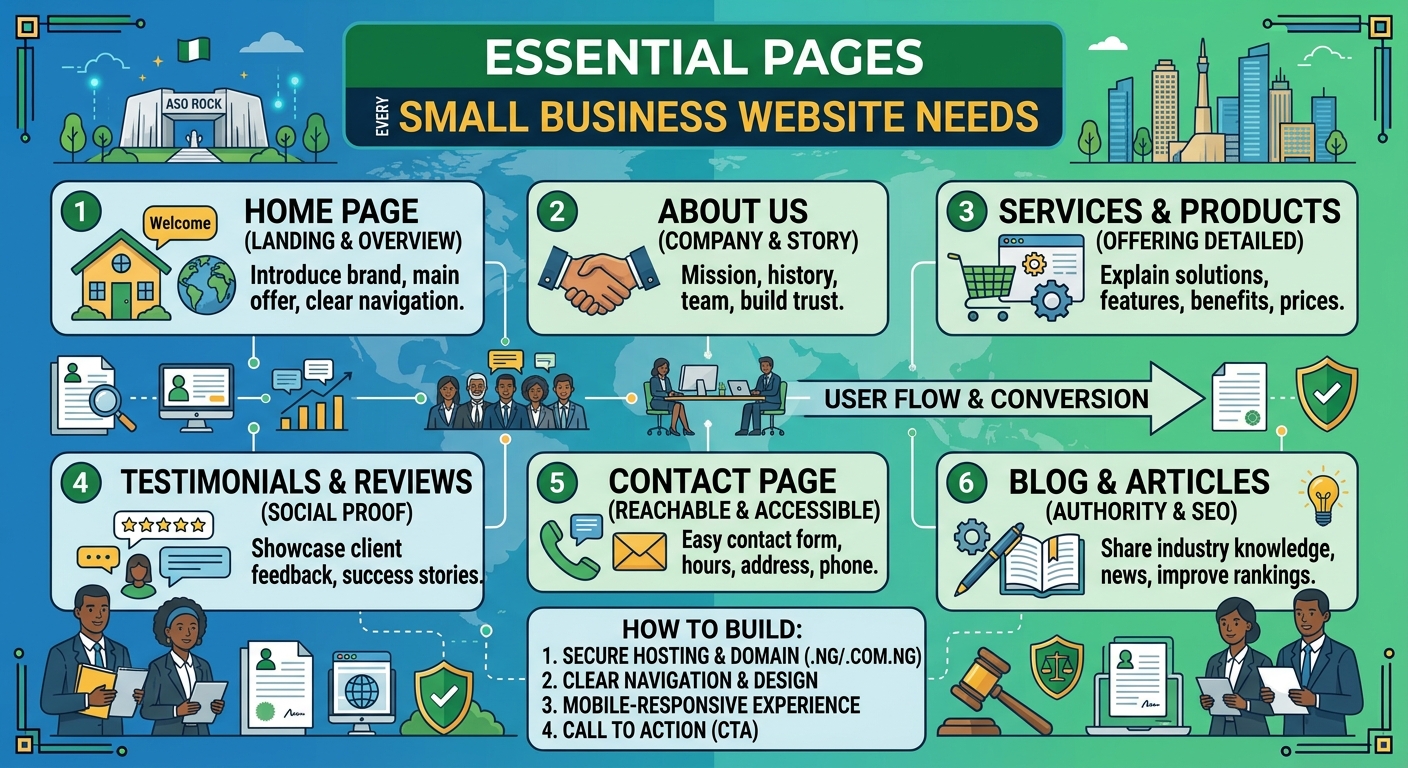
Essential Pages Every Small Business Website Needs

A business website should do more than look professional. It should answer customers’ questions, explain what you offer and make it easy for the right people to contact you. Whether you run a small company, church, law firm or growing professional practice in Nigeria, the pages on your website play an important role in turning visitors into enquiries.

You do not need dozens of pages to get started. A clear, well-organised website with the right information is usually more useful than a large site that is difficult to navigate. The following pages form a practical foundation for most small business websites.

1. Home page

Your home page is often the first page a visitor sees. It should quickly communicate who you are, what you do and who you help. Avoid making visitors search for basic information.

A useful home page typically includes:

  • A clear headline explaining your main service or value
  • A short introduction to the business
  • Your most important products or services
  • Reasons customers should consider working with you
  • A prominent call to action, such as Request a consultation or Contact us
  • Links to important pages and contact details

For example, a law firm may lead with its main areas of practice, while a church may highlight service information, location and upcoming activities. The content should reflect what visitors are most likely to need first.

2. About page

The About page gives visitors more context about your organisation. It is an opportunity to explain your experience, approach and values in a straightforward way.

Good About page content may include:

  • When and why the business was established, if relevant
  • The problem your organisation helps customers solve
  • Your team or leadership
  • Your working principles
  • The communities or types of customers you serve

Keep the focus on the reader. Instead of listing background information without context, explain how your experience benefits clients, customers, members or the wider community. Use genuine photographs where appropriate, and only include claims that you can support.

3. Services or products page

Visitors need a clear explanation of what they can buy or request from you. A Services page can provide an overview, with separate pages for important services that require more detail.

For each service, explain:

  • What the service includes
  • Who it is designed for
  • The problem it addresses
  • What the process involves
  • What the visitor should do next

A hosting provider, for instance, may separate website hosting, domain registration, VPS and cloud hosting into clearly described options. A law firm may organise its content by practice area. Clear structure helps visitors find relevant information without needing to contact you simply to understand your basic offer.

4. Contact page

Your Contact page should make getting in touch simple. Include the contact methods your organisation actively monitors, such as an email address, telephone number, office location or social media channel.

Depending on your organisation, you may also include:

  • Business hours or response hours
  • Directions or service-area information
  • A general enquiry email
  • Information about what to include in an enquiry
  • Links to relevant social media profiles

Do not include contact channels that are rarely checked. A visitor who receives no response may assume that the business is inactive. If you use a contact form, keep it focused on essential information and explain what happens after submission.

5. FAQ page

An FAQ page answers common questions before they become obstacles. It can reduce repeated enquiries and help potential customers feel more confident about contacting you.

Questions may cover:

  • How your service works
  • Who can use your service
  • What information customers need to provide
  • Typical timelines or stages
  • Payment or booking procedures
  • Support and after-sales communication

Use real questions that customers ask, rather than filling the page with generic statements. Review the page periodically as your services and customers’ needs change.

6. Testimonials, case studies or trust page

New visitors often want evidence that your organisation is reliable. A testimonials or case studies page can show how you have helped customers, provided that the content is genuine and used with permission.

A useful case study can describe the customer’s situation, the service provided and the result without making exaggerated promises. Testimonials should be accurate and clearly attributed where the person or organisation has agreed to be identified.

If testimonials are not appropriate for your organisation, consider a trust-focused page explaining your process, professional approach, service standards or community work. Trust should be built through clear information, not unsupported claims.

7. Blog, news or resources page

A blog or resources section is not essential for every small business at launch, but it can be valuable when you have useful information to share. Articles can answer customer questions, explain industry terms and demonstrate your knowledge.

Possible topics include:

  • Guides to choosing a service
  • Answers to common customer problems
  • Explanations of technical or legal terms
  • Updates about your organisation
  • Practical advice for your local audience

Quality matters more than publishing frequently. An outdated page with several years of old announcements may create a poor impression, so only create a blog if you can maintain it realistically.

8. Privacy policy and other important policies

Visitors should be able to understand how your website handles personal information. A Privacy Policy can explain what information you collect, why you collect it and how people can contact you about their information.

You may also need other policy pages depending on your website and operations, such as terms of use, service terms, refund information or a cookie notice. The correct requirements depend on how your organisation operates and the information your website collects. Obtain appropriate professional advice where necessary, especially if your business handles sensitive information or operates in a regulated field.

9. A clear page structure and navigation

Essential pages are only useful if visitors can find them. Keep the main navigation short and use familiar labels such as Home, About, Services, Resources and Contact.

Check that important pages are accessible on mobile devices as well as larger screens. Make sure links work, headings are easy to scan and calls to action are visible without overwhelming the page. A visitor using a phone should not have to zoom in or scroll through a confusing menu to find your contact details.

How to prioritise your website pages

If you are launching a new website, start with the pages that support your immediate business goals. In many cases, this means:

  1. Home
  2. About
  3. Services or products
  4. Contact
  5. Privacy and relevant policy pages

Add FAQs, case studies and resources as you learn what visitors need. This approach can help you control website creation costs while still presenting a professional online presence. Reliable hosting and a suitable domain also provide the foundation for keeping these pages available to visitors.

Final thoughts

The best small business websites are not necessarily the largest. They are clear, trustworthy and easy to use. Start with the pages that answer your customers’ most important questions, keep the information accurate and give visitors a clear next step.

With the right page structure, dependable hosting and regular updates, your website can become a useful business tool rather than simply an online brochure.

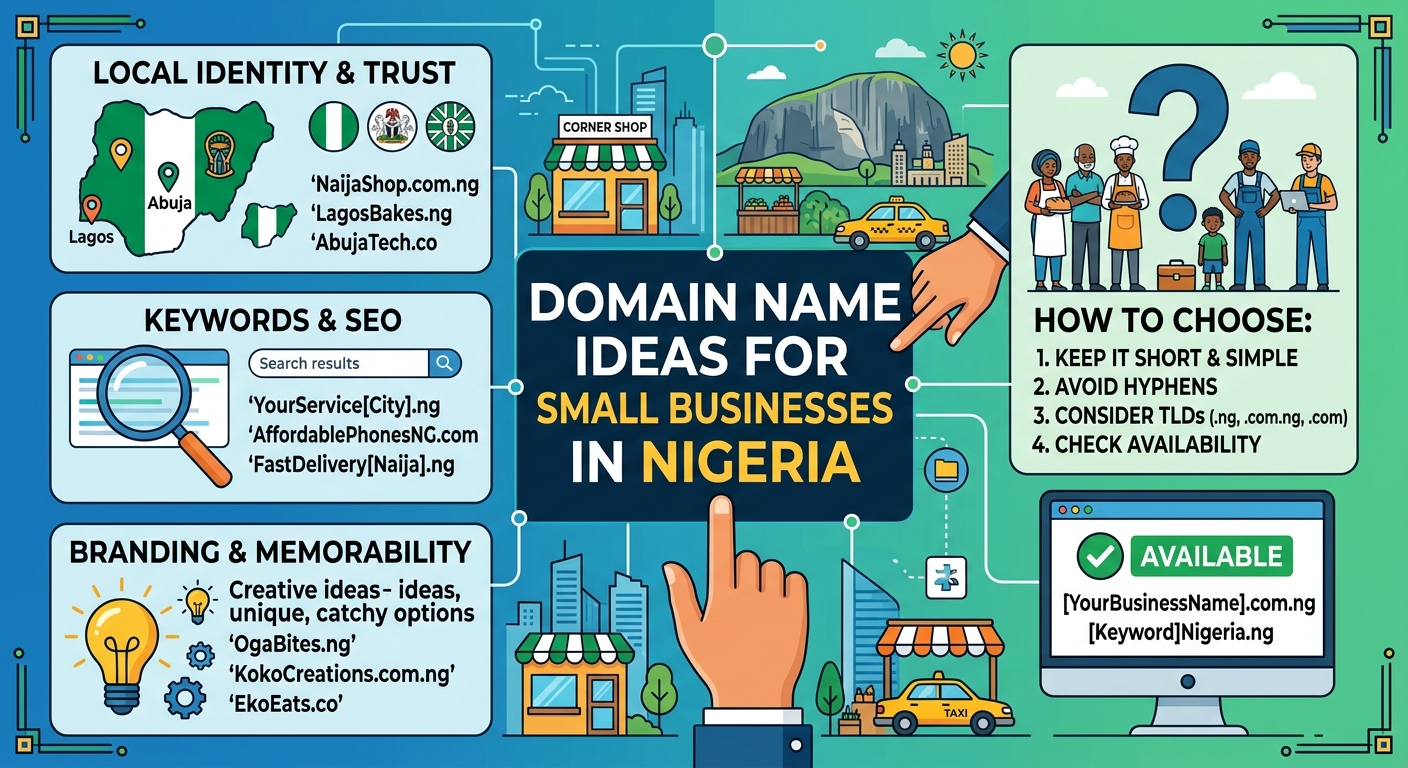
Domain Name Ideas for Small Businesses in Nigeria

Choosing a domain name is one of the first important decisions when creating a website for a small business in Nigeria. Your domain is the address customers use to find you online, share your business with others and decide whether your brand feels credible.

A good domain name should be easy to remember, simple to type and closely connected to your business. It should also leave room for your business to grow. Whether you run a shop, church, law firm, consultancy or service-based business, the right domain can make your website easier to promote.

This guide explains how to choose a domain name and provides practical ideas for Nigerian small businesses.

What makes a good domain name?

The best domain names are usually short, clear and easy to say aloud. A customer should be able to hear your domain name and understand how to type it without needing repeated explanations.

When comparing ideas, consider the following qualities:

  • Memorable: It should be easy for customers to recall after seeing or hearing it once.
  • Simple: Avoid unnecessary symbols, complicated spellings and long strings of words.
  • Relevant: The name should give people an idea of what your business does or what your brand represents.
  • Professional: Your domain should be suitable for email addresses, invoices, advertisements and business documents.
  • Flexible: Choose a name that still works if you add new products, services or locations later.

Should you choose a .ng or .com domain?

Many Nigerian businesses consider both a Nigerian country-code domain and a more widely recognised generic extension. The right choice depends on your audience, brand and availability.

A .ng domain can communicate a clear connection to Nigeria. It may be a natural fit for a business that serves customers primarily in Nigeria or wants its local identity to be visible in its web address.

A .com domain is familiar to many internet users and may suit a business that wants a broad or international presence. However, the exact domain you want may not be available under every extension.

Some businesses register more than one suitable domain and direct them to the same website. Before purchasing, check the availability, registration requirements and renewal terms for the extension you are considering.

Domain name ideas by business type

Retail shops and online stores

Retail businesses should choose a name that is easy to connect with products, shopping or the brand itself. If your shop has a distinctive name, using the brand alone is often the clearest option.

Examples of naming patterns include:

  • Brand name: yourbrand.ng
  • Brand plus shop: yourbrandshop.ng
  • Brand plus store: yourbrandstore.com
  • Product focus: yourbrandfashion.ng or yourbrandfoods.ng
  • Location plus brand: yourbrandlagos.ng, if the location is central to your identity

Avoid limiting the domain to one product if you may expand your catalogue. For example, a name based only on shoes may become unsuitable if you later add bags, clothing or accessories.

Professional services and consultancies

Consultants, accountants, marketers, designers and other professionals can usually build a strong domain around their name, firm name or main service.

  • yournameconsulting.com
  • brandadvisory.ng
  • brandpartners.ng
  • brandsolutions.com
  • brandprofessionalservices.ng

Where possible, avoid overly broad words that make the business difficult to distinguish from competitors. A distinctive brand combined with a clear service word is often easier to promote.

Law firms and legal practitioners

Law firms need a domain that looks professional and is easy for clients to identify. A firm name, surname combination or carefully chosen legal brand may work well.

  • firmname.com
  • firmname.ng
  • firmnamelegal.ng
  • firmnamechambers.com
  • surnamepartners.ng

Check that the name accurately represents the practice and does not create confusion with another firm. It is also sensible to consider how the domain will appear on legal documents, email signatures and professional directories.

Churches and faith-based organisations

Churches and ministries often need a domain that is easy for members to remember and share. A concise version of the organisation’s name is usually preferable to a long phrase.

  • churchname.org
  • churchname.ng
  • churchnameonline.org
  • churchnamecity.org
  • churchnamefamily.org

If the organisation has multiple branches, consider a main domain that can support pages or sub-sections for each location. This can create a more organised online presence than registering a completely separate name for every branch.

Schools, training centres and education services

Educational organisations can use their name, subject area or learning focus in the domain. Examples include:

  • schoolname.edu.ng, where the organisation meets the applicable requirements for that extension
  • schoolname.ng
  • schoolnameacademy.com
  • brandlearning.ng
  • brandtraining.com

Use wording that parents, students or professional learners can understand quickly. A domain that is easy to pronounce is especially useful when it will be shared during events, announcements or phone conversations.

Creative ways to develop a domain name

If your exact business name is unavailable, do not immediately choose a complicated alternative. Try adding a relevant word that improves clarity without making the name difficult to remember.

You could add:

  • A service word: studio, legal, foods, homes, health or consulting
  • A location: Nigeria, NG or a city associated with your business
  • A business descriptor: group, company, agency, hub or centre
  • An action word: get, shop, book, visit or join, where it fits the brand

For example, a business called Bright Path might consider BrightPath.ng, BrightPathConsulting.com or BrightPathNigeria.ng, depending on its services and audience.

Common domain name mistakes to avoid

A domain may be technically available but still be a poor choice for your business. Review these common problems before registering:

  • Excessive length: Long domains are harder to type, remember and share.
  • Confusing spelling: Unusual spellings may force customers to ask how to find you.
  • Too many hyphens or numbers: These can be difficult to communicate verbally and may be mistyped.
  • Unclear meaning: A name that sounds unrelated to your business may require extra explanation.
  • Short-term wording: Avoid a domain tied to one product or temporary campaign if you plan to expand.
  • Potential brand conflict: Before registering, check whether the name could be confused with an existing business or protected brand.

A simple checklist before you register

  1. Write down several possible names instead of relying on one idea.
  2. Say each name aloud and ask someone else to spell it.
  3. Check how it looks in lowercase, without spaces.
  4. Confirm that it suits your business and target customers.
  5. Check the domain’s availability through a domain registrar.
  6. Review the registration and renewal terms before completing the purchase.
  7. Consider securing closely related extensions if they are important to your brand.
  8. Use the domain consistently on your website, business email, social profiles and marketing materials.

Make your domain part of a complete online presence

A domain name is only one part of your business website. You also need reliable hosting, clear website content, professional email and a design that works well on mobile devices. These elements help visitors understand your offer and take the next step, such as calling, making an enquiry or placing an order.

When choosing a hosting provider, look for a service that makes domain management and website setup straightforward. Keeping your domain and hosting details organised can save time as your business grows.

Final thoughts

The best domain name for a Nigerian small business is clear, memorable and suitable for the future. Start with your brand, consider whether a .ng or .com extension fits your audience, and test every idea for spelling, pronunciation and professionalism.

Take time to compare several options before registering. A carefully chosen domain can give your business a stronger foundation online and make it easier for customers to find and trust you.

Your Cart

©2018 - currentyear Sonhosting • By Digital Nigeria - RC 7487481
All Rights Reserved
Powered by ShootOut Now Services