
What to Do If Your Website Has Been Hacked

What to Do If Your Website Has Been Hacked

Discovering that your website has been hacked can be stressful, especially when customers rely on it to find your business, send enquiries or make purchases. You may see unfamiliar pages, strange redirects, a warning from your browser or search engine, or notice that your website has stopped working.

The most important thing is not to panic or repeatedly change files without a plan. A rushed response can destroy useful evidence, leave the attacker’s access active or restore an infected backup. Follow a clear sequence: contain the problem, protect your accounts, identify the cause, clean or restore the website, and monitor it afterwards.

1. Confirm that the problem is really a hack

Not every website error is a security breach. A plugin update, expired domain, hosting problem, database error or incorrect configuration can also make a site appear broken. However, treat unusual behaviour seriously until you can verify what happened.

Possible signs of compromise include:

  • Unexpected pages, links, pop-ups or advertisements appearing on the website.
  • Visitors being redirected to unrelated websites.
  • New administrator accounts that nobody in your organisation created.
  • Unfamiliar files, themes, plugins or changes to existing content.
  • Business email sending messages that you did not write.
  • Your hosting provider, browser or search engine displaying a security warning.
  • A sudden increase in server usage, spam or failed login attempts.

Check the website from a separate device and network if possible. If the issue affects only one computer, that device may be infected or misconfigured. You should also ask your hosting provider to review server activity and confirm whether the problem is limited to the website or affects other services on the account.

2. Contain the damage

If the site is actively redirecting visitors, distributing malware or exposing customer information, temporarily take it offline or place it in a maintenance mode. This reduces the number of people exposed while you investigate.

Do not simply delete the visible hacked page and assume the problem is solved. Attackers often leave hidden files, scheduled tasks or additional administrator accounts. Removing one symptom may allow the compromise to return.

If you cannot safely take the site offline yourself, contact your hosting provider or a qualified website security professional. A practical hosting provider should be able to explain the available options in clear language rather than expecting you to manage complex server tools alone.

3. Secure every account connected to the website

A hacked website may be only one part of a larger account compromise. Change passwords for the hosting account, website administrator accounts, domain registrar, business email, database and any third-party services connected to the site.

Use a separate, strong password for each service. Do not reuse the same password for your email and hosting account. If an attacker can access your email, they may be able to reset passwords for other services, so securing the main business email account is particularly important.

Enable multi-factor authentication wherever it is available. Then review account users, recovery email addresses, forwarding rules, API keys and active sessions. Remove accounts that no longer belong to current staff, former developers or agencies. Your business should retain direct access to its domain, hosting and website rather than depending entirely on a former employee or third party.

4. Preserve useful information before cleaning

Before deleting files or reinstalling the website, record what you can. Take screenshots of warning messages, suspicious pages and unexpected accounts. Note when the problem was first discovered and what changes were made shortly before it appeared.

Ask your hosting provider whether server logs, access logs or backups are available. These records may help identify how the attacker entered the site and whether other websites or email accounts were affected. Avoid editing the only copy of important logs or evidence.

If your website collects personal information, customer enquiries or payment details, consider whether the incident may have exposed sensitive data. The appropriate response can depend on the type of information involved and the systems affected. If you suspect customer or financial information was exposed, seek qualified legal, compliance or cybersecurity advice promptly.

5. Find the likely entry point

Cleaning the website without fixing the cause often leads to another compromise. Common entry points include:

  • Outdated WordPress core software, plugins or themes.
  • Vulnerable or pirated themes and plugins.
  • Weak or reused passwords.
  • Compromised hosting, email or domain accounts.
  • Incorrect file permissions or insecure server settings.
  • Old staging sites, backups or unused applications left online.
  • Malware on a computer used to manage the website.

For a WordPress website, review the installed plugins, themes and administrator accounts. Remove software that is unused or no longer supported, but do not update or delete everything blindly if you still need evidence for investigation. A managed WordPress support provider can help review the installation and determine which components should be removed, replaced or updated.

6. Clean the website or restore it safely

There are two main recovery approaches: cleaning the existing installation or restoring a known-clean backup.

Cleaning the existing site

Cleaning may be appropriate when you need to preserve recent content or when a reliable backup is unavailable. It involves identifying malicious files, unauthorised code, suspicious accounts and altered settings. This work should be performed by someone who understands the website platform and hosting environment.

Restoring a backup

Restoring can be faster when you have a backup from before the attack. However, do not assume the newest backup is safe. A backup created after the compromise may contain the same malicious files or unauthorised accounts.

After restoring, update the website software, change all relevant passwords and review the site before making it public again. Also check whether new customer orders, enquiries or content created after the backup need to be preserved separately.

A backup is useful only if it can be restored. Businesses should know where backups are stored, how often they are created and whether restoration has been tested. Your hosting plan and website management process should match how much backup and recovery responsibility you want to handle yourself.

7. Check the domain, email and website settings

Website recovery should include more than the visible pages. Review the domain’s DNS records, nameservers, SSL configuration and renewal details. An attacker who controls the domain account may redirect visitors or interfere with email even if the website files are clean.

Check business email accounts for unfamiliar forwarding rules, filters, signatures or sent messages. If customers received suspicious messages from your address, let them know through a trusted communication channel and advise them not to open unexpected links or attachments.

Confirm that HTTPS is working correctly and that contact forms, payment connections and important integrations function as expected. Test the website on a mobile device as well as a desktop computer, since many customers in Nigeria and across West Africa access business websites primarily through mobile networks.

8. Monitor the website after recovery

Recovery is not complete when the homepage looks normal. For the following days and weeks, watch for new administrator accounts, changed files, unusual traffic, failed logins, unexpected email activity and repeated redirects.

Keep website software and extensions updated. Remove unused plugins, themes and user accounts. Use least-privilege access so each person has only the permissions needed for their work. Make regular backups and keep at least one copy separate from the live website.

Consider adding security monitoring or a web application firewall if it suits your website and budget. You do not need to buy the most expensive security service automatically. The right level of protection depends on the website’s importance, the information it handles, how often it changes and how much technical support your organisation needs.

A simple incident workflow for a small business

  1. Stop exposure: Put the website into maintenance mode or ask your host to restrict access.
  2. Secure access: Change hosting, email, domain and administrator passwords from a trusted device.
  3. Record evidence: Save screenshots, dates, warnings and relevant account changes.
  4. Get technical help: Ask your host or a security specialist to inspect the site and logs.
  5. Recover safely: Clean the installation or restore a verified, pre-incident backup.
  6. Fix the cause: Update software, remove unused components and close unauthorised access.
  7. Monitor: Continue checking the website, email, domain and hosting account after it returns online.

How to reduce the risk of another hack

No website can be guaranteed to be completely immune to attacks, but basic preparation can make an incident less damaging. Keep domain ownership information accurate, monitor renewals and ensure more than one trusted person can access essential accounts. Use strong unique passwords and multi-factor authentication. Keep WordPress, themes and plugins maintained, and avoid unsupported or illegally distributed software.

Choose hosting with the support level your organisation actually needs. A small business that does not have an internal technical team may benefit from managed WordPress support and practical assistance with updates, backups and troubleshooting. The goal is not to become a server administrator; it is to ensure that technical responsibilities are covered reliably.

A hacked website is a serious problem, but a structured response can limit disruption and protect customer trust. Contain the site first, secure every connected account, preserve information, recover from a verified clean source and address the weakness that allowed the compromise. Then maintain the website as an ongoing business asset rather than treating security as a one-time repair.
What to Do If Your Preferred Domain Name Is Taken

What to Do If Your Preferred Domain Name Is Taken

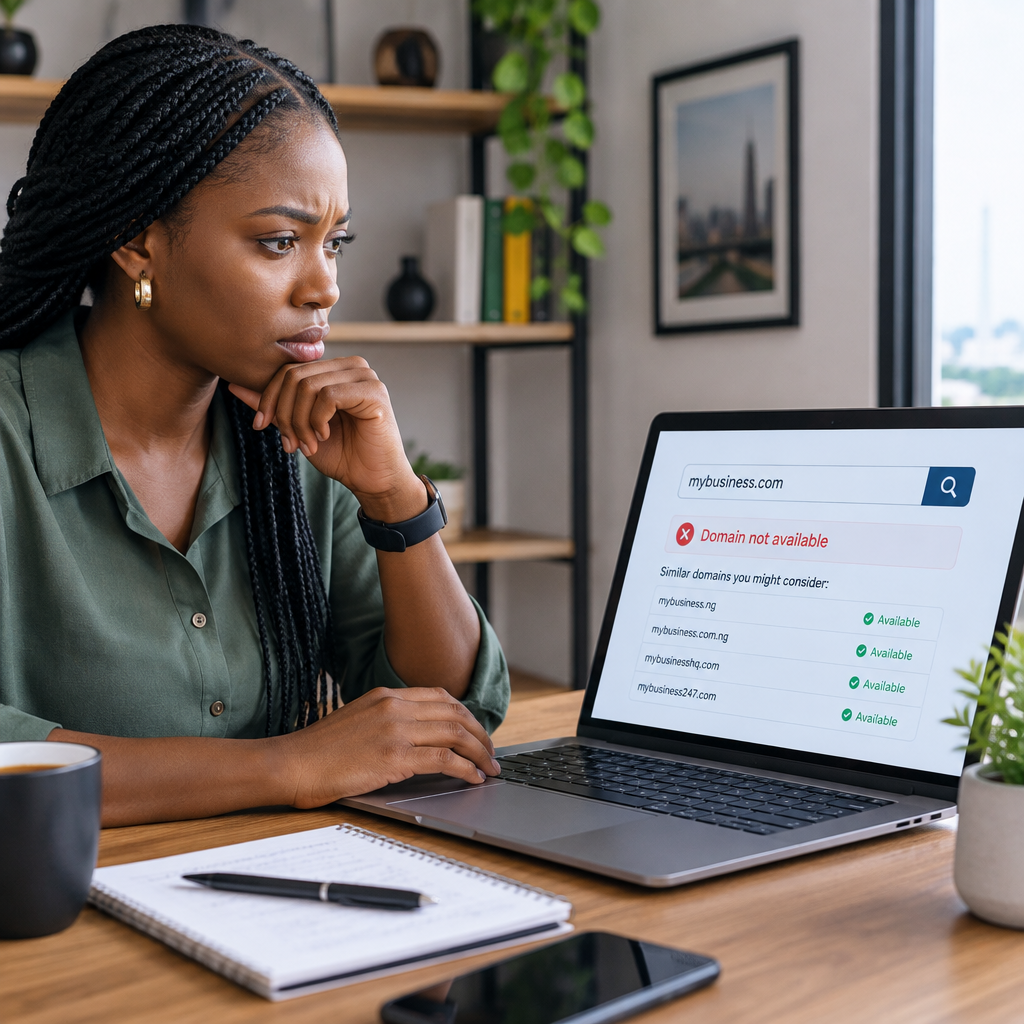
Finding that your preferred domain name is already taken can be frustrating, especially when you have already chosen a business name, designed a logo or started planning your website. However, an unavailable domain does not mean you must abandon your brand or choose a confusing web address.

The goal is to find a domain that is clear, trustworthy, easy to remember and suitable for your customers. For Nigerian businesses, entrepreneurs, creators and organisations, the right alternative should also support local recognition, professional email and long-term ownership.

First, confirm what “taken” means

A domain can be unavailable for several different reasons. It may be actively used by an established business, registered but unused, listed for sale, or reserved under a specific domain extension. These situations require different responses.

Visit the domain in a browser and observe what appears. A working website suggests that another organisation is actively using the name. A parking page, advertising page or blank page may indicate that the domain is registered but not being developed. You should not assume that an unused-looking domain is available for registration.

Use a reputable domain registration service to check the current registration status and available extensions. Avoid relying only on a search engine or social media search. A business may own a domain without having an active website, and a name that appears unused may still be unavailable.

Check whether the name is worth pursuing

If the exact domain is being used by another business, consider whether your proposed name could create confusion. A similar domain, especially in the same industry, may lead customers to the wrong website or create problems with email communication.

Ask yourself:

  • Could customers mistake the other business for mine?
  • Does the name resemble an existing brand, organisation or product?
  • Would the name be difficult to protect or explain?
  • Is the domain suitable for professional email as well as a website?

If the answer to these questions raises concerns, changing the business name or adding a distinctive word may be safer than trying to compete with an established domain.

Improve the name without making it confusing

A good alternative usually preserves the core identity of the business while adding useful context. You might include the service, location, audience or business type.

For example, a business called “Bright Path” may find that brightpath.com is taken. Depending on its work and customers, it could consider a clear variation such as brightpathconsulting, brightpathng or a suitable local domain extension, provided the result is distinctive and available.

Keep the alternative as short and natural as possible. Avoid adding several unrelated words simply to obtain an available domain. A long or awkward address increases the likelihood of typing errors and makes it harder to say over the phone or include on printed materials.

Be cautious with:

  • Multiple hyphens
  • Unusual abbreviations that customers will not understand
  • Numbers that could be written in different ways
  • Misspellings intended to imitate an unavailable name
  • Words that are difficult to pronounce or spell

Consider another domain extension

The part after the final dot is the domain extension. Many businesses first think of a familiar generic extension, but other suitable options may be available.

A local extension can help communicate that a business serves Nigeria or has a Nigerian identity. Depending on the organisation and eligibility requirements, a Nigerian domain may be appropriate. Other extensions can also describe the organisation’s purpose or industry, although the best choice depends on what customers recognise and trust.

Do not choose an extension solely because it is the cheapest or most unusual option. Consider how it will look in a business email address, whether customers are likely to remember it, and whether it fits the organisation’s audience in Nigeria or across West Africa.

If you use a different extension, say it clearly in your marketing. Include the complete address on your website, social media profiles, proposals, invoices and business cards so customers do not automatically type the more familiar extension.

Decide whether to buy the domain from its current owner

Some registered domains are listed for sale. Purchasing one may be reasonable when the name is highly valuable to your brand and the cost is acceptable. However, an asking price is not automatically evidence that the domain is worth buying.

Before considering a purchase, evaluate:

  • Whether the name is genuinely important to your long-term business identity
  • Whether it has a history that could harm your reputation
  • Whether the current owner can transfer it securely
  • Whether the price fits your budget without reducing funds needed for your website, hosting or email

For a new small business, a clear available alternative is often more practical than spending heavily on a domain. Money may be better used on reliable hosting, a secure website, professional email, useful content and customer support.

Protect the alternatives before announcing your brand

Once you find a suitable domain, register it promptly if it is available. Domain availability can change, and delaying registration may leave the name open to someone else.

Register the domain using accurate ownership information and an account that the business controls. Do not rely entirely on a developer, former employee or unknown third party to manage this essential asset. The business should know:

  • Which account holds the domain
  • Who can access that account
  • When the domain renews
  • Which email address receives renewal notices
  • How to update payment and contact details

Use a strong, unique password and enable additional account security where available. Keep renewal reminders active, because an expired domain can interrupt a website, business email and customer enquiries.

Secure related variations where they are useful

You do not need to register every possible version of your name. However, it may be useful to secure an obvious spelling variation, a relevant local extension or a common alternative that could otherwise be used to confuse customers.

Only register variations that you can manage and renew. A collection of unused domains creates extra administrative work and may give a false sense of protection. Focus on the names customers are most likely to type or expect to see.

Connect the domain to a professional online presence

A domain is an address, not a complete website. You still need hosting for the website files, and you may need domain-based email such as hello@yourbusinessdomain. Using a professional email address can make communication feel more established than relying only on a free personal mailbox.

Choose hosting based on the actual needs of the business: expected traffic, website type, email requirements, growth plans, budget and how much technical management you want handled for you. A small business may need a straightforward hosting plan, while a busier website or specialised application may require a different setup.

Once the website is ready, check that it uses HTTPS, displays accurate contact information and works well on mobile devices. These details matter because many customers will first encounter the business on a phone, through a message or a social media link.

A simple decision framework

When your first-choice domain is unavailable, compare alternatives using four tests:

  1. Clarity: Can a customer understand and spell it after hearing it once?
  2. Distinctiveness: Is it clearly separate from other businesses?
  3. Credibility: Does it look appropriate on email, proposals and invoices?
  4. Ownership: Can your business register, manage and renew it directly?

If an alternative passes all four tests, it may be a better business asset than an expensive or confusing exact-match domain.

The key takeaway

Your preferred domain being taken is a problem to assess, not a reason to delay your online presence. Check for brand confusion, create a clear variation, consider an appropriate local or alternative extension, and register the chosen name under your business’s control.

A dependable domain becomes more useful when it is connected to reliable hosting, professional email, website security and accurate business information. The best domain is not necessarily the shortest or most fashionable one; it is the address your customers can find, remember and trust.

Website Builder vs WordPress: Which Is Better for Your Business?

Website Builder vs WordPress: Which Is Better for Your Business?

Choosing between a website builder and WordPress can feel more complicated than it should. Both can help you launch a professional website, but they suit different types of users, budgets and business goals.

The right choice depends less on which platform is universally “better” and more on how much control, flexibility and technical responsibility you need. A small Nigerian business that needs a simple contact page may have different requirements from an organisation publishing regular content, selling products or planning to expand.

This guide compares the two options in practical terms, including ease of use, costs, maintenance, performance, security and future growth.

What is a website builder?

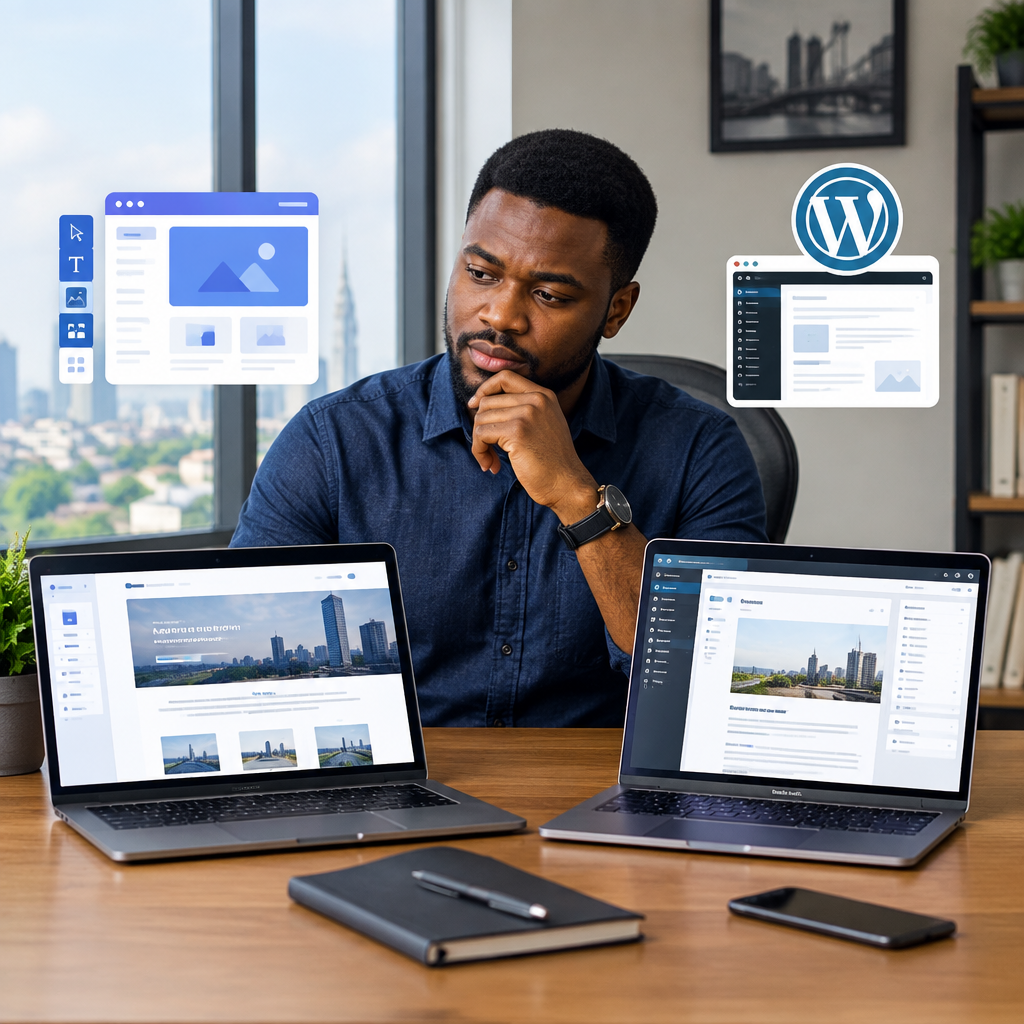
A website builder is a hosted platform that lets you create pages using templates and visual editing tools. You usually choose a design, add text and images, adjust colours, and publish without managing the underlying server software.

The hosting, technical platform and website editor are commonly provided together. This can make the setup straightforward, especially for someone who does not want to manage plugins, software updates or server settings.

Website builders are often suitable for:

  • Simple business websites
  • Personal portfolios and creator websites
  • Landing pages and event websites
  • Small organisations with limited technical resources
  • Businesses that want to launch quickly

What is WordPress?

WordPress is a content management system used to create and manage websites. With self-hosted WordPress, you choose a domain and hosting provider, install WordPress, select a theme and add the features your website needs through themes and plugins.

That flexibility is one of WordPress’s main strengths. You can start with a basic website and later add a blog, booking system, online store, membership area, multilingual content or other functionality.

However, self-hosted WordPress also requires more responsibility. Updates, backups, security settings, performance and compatibility need to be managed properly. Managed WordPress support can reduce this burden, but it remains important to know who is responsible for each part of the website.

Website builder vs WordPress: the main differences

Ease of use

Website builders generally provide the simplest starting experience. Their visual editors are designed for people who want to make changes without writing code or dealing with technical settings. You can often create a few essential pages and publish them relatively quickly.

WordPress is also accessible to beginners, particularly when it is installed and configured by a hosting provider or web professional. However, there are more decisions to make: themes, plugins, menus, page layouts, updates and backups. This creates more learning and maintenance than a typical website builder.

Best choice for simplicity: a website builder.

Design and customisation

Website builders offer templates and design controls, but you normally work within the platform’s available options. This is convenient, although it can become restrictive if you want a highly unusual layout or a specific feature.

WordPress provides a much larger ecosystem of themes, page builders and plugins. A developer can also customise the design and functionality more deeply. This makes WordPress a stronger option when your website needs to reflect a distinctive brand or support a more complex customer journey.

More choice does not always mean a better result. Too many plugins, inconsistent design choices or poorly configured features can make a website slower and harder to maintain.

Cost and budgeting

Both options can involve several separate costs. These may include a domain name, hosting or platform subscription, premium design tools, business email, security services, professional setup and ongoing maintenance.

A website builder may appear cheaper at first because several services are bundled together. Check what is included, whether you can use your own domain, how renewals work and whether important features require a higher plan.

With WordPress, you usually choose hosting separately from the software itself. This can give you more control over your budget and provider, but it also means you need to understand what you are buying. A low-cost plan may not be suitable if you need multiple business email accounts, stronger performance, frequent backups or managed support.

For a Nigerian small business, budget sensitivity is important, but the cheapest option is not always the lowest-cost option over time. Consider the cost of rebuilding, fixing security problems, recovering from a missing backup or moving away from a platform that no longer meets your needs.

Ownership and control

WordPress on your own hosting generally gives you greater control over your website files, database, domain and hosting environment. You can move the website to another provider if your needs change.

Website builders may make moving more difficult because the design and content can depend on the provider’s system. Before committing, check how easily you can export your content and whether your domain remains under your control.

Whatever platform you choose, keep accurate domain ownership details and ensure that your business—not only a developer, former employee or agency—can access the domain, hosting, website and email accounts. Losing access to these assets can interrupt your website and customer communication.

Security and maintenance

A website builder usually handles much of the platform-level maintenance behind the scenes. That reduces the number of technical tasks you need to perform, although you are still responsible for strong passwords, safe account access, accurate content and any third-party tools you connect.

WordPress requires more active maintenance. Core software, themes and plugins should be kept up to date, and unused components should be removed. Regular backups are essential so that the website can be restored if an update fails, files are damaged or an account is compromised.

HTTPS through an SSL certificate is also important for visitor trust and secure connections. A secure website alone does not guarantee that every part of a business is protected, but it is a basic part of a credible online presence.

If you do not want to handle these responsibilities yourself, managed WordPress support or a reliable hosting provider can help with technical administration. Confirm exactly what support covers rather than assuming every maintenance task is included.

Performance and mobile visitors

Website speed depends on more than the platform. Hosting quality, image sizes, themes, plugins, scripts and page design all affect performance. A simple website builder can be fast when its pages are lightweight, while an overloaded WordPress website can be slow. A carefully configured WordPress website can also perform well.

Mobile performance deserves particular attention because many customers discover businesses through mobile devices. Test important pages on a phone, keep menus clear, compress large images and make contact actions easy to find. Visitors should be able to understand what you offer and how to reach you without unnecessary effort.

When a website builder is the better choice

Choose a website builder when your priority is a straightforward website with minimal technical management. It may be a good fit if you need a few pages, a contact method, basic service information and a professional design without extensive custom functionality.

For example, a new consultant could launch a home page, services page, profile, contact page and domain-based business email using a simple setup. The platform may provide enough flexibility while allowing the consultant to focus on serving clients.

Before choosing one, confirm that it supports your domain, HTTPS, backups or recovery options, analytics if needed, mobile-friendly layouts and the content you plan to publish.

When WordPress is the better choice

WordPress is usually more suitable when you need control, expandability or frequent content publishing. It can work well for growing businesses, schools, associations, publishers, online shops and organisations with a larger or changing set of requirements.

It is also useful when your website is expected to become an important business asset rather than a simple online brochure. You can begin with a modest setup and add features as your needs develop, provided the hosting environment and maintenance process can support that growth.

WordPress is not automatically the right choice for every business. If nobody is available to manage updates, backups and security, its flexibility can become a burden. In that situation, managed WordPress support may be more practical than trying to handle everything alone.

A practical decision framework

Ask these questions before you decide:

  • How many pages do you need now? A small brochure website may not need a full content management system.
  • Will you publish regularly? Frequent articles, resources or news may favour WordPress.
  • Do you need custom features? Bookings, memberships, online sales and integrations often benefit from WordPress’s wider ecosystem.
  • Who will maintain the website? Choose a platform that matches the technical time and support available.
  • Do you need to move later? Check ownership, export options and access before building.
  • What else does the business need? Include your domain, hosting, SSL certificate, business email, backups and future growth in the decision.

The best platform is the one you can manage reliably

A website builder is often the better choice for speed and simplicity. WordPress is often the better choice for flexibility, ownership and long-term expansion. Neither option replaces good content, clear contact information, dependable hosting or regular attention to security.

For many Nigerian businesses and entrepreneurs, the practical answer is to choose the simplest platform that supports current goals while leaving a realistic path for growth. If you choose WordPress, use reliable hosting and establish a backup and update routine. If you choose a website builder, verify domain control, export possibilities and the features you may need later.

Your website should support the business rather than become another technical burden. Make the decision based on the work you need the website to do, the support you can access and the level of control your organisation should retain.

Your Cart

©2018 - currentyear Sonhosting • By Digital Nigeria - RC 7487481
All Rights Reserved
Powered by ShootOut Now Services