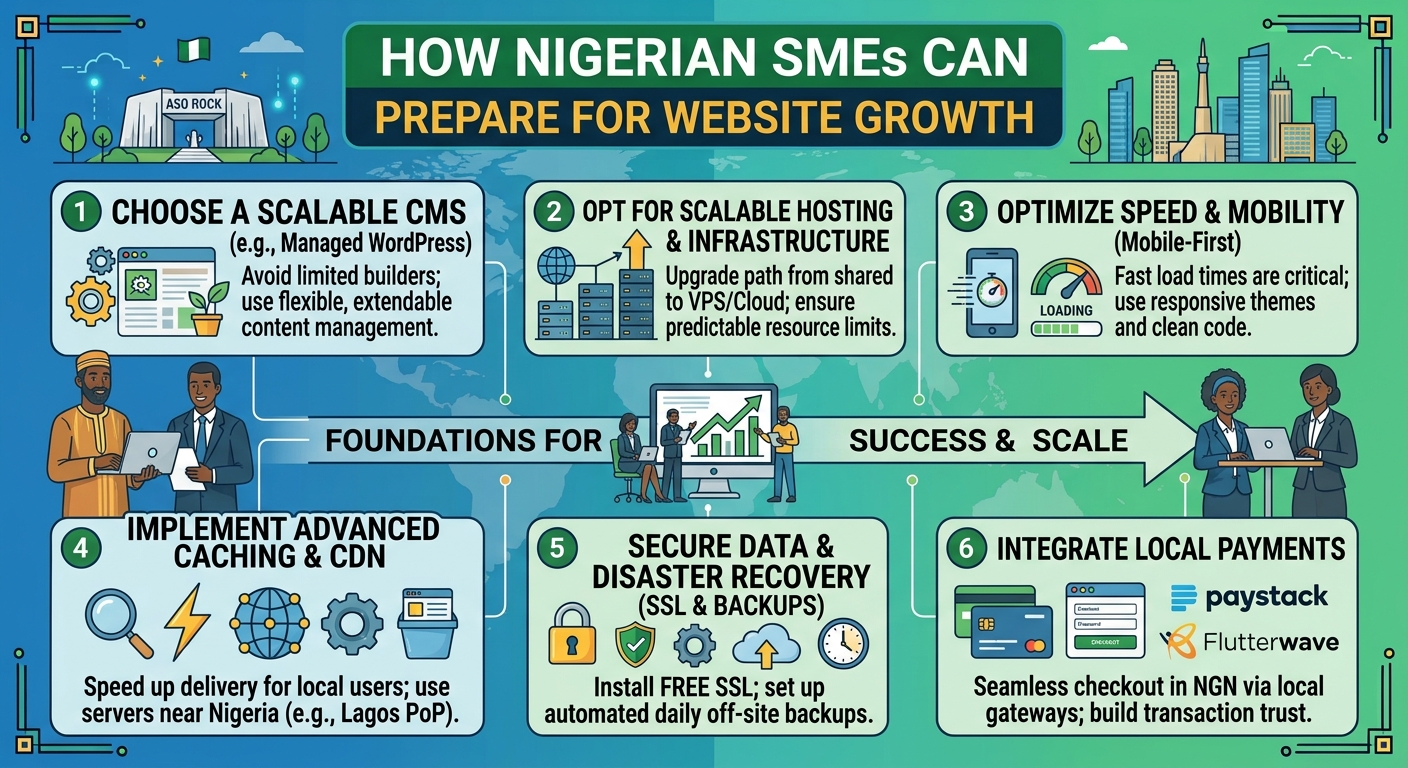
Website Creation Checklist for Nigerian SMEs
Creating a business website involves more than choosing a template and publishing a few pages. For a Nigerian SME, the website must help people understand what you offer, trust your business and take the next step—whether that means calling, sending an enquiry, visiting your office or placing an order.
It also needs to remain accessible on mobile devices, work reliably for local visitors and stay under the business’s control. This checklist covers the important decisions before launch and the maintenance tasks that keep a website useful afterwards.
1. Define what the website must achieve
Start with the business goal rather than the design. A website for a consulting firm may be designed to generate enquiries, while a retailer may need product pages and online ordering. A school, charity or professional organisation may need to provide information, collect applications or publish updates.
Write down the main action you want visitors to take. Examples include:
- Call or send a WhatsApp message
- Complete an enquiry form
- Request a quotation
- Book an appointment
- Buy a product or service
- Visit a physical location
Having one primary goal makes it easier to choose the right pages, navigation and calls to action. It also prevents the website from becoming a collection of disconnected information.
2. Choose and secure the right domain
Your domain is the address people use to find your website. It is also part of your brand, printed materials and business email, so choose it carefully.
A good domain should be reasonably short, easy to pronounce and simple to type. It should reflect the organisation’s name or a clear description of its work. Avoid unnecessary hyphens, confusing spellings and names that could be mistaken for another business.
Consider whether a suitable Nigerian domain is appropriate for your audience, or whether a more internationally familiar extension better supports your plans. The important point is to check availability, register the domain in the correct business or owner details and keep those details accurate.
The business should retain access to the domain account, registration email and renewal information. Do not allow a domain to remain accessible only to a former employee, designer or developer. Set renewal reminders and keep payment details up to date so an expired domain does not interrupt the website or email.
3. Select hosting that matches the website
Hosting is the service that stores your website and makes it available online. The right plan depends on the website’s size, expected visitors, email needs, technology and level of support required.
A small brochure website may not need the same resources as an online shop, membership platform or busy content website. Consider:
- How many websites will be hosted
- Whether the site uses WordPress or another platform
- How much storage is needed for images, documents and backups
- Whether the business needs domain-based email
- How much technical management the owner wants to handle
- Whether the website may grow into a larger or more resource-intensive service
The cheapest option is not automatically the most suitable, and the most expensive plan may provide resources the business will not use. Choose a service that fits current requirements while leaving a sensible path for growth. Reliable support is especially valuable when the business does not have an in-house server administrator.
4. Plan the essential pages
Most SMEs need a focused set of pages rather than a large website that is difficult to maintain. At a minimum, consider:
- Home: Explain what the business does, who it serves and what visitors should do next.
- About: Provide relevant background, location, capabilities and the reasons customers may choose the business.
- Products or services: Describe each offer in clear customer-focused language.
- Contact: Include an email address, telephone number, contact form, location and opening information where relevant.
- Frequently asked questions: Answer common questions about process, delivery, payment or support.
- Privacy and other required business information: Explain how enquiries or customer information are handled where appropriate.
Every page should have a purpose. Replace vague statements with useful details such as service areas, delivery coverage, typical customer problems, next steps and ways to request help.
5. Make the website mobile-friendly
Many Nigerian visitors will first encounter a website on a mobile phone. A site that looks acceptable on a large screen may be difficult to use on a smaller one if text is cramped, buttons are tiny or images take too long to load.
Test the website on more than one phone size. Check that:
- Text is readable without excessive zooming
- Menus open and close correctly
- Buttons are easy to tap
- Forms do not require unnecessary information
- Images are compressed and displayed at suitable sizes
- Important contact details appear without a long search
Keep the design focused. Large background videos, excessive animations and unoptimised images can make a website slower without helping visitors make a decision.
6. Build trust into the design and content
Visitors are more likely to contact a business when the website appears complete, consistent and transparent. Use the same business name, logo, colours and contact details across the website and other public channels.
Show practical evidence of what the business does. This might include a clear service process, product information, areas served, professional profiles, project descriptions or answers to common concerns. Do not use claims that cannot be supported.
Check every important detail before launch, including phone numbers, email addresses, prices where applicable, opening hours, location information and links. A single incorrect detail can make a visitor question the rest of the website.
7. Set up professional business email
An address based on the business domain can present a more established image than a generic personal email address. It also makes it easier to create role-based addresses such as hello@, sales@ or support@.
Decide who should receive each address and establish a process for responding to enquiries. Protect every mailbox with a strong, unique password and, where available, additional account security. Monitor storage limits and ensure the organisation retains access when staff or contractors leave.
Business email is connected to the domain, so domain renewals and account access must be managed together. Losing control of the domain can affect both the website and email.
8. Enable HTTPS and protect the website
SSL certificates enable HTTPS, which helps protect information exchanged between a visitor’s browser and the website. Browsers also commonly indicate when a site is not using a secure connection, which can reduce confidence.
Security is not solved by HTTPS alone. Before launch, use strong administrator passwords, limit access to people who need it, keep the content management system and extensions updated, and remove unused accounts and plugins. If the website uses WordPress, regular maintenance is particularly important because outdated themes or plugins can create avoidable security and compatibility problems.
Keep backups in place and understand how restoration would work. A backup that has never been tested may not be useful when the website is damaged, hacked or changed incorrectly.
9. Test the complete customer journey
Do not test only the homepage. Act as a first-time visitor and complete the actions the website is intended to support.
- Open the website on a phone and a computer.
- Try the main navigation and search, if available.
- Read the key service or product pages.
- Submit a test enquiry and confirm that it reaches the correct inbox.
- Check telephone, email, map and social links.
- Review spelling, images, page titles and visible error messages.
- Confirm that forms provide a useful success message after submission.
Ask someone unfamiliar with the business to find a specific service and contact method. Their questions may reveal problems the people who built the site no longer notice.
10. Create an ownership and maintenance plan
A website is an ongoing business asset, not a one-time file. Record who controls the domain, hosting, email, website administration and backup accounts. Store renewal dates and access information securely, and make sure the business—not only an outside supplier—can recover its accounts.
Schedule routine reviews for software updates, backups, security, contact details, forms and service information. Add new content when the business changes. Remove outdated announcements and check that links still work.
A practical launch decision
Before publishing, ask three questions: Can the intended customer understand the offer quickly? Can they complete the desired action easily on a phone? Can the business owner access, secure and maintain the essential accounts?
If the answer to any question is no, the website is not ready, regardless of how attractive the design looks. A suitable domain, dependable hosting, professional email, HTTPS, accurate content and a clear maintenance routine create a stronger foundation than visual polish alone. For SMEs that do not want to manage server administration or complicated technical tools, managed hosting and practical support can keep those responsibilities under control while the business focuses on serving customers and growing.