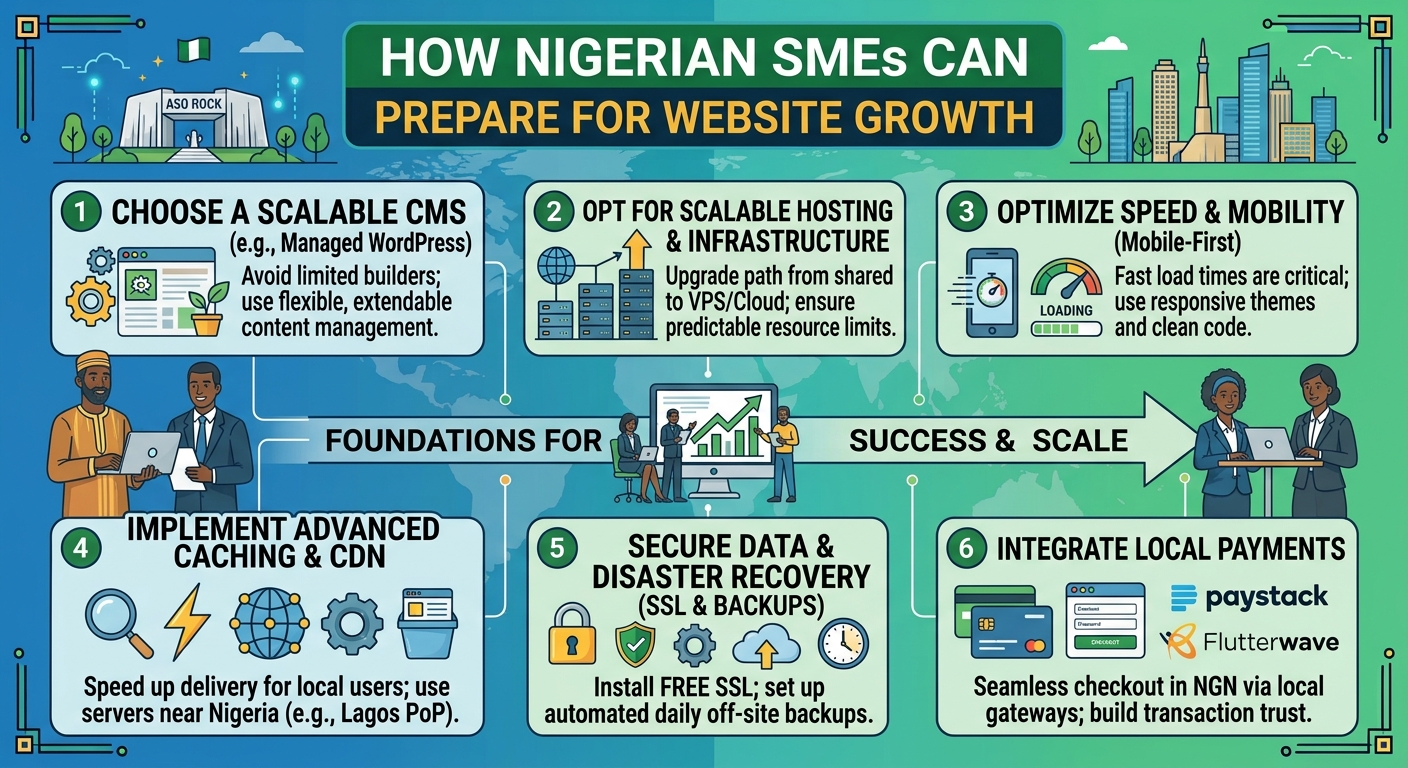
How Nigerian SMEs Can Prepare for Website Growth
For many Nigerian businesses, a website begins as a simple online presence: a few pages, contact details and information about the organisation. As the business attracts more customers, publishes more content or starts selling online, that same website may need to handle more visitors, files, enquiries and online activity.
Planning for growth early can help you avoid unnecessary downtime, slow loading speeds and a rushed move to a more powerful hosting service. Whether you run an SME, church, law firm or professional practice, the goal is to build a website foundation that can support your organisation as it develops.
Start with a clear picture of your website goals
Website growth is not only about having more visitors. A website may grow because it has more pages, receives more enquiries, stores larger files, adds online payments or connects with other business tools.
Before choosing a hosting plan, consider what you want the website to do over the next one to three years. Useful questions include:
- Will the website mainly provide information, or will it support online sales and bookings?
- Will you publish regular articles, announcements, sermons, legal resources or downloadable documents?
- How many people will need to update the website?
- Will customers contact you through forms, live chat or other online tools?
- Could seasonal campaigns or special events bring a sudden increase in visitors?
These answers help you choose a suitable starting point and identify the features your hosting account may need later.
Choose a domain name that can grow with the organisation
Your domain is one of the most important parts of your online identity. It appears on your website, email addresses, marketing materials and search results. A domain that is clear, easy to remember and closely connected to your organisation can remain useful as your business expands.
Avoid choosing a name that is too narrow if you expect your products, services or location to change. For example, a domain based on one temporary product may become limiting if you later offer a wider range of services.
Before purchasing a domain, check that:
- The name is easy to spell and pronounce.
- It does not create confusion with another organisation.
- Your business can use it consistently on social media and printed materials.
- The registration details and renewal arrangements are properly managed.
Keep a record of the domain account, renewal information and the person responsible for managing it. Losing access to a domain can disrupt both the website and business email.
Select hosting based on needs, not just the lowest price
Affordable hosting can be a sensible starting point for a new website, but the cheapest option is not always the best long-term choice. Hosting affects website performance, storage, reliability, security features and the ease of managing future upgrades.
Many small websites can begin with a standard hosting plan. This may be appropriate for a company profile, church website, blog or professional service website with moderate traffic. As the website becomes more demanding, you may need additional resources or a different hosting environment.
When comparing hosting options, look beyond storage space. Consider:
- Resources: Check whether the plan provides enough processing capacity, memory and storage for the website.
- Scalability: Find out whether you can upgrade without rebuilding the entire website.
- Support: Choose a provider with a practical way to get assistance when technical problems arise.
- Backups: Confirm how backups are handled and how restoration works.
- Security: Look for sensible security controls and support for secure website connections.
- Management: A straightforward control panel can save time for teams without specialist technical knowledge.
The right plan should balance present needs with a realistic path for future growth.
Understand when an upgrade may be necessary
A hosting upgrade may be worth considering when your website becomes slow, experiences errors during busy periods or regularly reaches its allocated resources. An increase in traffic is one possible reason, but it is not the only one. Large images, poorly optimised software, excessive plugins and inefficient website code can also affect performance.
Before upgrading, identify the cause of the problem. Improving image sizes, removing unused plugins, updating software and reviewing the website configuration may solve some issues without requiring a more powerful plan.
If the website has genuinely outgrown its current environment, you may consider options such as a virtual private server or cloud hosting. These services can provide more control and resources, but they may also require more technical administration. Choose them because your website has a clear need, not simply because they sound more advanced.
Build performance into the website from the beginning
A fast website is easier for visitors to use and can make it simpler for potential customers to find information. Performance is especially important for people browsing on mobile devices or using inconsistent internet connections.
Good preparation includes:
- Compressing images before uploading them.
- Using modern, well-maintained website themes and extensions.
- Removing pages, files and plugins that are no longer needed.
- Keeping the content structure simple and easy to navigate.
- Testing important pages on mobile devices.
- Monitoring loading speed after major design or software changes.
Do not assume that a powerful hosting plan can compensate for an inefficient website. Hosting and website optimisation should support each other.
Protect the website, domain and business data
Growth often means that a website holds more valuable information. This may include customer enquiries, staff access details, documents, payment-related information or private organisational content. Security should therefore be part of the plan from the start.
Use strong, unique passwords for hosting, domain and website administration accounts. Limit access to people who need it, and remove access when someone leaves the organisation or changes responsibilities. Keep the website software, themes and extensions updated, and use secure connections for website visitors.
Backups are equally important. A backup should be more than a feature listed in a hosting package; you should understand what is backed up, how often it happens and how the website would be restored. Keep an independent copy where appropriate, and periodically confirm that restoration is possible.
Plan content and administration as the website expands
A growing website needs an organised content process. Without one, pages can become outdated, duplicated or difficult to manage. Assign responsibility for reviewing contact details, service descriptions, announcements and downloadable documents.
For churches, this may include service schedules, event information and media resources. For law firms, it may include practice areas, team profiles and educational articles. For SMEs, it could include product details, customer guidance and frequently asked questions.
Create a simple schedule for checking important content. Decide who approves changes and who has permission to publish them. This reduces mistakes and helps the website remain useful as the organisation changes.
Prepare for changes in traffic and demand
Website traffic may not increase gradually. A marketing campaign, media mention, public event, product launch or seasonal service can bring many visitors in a short period. Before an important campaign, check that your hosting plan, website software, contact forms and payment processes are ready.
Remove unnecessary files, test the main visitor journeys and make sure your team knows how to respond to enquiries. If you expect an unusually busy period, speak with your hosting provider about available upgrade options before the campaign begins.
Create a practical growth plan
You do not need to predict every future requirement. A simple plan is enough to make growth easier to manage. Record your current hosting package, domain details, website software, responsible team members and backup process. Then identify the signs that would trigger a review, such as increasing traffic, slower performance, more storage requirements or a new online service.
Review the plan whenever the organisation launches a major service, changes its website or begins a new campaign. This approach helps you make informed hosting decisions rather than waiting for a problem to force an urgent change.
Conclusion
Preparing for website growth means choosing a dependable foundation and maintaining it carefully. Start with clear goals, select a suitable domain and hosting plan, protect access and data, optimise performance and understand how upgrades work. With these steps in place, Nigerian SMEs, churches and professional firms can build an online presence that is easier to manage today and better prepared for tomorrow.